AI agent for warehouse managers
Operations Shift Brief Agent
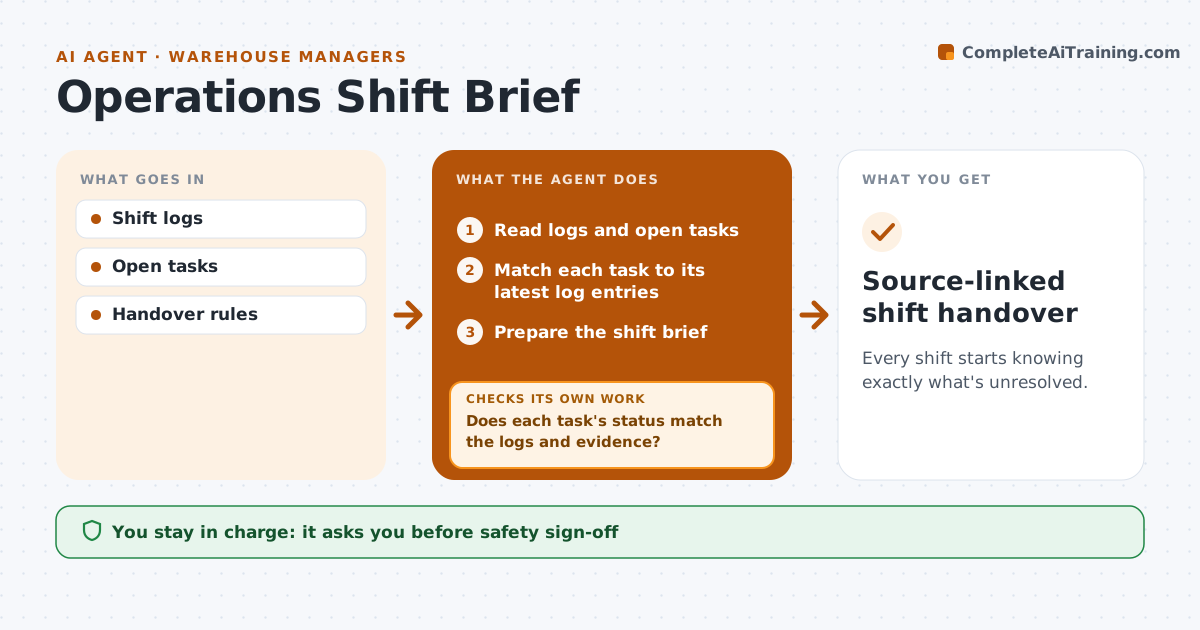
Every shift starts knowing exactly what's unresolved.
What it does
Shift handovers often leave out unfinished work and what it depends on, so the next shift repeats or misses tasks. At the end of each shift, this agent reads the shift logs and open tasks. It checks every task whose status conflicts with the logs. A task marked done stays open when the required evidence is missing or the log says something is still pending. It prepares a short handover brief with each open item linked to its source. The supervisor reviews and signs off, and handles safety sign-offs and staffing instructions. Edge case: a task is marked done but the latest log says verification is pending, so it stays on the handover.
How it works
Follow the arrows from top to bottom. The orange dashed arrow is the loop: when a check fails, the agent goes back and tries again.
Read the steps as a list
- End of shift
- Read logs and open tasks
- Match each task to its latest log entries
- Does each task's status match the logs and evidence?If not: check the source and mark the task unresolved. Back to step 3.
- Prepare the shift brief
- Is every open item linked to a source?If not: add the missing link. Back to step 5.
- Supervisor signs offThe agent waits here for your OK.
- Source-linked shift handover
How it decides
It checks conflicts between task status and logs and keeps unproven completions open.
- Evidence decides completion, not the status field.
- Conflicting tasks stay open on the handover.
- Safety items are always listed first.
Make it yours
Every agent is a starting point. You choose these settings for your own situation.
- Evidence required to close each task type
- Log and task sources to read
- Handover format (short list or detailed brief)
- Shift end times
What keeps you in control
It always asks you first
- Safety sign-off
- Staffing instructions
Hard limits
- No safety sign-off.
It stops when
- Done: brief ready.
Set it up
We guide you through the set-up, step by step
Members get the full set-up guide for this agent. No technical skills needed: you copy, paste and upload.
- One set of instructions to paste into your AI, with the clicks for ChatGPT, Claude, Microsoft 365 Copilot, Gemini and Grok
- The agent then walks you through connecting your own data, one source at a time
- A downloadable copy with the flow chart, the rules and the full guide