AI agent for marketing managers
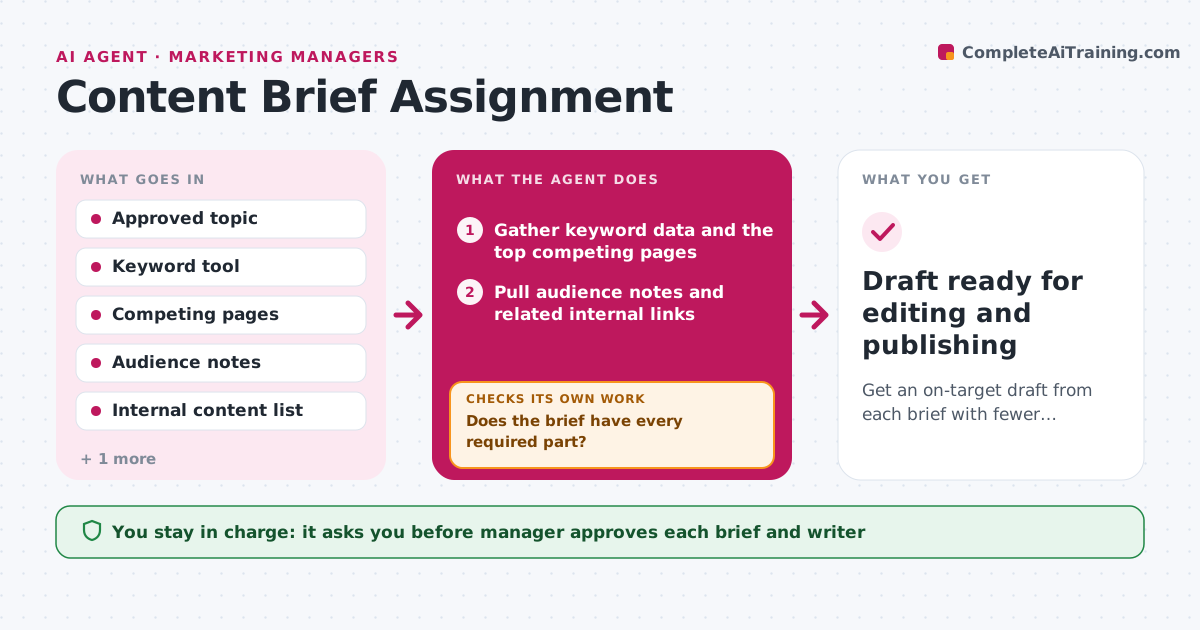
Content Brief Assignment Agent
Get an on-target draft from each brief with fewer rewrite rounds.
What it does
A thin brief creates a draft that misses the point, and then the manager spends a week on rewrites. When the manager approves a topic, the agent gathers keyword data, the top competing pages, audience notes and relevant internal links, then builds a brief with goal, angle, outline, required points and links. It checks the brief against a list of required parts and fills any gaps by searching again. After the manager approves the assignment it sends the brief to the chosen writer. When the draft comes back, the agent compares it with the brief, section by section, and sends it back with specific notes if something is missing. It repeats until the draft fits, up to a set number of rounds. The manager approves the assignment and the final version. Edge case: a writer's draft that is good but ignores the brief's target keyword.
How it works
Follow the arrows from top to bottom. The orange dashed arrow is the loop: when a check fails, the agent goes back and tries again.
Read the steps as a list
- Manager approves a topic
- Gather keyword data and the top competing pages
- Pull audience notes and related internal links
- Draft the brief with goal, angle, outline and required points
- Does the brief have every required part?If not: search again for the missing data and rebuild the brief. Back to step 2.
- Manager approves the brief and the writerThe agent waits here for your OK.
- Send the brief to the writer and set the due date
- Compare the returned draft with the brief section by section
- Does the draft cover every required point and the target keyword?If not: send the draft back with specific notes and wait for a revision. Back to step 7.
- Manager approves the final draftThe agent waits here for your OK.
- Draft ready for editing and publishing
How it decides
A brief is complete only when every required part is filled. A draft passes when it covers every required point and the target keyword, and it goes back with notes when it does not.
- Brief is incomplete if goal, angle, outline, keyword, links or audience is missing
- Send a draft back when it misses any required point
- Stop after 3 revision rounds and hand the draft to the manager
- Pick the writer by topic fit and current workload
Make it yours
Every agent is a starting point. You choose these settings for your own situation.
- Required parts of a brief
- Maximum revision rounds (default 3)
- Keyword and data tools to use
- Writer roster and workload limits
- Due date rules (default 7 days)
What keeps you in control
It always asks you first
- Manager approves each brief and writer
- Manager approves the final draft
Hard limits
- Never send a brief to a writer without manager approval
- Do not rewrite the draft itself
It stops when
- Done: draft approved by the manager
- Stop: three revision rounds used, manager decides next step
Set it up
We guide you through the set-up, step by step
Members get the full set-up guide for this agent. No technical skills needed: you copy, paste and upload.
- One set of instructions to paste into your AI, with the clicks for ChatGPT, Claude, Microsoft 365 Copilot, Gemini and Grok
- The agent then walks you through connecting your own data, one source at a time
- A downloadable copy with the flow chart, the rules and the full guide