AI agent for sales and marketings
Email Launch Sequence Performance Agent
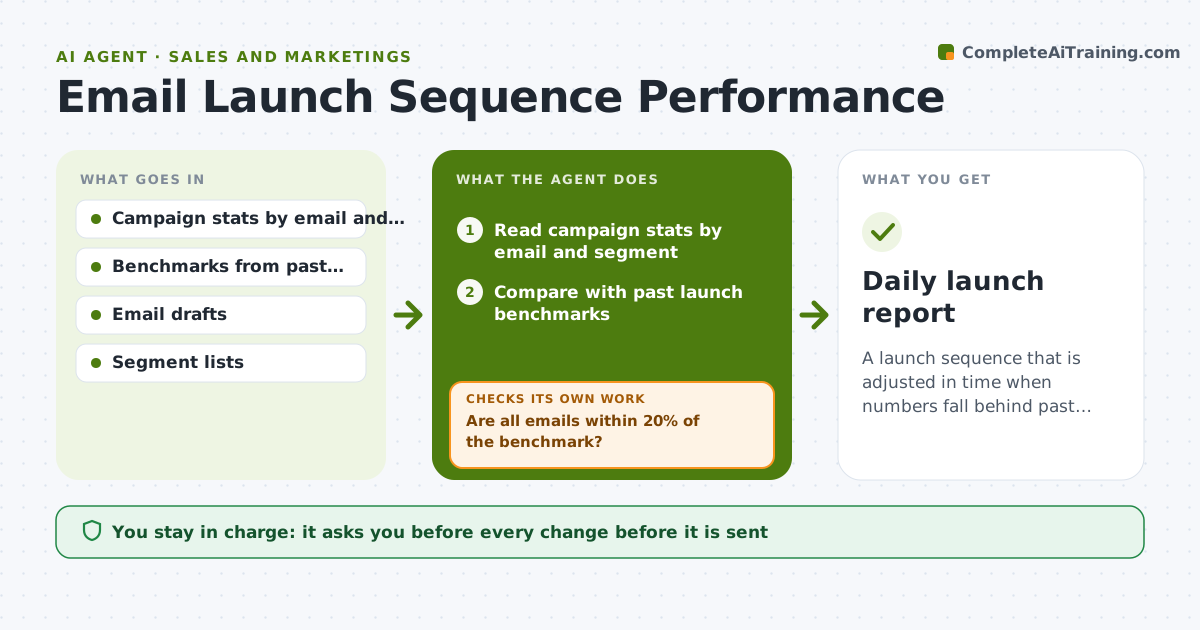
A launch sequence that is adjusted in time when numbers fall behind past launches.
What it does
You send a five-email launch sequence, and by email three the open rate has fallen from 42% to 21%. By the time you notice, the launch is nearly over. This agent reads campaign stats every day during a launch and compares them with benchmarks from your past launches. It spots weak emails, drafts variations of subject lines or calls to action, and checks segments for fatigue, such as people who got every email and never opened. Edge case: low opens come from one segment that was emailed twice in a day, so the agent suggests pausing that segment. The creator approves any change before it is sent.
How it works
Follow the arrows from top to bottom. The orange dashed arrow is the loop: when a check fails, the agent goes back and tries again.
Read the steps as a list
- Launch day stats arrive
- Read campaign stats by email and segment
- Compare with past launch benchmarks
- Are all emails within 20% of the benchmark?If not: list the weak emails and likely causes. Back to step 2.
- Check segments for fatigue or overlap
- Draft subject line or call-to-action variations
- Creator approves any changeThe agent waits here for your OK.
- Send approved variations to a test segment
- Did the variation beat the original?If not: try a different change or keep the original. Back to step 4.
- Daily launch report
How it decides
It flags an email when opens or clicks fall more than 20% below the benchmark and proposes the smallest change likely to fix it.
- Flag opens or clicks 20% below benchmark.
- Pause a segment that received more than 2 emails in one day.
- Test a variation on 20% of the list first.
- Do not change the offer or price.
Make it yours
Every agent is a starting point. You choose these settings for your own situation.
- Benchmark source
- Deviation threshold (default 20%)
- Test segment size
- Segments to watch
- Report time
What keeps you in control
It always asks you first
- Every change before it is sent
- Any pause of a segment
Hard limits
- Do not send emails without approval.
- Do not change prices or offers.
It stops when
- Done: launch closed and the report is delivered
- Stop: stats cannot be accessed, so the agent tells the creator
Set it up
We guide you through the set-up, step by step
Members get the full set-up guide for this agent. No technical skills needed: you copy, paste and upload.
- One set of instructions to paste into your AI, with the clicks for ChatGPT, Claude, Microsoft 365 Copilot, Gemini and Grok
- The agent then walks you through connecting your own data, one source at a time
- A downloadable copy with the flow chart, the rules and the full guide