AI agent for marketing managers
Content Library Governance Audit Agent
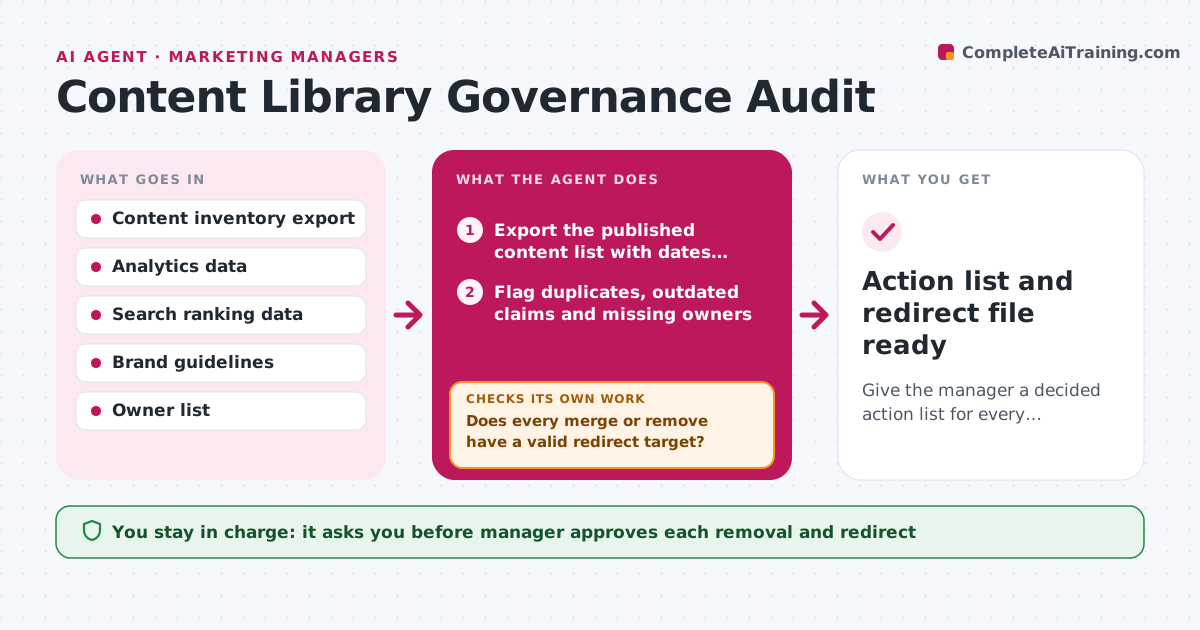
Give the manager a decided action list for every flagged page, with redirects ready.
What it does
After a few years a content library holds posts that repeat each other, quote old prices or no longer fit the brand. Each quarter the agent builds an inventory of published pages with date, owner, traffic and links. It flags duplicates, outdated claims, missing owners and low performers, then proposes one action per item: keep, update, merge or remove. Before it recommends removal or merge, it checks which pages link to the item and which search traffic it brings, and drafts the redirect needed. If a redirect target is unclear, it looks for the closest remaining page. Edge case: a page with low traffic that still ranks first for a high-value term should be updated, not removed. The manager approves each retirement.
How it works
Follow the arrows from top to bottom. The orange dashed arrow is the loop: when a check fails, the agent goes back and tries again.
Read the steps as a list
- Quarterly audit begins
- Export the published content list with dates, owners and traffic
- Flag duplicates, outdated claims and missing owners
- Score each flagged page on traffic, links and ranking value
- Propose keep, update, merge or remove for each page
- Check inbound links and search rankings for pages marked merge or remove
- Does every merge or remove have a valid redirect target?If not: find the closest remaining page, or change the action to update. Back to step 4.
- Draft the redirect list and the update tasks per owner
- Do any removals cut off a page that still ranks or earns links?If not: change the action to update or merge and rescore. Back to step 4.
- Manager approves each retirement and redirectThe agent waits here for your OK.
- Action list and redirect file ready
How it decides
Each page is scored on age, traffic, links, duplication and accuracy. Removal is only suggested when value is low and a redirect target exists.
- Never recommend removal of a page ranking in the top 5 for a priority term
- Flag as outdated any page with prices, dates or product names that no longer match
- Propose merge when two pages share more than 70 percent of their topic
- Pages with no owner go to the manager for assignment
Make it yours
Every agent is a starting point. You choose these settings for your own situation.
- Traffic threshold for low performers (default under 50 visits a quarter)
- Age limit for outdated (default 24 months)
- Duplicate similarity cutoff (default 70 percent)
- Brand rules to check against
- Audit schedule
What keeps you in control
It always asks you first
- Manager approves each removal and redirect
- Manager approves reassigning owners
Hard limits
- Never delete or redirect a page itself
- Do not change published content without approval
It stops when
- Done: action list approved
- Stop: analytics export is missing, report and do not guess traffic
Set it up
We guide you through the set-up, step by step
Members get the full set-up guide for this agent. No technical skills needed: you copy, paste and upload.
- One set of instructions to paste into your AI, with the clicks for ChatGPT, Claude, Microsoft 365 Copilot, Gemini and Grok
- The agent then walks you through connecting your own data, one source at a time
- A downloadable copy with the flow chart, the rules and the full guide