AI agent for blockchain developers
Contract Upgrade Migration Agent
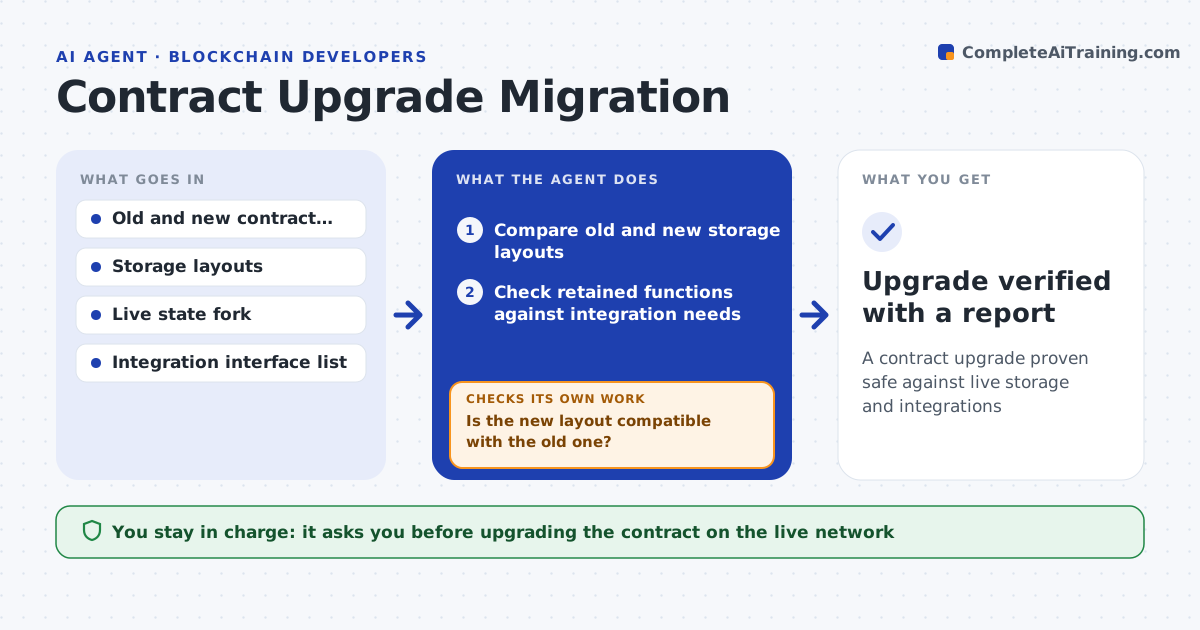
A contract upgrade proven safe against live storage and integrations
What it does
Upgrading an upgradeable contract is risky: if the new version's storage layout does not match the old one, stored data such as balances is read wrongly. Before an upgrade this agent compares the old and new storage layouts and flags any incompatible change, such as a reordered, removed or resized variable. It checks that the new version keeps the functions that integrations rely on. Then it runs the test suite against a fork of the live state to confirm existing data still reads correctly after the upgrade. Where a change would break storage or an interface, it describes the problem and a safe pattern, such as appending new variables only, then retests the reworked version. You approve the upgrade on the live network. Edge case: a type change that alters storage size is flagged, because it shifts every later slot.
How it works
Follow the arrows from top to bottom. The orange dashed arrow is the loop: when a check fails, the agent goes back and tries again.
Read the steps as a list
- Upgrade proposed
- Compare old and new storage layouts
- Is the new layout compatible with the old one?If not: describe the incompatible change and the append-only pattern, then wait for a revised version. Back to step 2.
- Check retained functions against integration needs
- Fork the live state and apply the upgrade
- Run the test suite and read back existing data
- Does existing data read correctly and do integrations still work?If not: describe the break and a safe pattern, then rework and retest. Back to step 5.
- Developer approves the upgrade on the live networkThe agent waits here for your OK.
- Upgrade verified with a report
How it decides
It blocks an upgrade that changes storage layout incompatibly or removes a relied-upon function, confirmed against a fork of live state.
- Block incompatible storage layout changes
- Require relied-upon functions to remain
- Confirm against a fork of live state
Make it yours
Every agent is a starting point. You choose these settings for your own situation.
- Integration interfaces to protect
- State fork source
- Tests to run
- Upgrade pattern rules
What keeps you in control
It always asks you first
- Upgrading the contract on the live network
Hard limits
- Never upgrades the live contract without approval
- Tests against real state before approval
It stops when
- Done: upgrade verified safe
- Stop: the live state fork is unavailable
Set it up
We guide you through the set-up, step by step
Members get the full set-up guide for this agent. No technical skills needed: you copy, paste and upload.
- One set of instructions to paste into your AI, with the clicks for ChatGPT, Claude, Microsoft 365 Copilot, Gemini and Grok
- The agent then walks you through connecting your own data, one source at a time
- A downloadable copy with the flow chart, the rules and the full guide