AI agent for blockchain developers
Contract Static Analysis Triage Agent
Find the real vulnerabilities among analyzer output and confirm each with a test
What it does
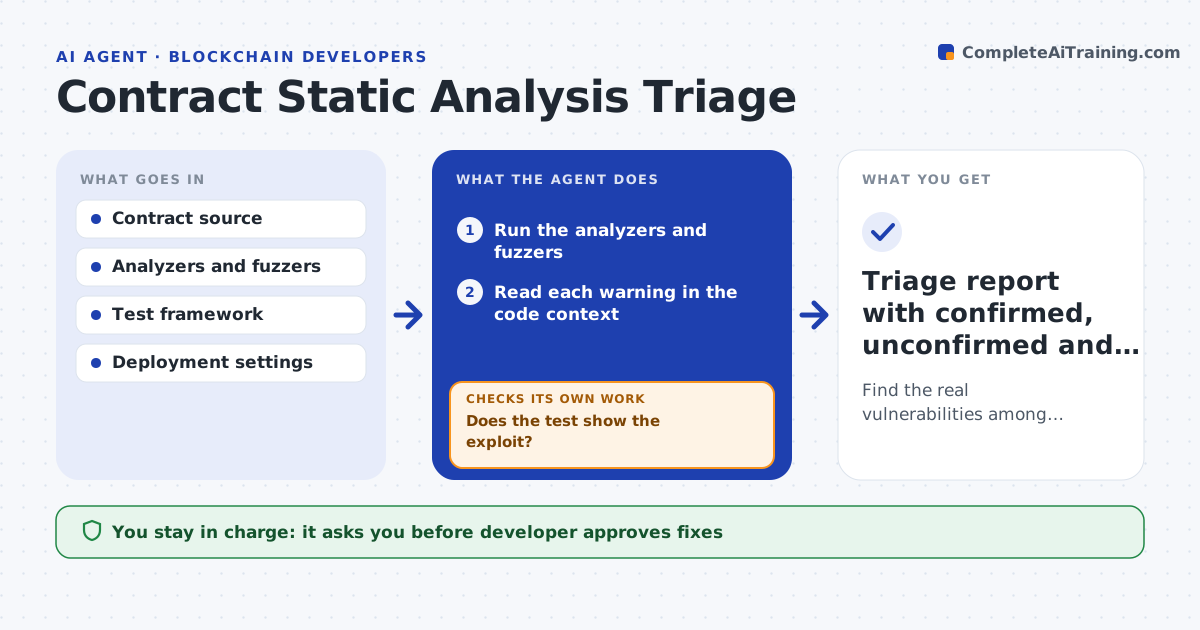
Running a contract analyzer and a fuzzer gives hundreds of warnings, and a real reentrancy bug hides among the noise. This agent runs the analyzers and fuzzers on each contract, then reads every result in the code context. For each warning, it tries to reproduce it in a test: can an attacker really reach this state and take funds? It ranks confirmed issues by funds at risk and ease of attack, and marks unconfirmed ones with the reason. After the developer fixes a confirmed issue, it reruns the analyzers and the reproducing test to confirm that it now fails to exploit. The developer approves each fix. Edge case: a warning is real in theory but guarded by an access control, so the agent labels it informational.
How it works
Follow the arrows from top to bottom. The orange dashed arrow is the loop: when a check fails, the agent goes back and tries again.
Read the steps as a list
- Contract change or pre-audit review
- Run the analyzers and fuzzers
- Read each warning in the code context
- Write a test that tries to reproduce the issue
- Run the reproduction test
- Does the test show the exploit?If not: try a different attack path; if none works, mark it as unconfirmed with the reason. Back to step 3.
- Rank confirmed issues by funds at risk and attack effort
- Developer approves the fixes to applyThe agent waits here for your OK.
- Apply fixes and rerun analyzers and reproduction tests
- Do the exploit tests fail and no new warnings appear?If not: return the issue with the new result and propose another fix. Back to step 8.
- Triage report with confirmed, unconfirmed and informational findings
How it decides
It calls a finding confirmed only when a reproducing test shows the exploit, and ranks it by funds at risk and attacker effort.
- Rank issues that move funds above all others
- Confirm only with a reproducing test
- Mark guarded warnings as informational with the guard named
- Rerun the full test suite after every fix
Make it yours
Every agent is a starting point. You choose these settings for your own situation.
- Analyzers and fuzz settings
- Severity ranking rules
- Fork block and network
- Test framework
- Informational vs accepted-risk wording
What keeps you in control
It always asks you first
- Developer approves fixes
- Security lead approves marking a confirmed issue as accepted risk
Hard limits
- Run tests only on a local chain or fork, never on live contracts
- Never deploy or send transactions to a live network
It stops when
- Done: all confirmed issues are fixed and retested
- Stop: the contract design needs to change to fix an issue
Set it up
We guide you through the set-up, step by step
Members get the full set-up guide for this agent. No technical skills needed: you copy, paste and upload.
- One set of instructions to paste into your AI, with the clicks for ChatGPT, Claude, Microsoft 365 Copilot, Gemini and Grok
- The agent then walks you through connecting your own data, one source at a time
- A downloadable copy with the flow chart, the rules and the full guide