
AI agent for paid media specialists
Conversion Tag Health Agent
Find a broken or double-firing conversion tag within a day and have it fixed and verified.
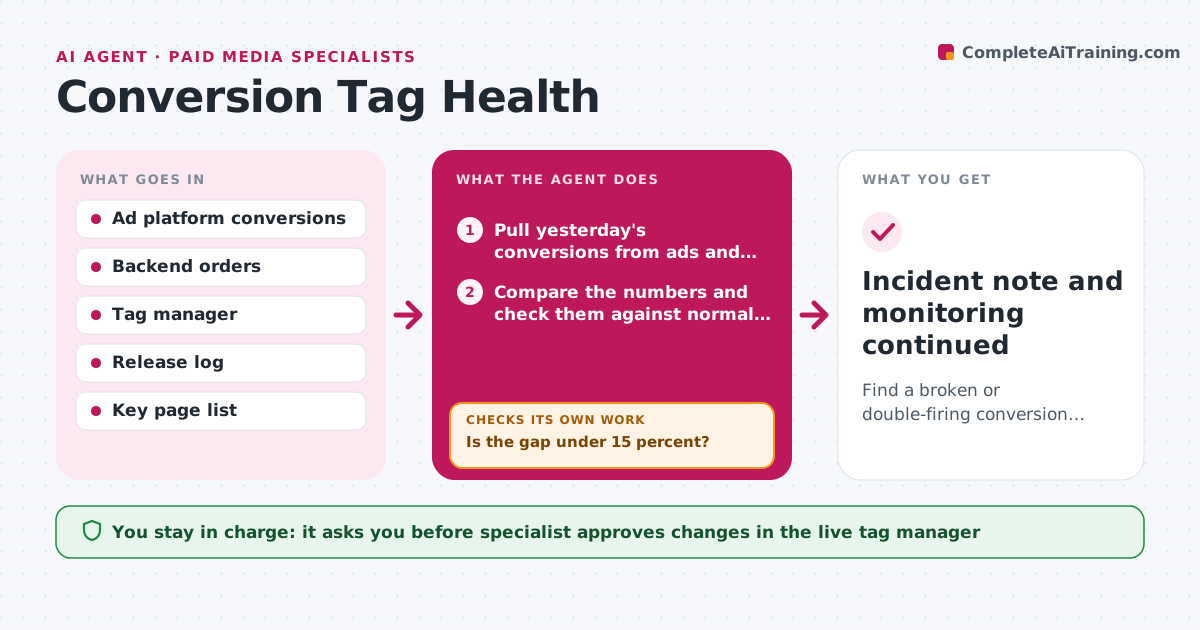
What it does
When a conversion tag breaks after a site release, the ad platforms see fewer sales, bid down and spend gets wasted for days before anyone notices. Each day the agent compares conversions in the ad platform with orders in the backend or analytics. It looks for deviations larger than normal variation. When it finds one, it runs tag tests on the key pages such as product, cart and thank-you pages, checking that each tag fires, with the right value and currency. It traces where the failure started by comparing with the release log and by testing page by page and platform by platform. It then proposes a fix and, after approval, re-tests and compares the next day's numbers. Edge case: a drop caused by real traffic changes, not a broken tag. The specialist approves fixes in live tag managers.
How it works
Follow the arrows from top to bottom. The orange dashed arrow is the loop: when a check fails, the agent goes back and tries again.
Read the steps as a list
- Daily check runs
- Pull yesterday's conversions from ads and orders from the backend
- Compare the numbers and check them against normal variation
- Is the gap under 15 percent?If not: run the tag tests on the key pages and platforms. Back to step 2.
- Test each tag on the product, cart and thank-you pages
- Compare test results with the release log to find the cause
- Draft the fix and the expected effect
- Specialist approves the fix in the tag managerThe agent waits here for your OK.
- After the fix, re-test the tags
- Do conversions match the backend within 15 percent the next day?If not: test the next suspected page or platform and repeat. Back to step 5.
- Incident note and monitoring continued
How it decides
A deviation is a problem when platform conversions differ from the backend by more than 15 percent for two days. Page tests find which tag or page is at fault.
- Treat a gap over 15 percent for 2 days as a problem
- Check double firing when ads show more conversions than orders
- Test the page that changed in the latest release first
- Compare mobile and desktop separately
Make it yours
Every agent is a starting point. You choose these settings for your own situation.
- Gap threshold (default 15 percent)
- Days before alert (default 2)
- Key pages to test
- Platforms compared
- Alert recipients
What keeps you in control
It always asks you first
- Specialist approves changes in the live tag manager
- Specialist approves notifying the ad platforms
Hard limits
- Never edit tags itself
- Do not change bids
It stops when
- Done: conversions match and the incident is closed
- Stop: gap is explained by real traffic changes, log and continue monitoring
Set it up
We guide you through the set-up, step by step
Members get the full set-up guide for this agent. No technical skills needed: you copy, paste and upload.
- One set of instructions to paste into your AI, with the clicks for ChatGPT, Claude, Microsoft 365 Copilot, Gemini and Grok
- The agent then walks you through connecting your own data, one source at a time
- A downloadable copy with the flow chart, the rules and the full guide



