AI agent for chief digital officers
Cookie and Tracking Consent Audit Agent
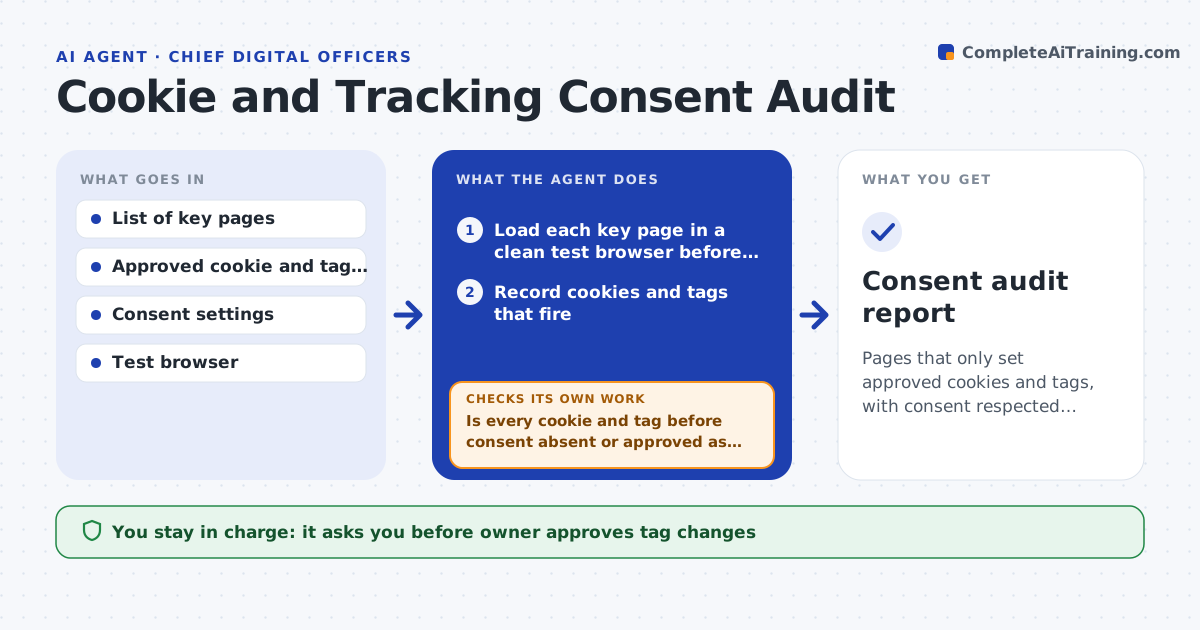
Pages that only set approved cookies and tags, with consent respected after every release
What it does
Tags fire before consent and nobody checks after site releases. After each release, this agent loads your key pages in a test browser. It records which cookies and tags fire before the visitor gives consent and after, and compares them with the approved list. It reports violations such as an ad tag firing early. After a fix, it retests to confirm the problem is gone and that no new tag has appeared. The owner approves tag changes. Edge case: a new analytics tag appears that is not on the approved list, so the agent flags it even though it fires after consent.
How it works
Follow the arrows from top to bottom. The orange dashed arrow is the loop: when a check fails, the agent goes back and tries again.
Read the steps as a list
- Site release is deployed
- Load each key page in a clean test browser before consent
- Record cookies and tags that fire
- Accept consent and record again
- Compare both lists to the approved list
- Is every cookie and tag before consent absent or approved as necessary?If not: list the violations with page and tag. Back to step 5.
- Owner approves tag changesThe agent waits here for your OK.
- Apply or request the approved fixes
- Retest all key pages
- Are there zero violations on the retest?If not: list the remaining violations and repeat. Back to step 2.
- Consent audit report
How it decides
A tag is a violation when it fires before consent, or is not on the approved list. A retest must show zero violations.
- Fail any non-essential tag that fires before consent
- Fail any tag not on the approved list
- Test the pages with the most traffic first
- Retest every page after a fix
Make it yours
Every agent is a starting point. You choose these settings for your own situation.
- Key page list
- Approved tag list
- Test regions (default: EU and US)
- When to run
What keeps you in control
It always asks you first
- Owner approves tag changes
Hard limits
- Never edits the site or tag manager
- Never stores real visitor data
It stops when
- Done: the retest shows zero violations
- Stop: key pages cannot be loaded
Set it up
We guide you through the set-up, step by step
Members get the full set-up guide for this agent. No technical skills needed: you copy, paste and upload.
- One set of instructions to paste into your AI, with the clicks for ChatGPT, Claude, Microsoft 365 Copilot, Gemini and Grok
- The agent then walks you through connecting your own data, one source at a time
- A downloadable copy with the flow chart, the rules and the full guide