AI agent for quality assurance testers
Public Form Accessibility Agent
Every public form remains accessible after each revision.

What it does
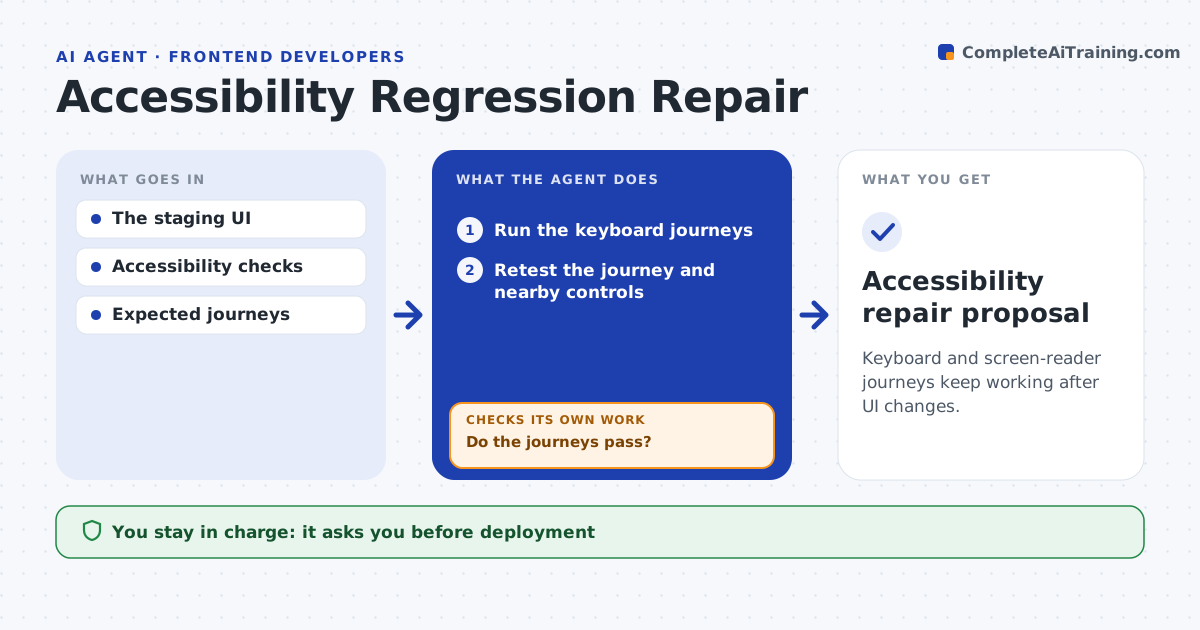
Public forms lose accessibility after revisions: missing labels, broken keyboard order, unclear error messages. When a form is revised in staging, this agent tests it with keyboard and screen-reader checks. For each failure it chooses a repair based on what actually went wrong and patches only the markup it is permitted to change. It then retests the whole affected journey, not just the field it fixed. If a patch causes a new failure, it revises the patch and tests again. The digital team approves deployment to the live site; legal compliance certification stays with them. Edge case: adding a label to a date field moves keyboard focus to the footer, so the agent fixes the tab order too.
How it works
Follow the arrows from top to bottom. The orange dashed arrow is the loop: when a check fails, the agent goes back and tries again.
Read the steps as a list
- Form revised in staging
- Run keyboard and label checks
- Does the journey pass?If not: patch the staging markup. Back to step 2.
- Retest the affected journey
- Did the patch avoid new failures?If not: revise the patch. Back to step 3.
- Digital team approves deploymentThe agent waits here for your OK.
- Accessibility repair review pack
How it decides
It chooses repairs from observed interaction failures and retests the whole affected journey after each patch.
- Choose the repair from the observed failure.
- Accept a patch only when no new failures appear.
- Retest the whole affected journey, not just the field.
- Never change the live form.
Make it yours
Every agent is a starting point. You choose these settings for your own situation.
- Accessibility checks to run (keyboard, labels, contrast, error messages)
- Markup the agent may change in staging
- Journeys to retest after every patch
- Who approves deployment
- Report format (issue list or annotated screenshots)
What keeps you in control
It always asks you first
- Public deployment
- Legal compliance certification
Hard limits
- Staging only.
It stops when
- Done: journey passes.
Set it up
We guide you through the set-up, step by step
Members get the full set-up guide for this agent. No technical skills needed: you copy, paste and upload.
- One set of instructions to paste into your AI, with the clicks for ChatGPT, Claude, Microsoft 365 Copilot, Gemini and Grok
- The agent then walks you through connecting your own data, one source at a time
- A downloadable copy with the flow chart, the rules and the full guide