AI agent for chief information officers
Shadow IT Discovery Agent
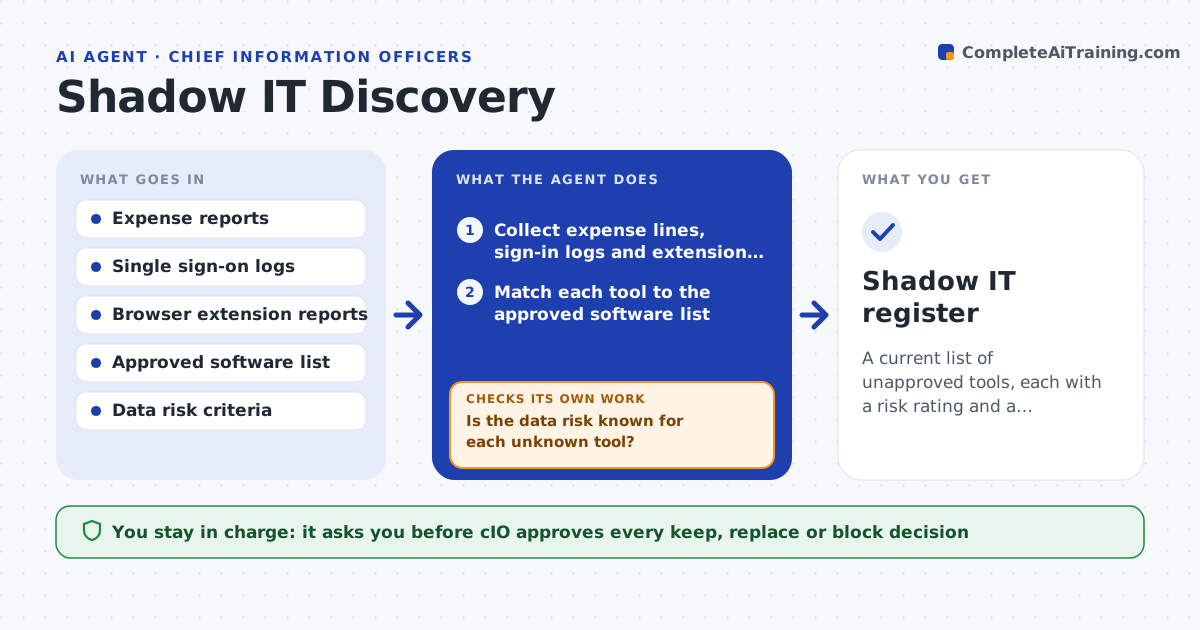
A current list of unapproved tools, each with a risk rating and a decision from the CIO
What it does
Teams buy software and AI tools that IT does not know about, and the risks only show up later. This agent compares expense data, single sign-on logs and browser extension reports with the approved software list. It flags tools nobody has registered and checks each one's data risk, such as whether it stores customer data or trains on inputs. It then asks the owner for a business reason and whether an approved tool could do the same job. The CIO approves keep, replace or block. Edge case: a free AI tool shows up only in sign-in logs and not in expenses, so the agent still checks it.
How it works
Follow the arrows from top to bottom. The orange dashed arrow is the loop: when a check fails, the agent goes back and tries again.
Read the steps as a list
- Monthly discovery run
- Collect expense lines, sign-in logs and extension reports
- Match each tool to the approved software list
- List unknown tools with the teams using them
- Check each tool's data handling and vendor terms
- Is the data risk known for each unknown tool?If not: search the vendor's terms again or mark the risk unknown and high. Back to step 5.
- Ask each owner for the business reason and alternatives
- CIO approves keep, replace or block for each toolThe agent waits here for your OK.
- Update the approved list and notify owners
- Shadow IT register
How it decides
A tool is shadow IT when it appears in any source and is not on the approved list. Risk is high when it handles sensitive data without a contract.
- Treat any tool not on the list as unknown
- Rate high when sensitive data goes in without a contract
- Look for an approved alternative before keeping a tool
- Treat unknown risk as high until checked
Make it yours
Every agent is a starting point. You choose these settings for your own situation.
- Sources to scan
- Risk criteria
- Run frequency
- Approved list location
What keeps you in control
It always asks you first
- CIO approves every keep, replace or block decision
Hard limits
- Never blocks a tool itself
- Never shares usage data outside IT leadership
It stops when
- Done: every unknown tool has a decision
- Stop: a data source is not available
Set it up
We guide you through the set-up, step by step
Members get the full set-up guide for this agent. No technical skills needed: you copy, paste and upload.
- One set of instructions to paste into your AI, with the clicks for ChatGPT, Claude, Microsoft 365 Copilot, Gemini and Grok
- The agent then walks you through connecting your own data, one source at a time
- A downloadable copy with the flow chart, the rules and the full guide