AI agent for geologists
Core Log Entry Check Agent
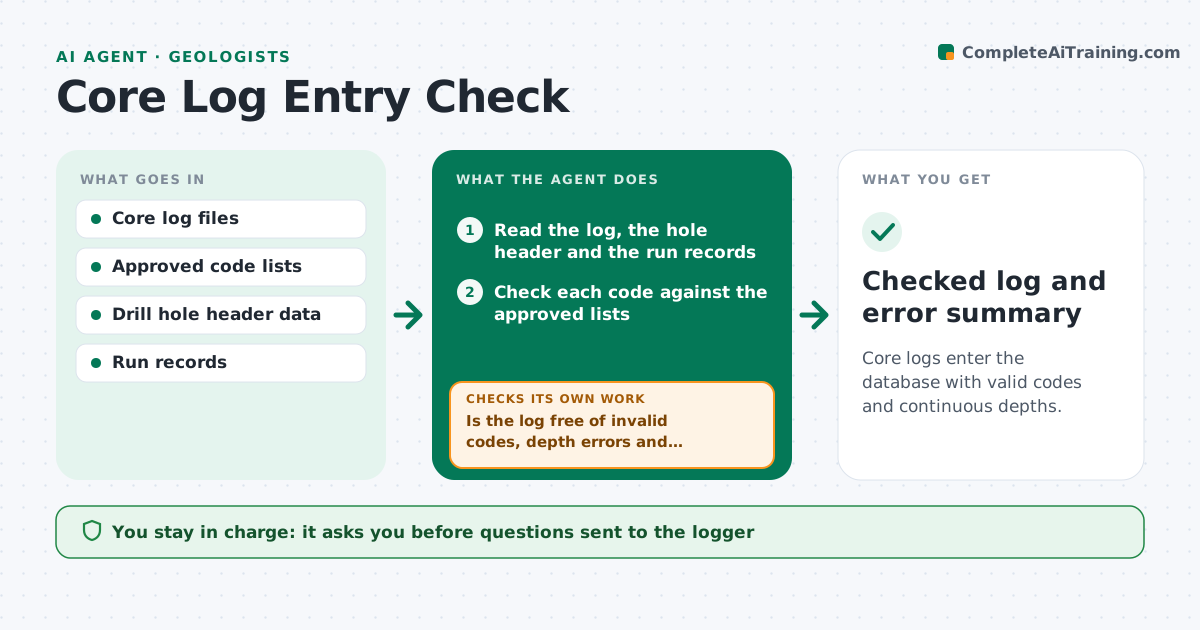
Core logs enter the database with valid codes and continuous depths.
What it does
A logging geologist enters a lithology code that is not on the approved list, or a run that overlaps the one before, and the error is found months later at modeling time. This agent reads each log as it is submitted. It checks codes against the approved list, checks depth continuity between runs and intervals for gaps and overlaps, and flags unusual entries such as impossible dips or recovery over 100 percent. It sends a short question list to the logger and rechecks the corrected log. It also tracks repeated problems per logger. You approve the log for the database. Edge case: a known core loss zone is recorded as a gap by design and not flagged.
How it works
Follow the arrows from top to bottom. The orange dashed arrow is the loop: when a check fails, the agent goes back and tries again.
Read the steps as a list
- Log submitted
- Read the log, the hole header and the run records
- Check each code against the approved lists
- Check depth continuity for gaps and overlaps
- Check recovery, dip and other value ranges
- Is the log free of invalid codes, depth errors and out-of-range values?If not: build a short question list for the logger with each problem and depth. Back to step 3.
- Geologist approves the questions sent to the loggerThe agent waits here for your OK.
- Read the corrected log
- Are all questions resolved with no new errors?If not: return the remaining items and note any new errors introduced. Back to step 3.
- Geologist approves the log for the databaseThe agent waits here for your OK.
- Checked log and error summary
How it decides
Each interval must have a valid code and start where the previous one ended. Anything else is a flag, with the exceptions recorded for known loss zones.
- Code not on the list: ask for the correct code
- Gap between intervals over 0.01 m without a loss note: flag
- Overlap of depth: flag with both intervals shown
- Recovery over 100 percent: flag as an error
Make it yours
Every agent is a starting point. You choose these settings for your own situation.
- Approved code lists
- Depth tolerance (default 0.01 m)
- Value ranges
- Known loss zone rules
- Question format
What keeps you in control
It always asks you first
- Questions sent to the logger
- Log entry into the database
Hard limits
- Never change a log entry
- Never load a log with open errors
It stops when
- Done: log checked and approved
- Stop: logger unavailable, log held
Set it up
We guide you through the set-up, step by step
Members get the full set-up guide for this agent. No technical skills needed: you copy, paste and upload.
- One set of instructions to paste into your AI, with the clicks for ChatGPT, Claude, Microsoft 365 Copilot, Gemini and Grok
- The agent then walks you through connecting your own data, one source at a time
- A downloadable copy with the flow chart, the rules and the full guide