AI agent for fundraisers
Corporate Matching Gift Agent
Eligible matching gifts are submitted and received
What it does
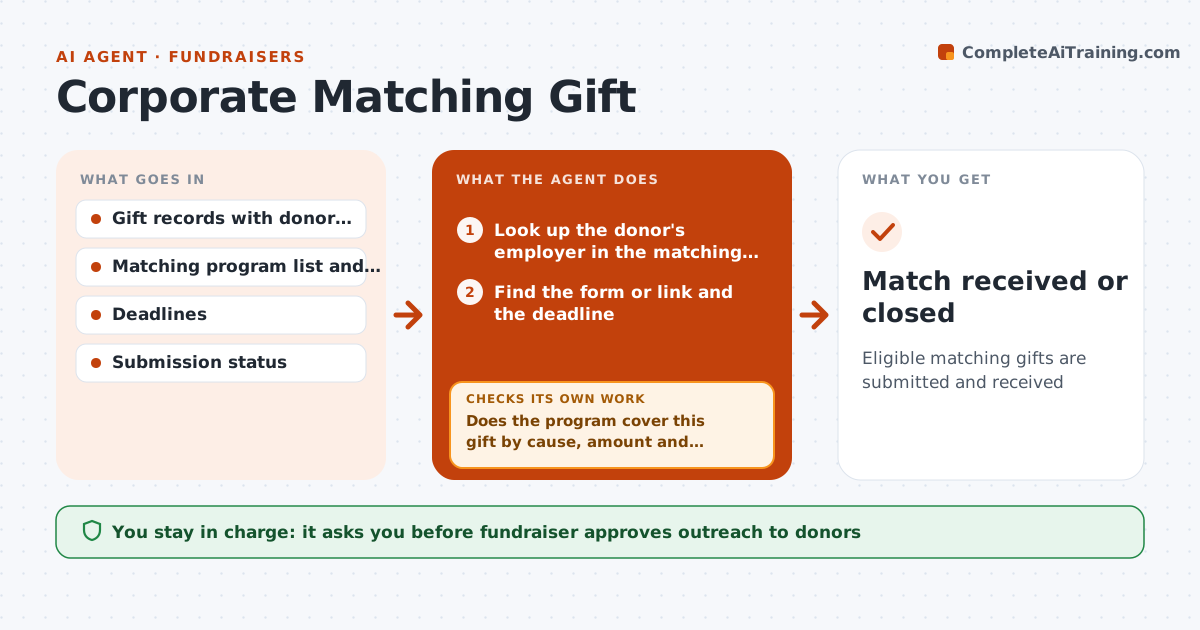
Many employers match donor gifts, and most donors never fill out the form. Fundraisers miss that money because it is a manual lookup. This agent compares each donor's employer with a list of matching gift programs. For eligible gifts it finds the program's rules, deadline and form or link, and drafts a short reminder to the donor with that link. It checks later in the gift records and the employer portal reports whether the match was submitted or received. It continues follow-ups until the match is received or the deadline passes. The fundraiser approves outreach. Edge case: the donor works at a company that only matches gifts to certain causes, so the agent checks the cause first.
How it works
Follow the arrows from top to bottom. The orange dashed arrow is the loop: when a check fails, the agent goes back and tries again.
Read the steps as a list
- A gift is posted
- Look up the donor's employer in the matching program list
- Does the program cover this gift by cause, amount and date?If not: mark the gift as not eligible and note why. Back to step 2.
- Find the form or link and the deadline
- Draft a reminder to the donor with the link
- Fundraiser approves outreachThe agent waits here for your OK.
- Send and log the reminder
- Check records for a submitted or received match
- Has the match been submitted or received?If not: send a follow-up before the deadline. Back to step 4.
- Match received or closed
How it decides
A gift is eligible when the employer has a program that covers this cause and amount and the deadline has not passed. Follow-ups stop on receipt or deadline.
- Mark eligible only when cause, amount and date fit the program
- Remind at 7 days after the gift, then every 21 days
- Stop at the program deadline
- Skip donors who gave anonymously or asked for no contact
Make it yours
Every agent is a starting point. You choose these settings for your own situation.
- Matching program list
- Reminder timing
- Message wording
- Donors in scope
What keeps you in control
It always asks you first
- Fundraiser approves outreach to donors
Hard limits
- Never contact an opted-out donor
- Do not submit forms for a donor
- Keep program rules current
It stops when
- Done: match received or deadline passed
- Stop: donor opts out of reminders
Set it up
We guide you through the set-up, step by step
Members get the full set-up guide for this agent. No technical skills needed: you copy, paste and upload.
- One set of instructions to paste into your AI, with the clicks for ChatGPT, Claude, Microsoft 365 Copilot, Gemini and Grok
- The agent then walks you through connecting your own data, one source at a time
- A downloadable copy with the flow chart, the rules and the full guide