AI agent for fundraisers
Donor Pledge Fulfillment Tracker Agent
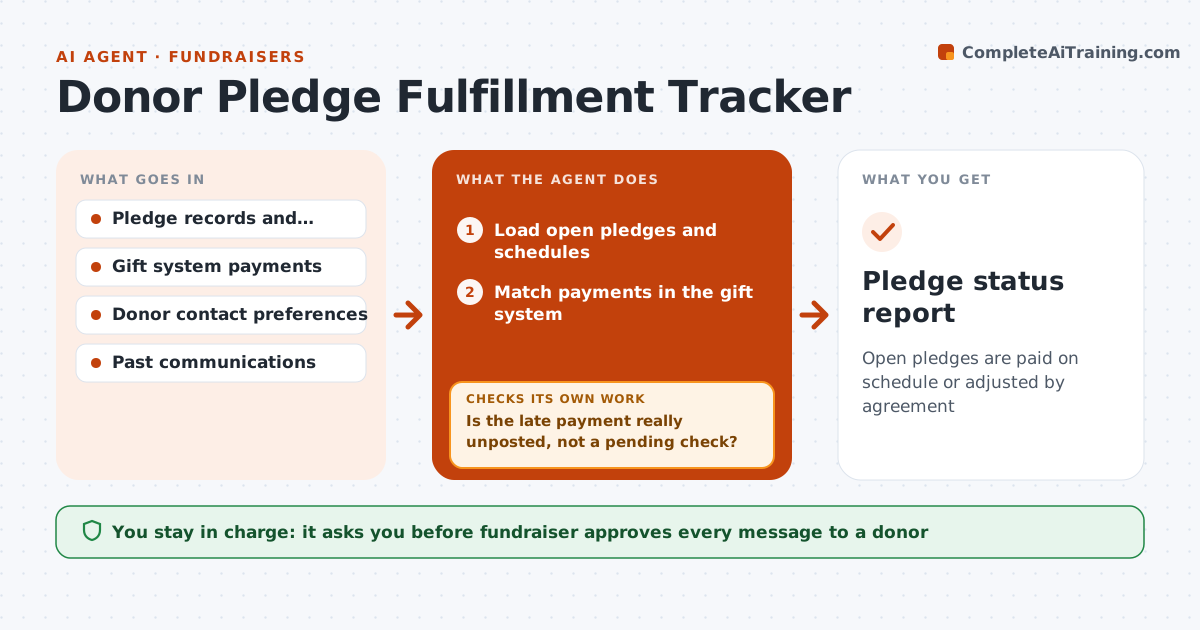
Open pledges are paid on schedule or adjusted by agreement
What it does
Pledges are easy to promise and hard to collect, and many go unpaid because no one notices. This agent lists every open pledge with its payment schedule and checks the gift system after each payment run. It flags late pledges and works out the amount due. For each one it drafts a gentle reminder in the donor's preferred channel, using the donor's past giving and gift history to set the tone. After the next payment run, it checks again and, if there is still no payment, drafts a different follow-up or suggests a call. The fundraiser approves outreach and any change to a schedule. Edge case: a donor paid by check that has not been posted, so the agent asks the gift processor before sending a reminder.
How it works
Follow the arrows from top to bottom. The orange dashed arrow is the loop: when a check fails, the agent goes back and tries again.
Read the steps as a list
- Payment run completes
- Load open pledges and schedules
- Match payments in the gift system
- List pledges with a payment more than 14 days late
- Is the late payment really unposted, not a pending check?If not: ask the gift processor and hold the reminder. Back to step 2.
- Draft a reminder in the donor's preferred channel
- Fundraiser approves outreachThe agent waits here for your OK.
- Send and log the contact
- Was the payment received after the next run?If not: draft a different follow-up or suggest a personal call. Back to step 3.
- Fundraiser approves any change to a pledge scheduleThe agent waits here for your OK.
- Pledge status report
How it decides
A pledge is late when a scheduled payment is more than 14 days past due and no gift is posted. The next step depends on how late it is and the donor's history.
- Flag a pledge 14 days after a due date
- Use the donor's usual channel
- Check for checks in the mail before reminding
- Suggest a call after two reminders
Make it yours
Every agent is a starting point. You choose these settings for your own situation.
- Days late before a flag (default 14)
- Reminder wording
- Channel preference rules
- Number of reminders
What keeps you in control
It always asks you first
- Fundraiser approves every message to a donor
- Fundraiser approves any change to a pledge schedule or write-off
Hard limits
- Never contact a donor without approval
- Do not write off a pledge
- Respect contact preferences
It stops when
- Done: pledge paid or schedule adjusted
- Stop: the donor asks to stop contact or the pledge is written off by the director
Set it up
We guide you through the set-up, step by step
Members get the full set-up guide for this agent. No technical skills needed: you copy, paste and upload.
- One set of instructions to paste into your AI, with the clicks for ChatGPT, Claude, Microsoft 365 Copilot, Gemini and Grok
- The agent then walks you through connecting your own data, one source at a time
- A downloadable copy with the flow chart, the rules and the full guide