
AI agent for nonprofit program managers
Corporate Volunteer Group Booking Agent
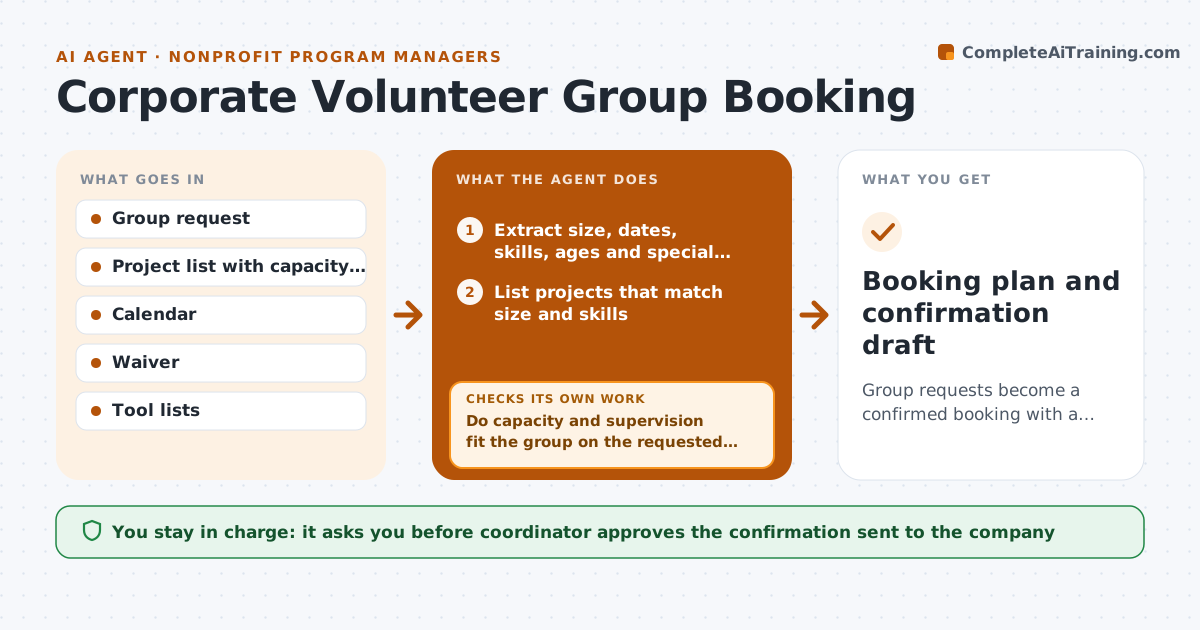
Group requests become a confirmed booking with a task plan, tools and waivers, with fewer emails.
What it does
A company asks to send 25 people for a volunteer day and you spend two weeks emailing about dates, tasks, tools and waivers. This agent reads each request and extracts group size, skills, preferred dates, mobility needs and age range. It matches the group to projects that fit, and checks site capacity, supervision needs and weather risk. It drafts a booking plan with the task list, tool and waiver list, parking and schedule. If the capacity check fails, for example a site only holds 15, it proposes other dates, a split group or another project. You approve the confirmation. Edge case: a group with under-18 members triggers the youth supervision rule and extra waivers.
How it works
Follow the arrows from top to bottom. The orange dashed arrow is the loop: when a check fails, the agent goes back and tries again.
Read the steps as a list
- Group request received
- Extract size, dates, skills, ages and special needs
- List projects that match size and skills
- Check site capacity, supervisor availability and calendar
- Do capacity and supervision fit the group on the requested date?If not: Propose other dates, split the group or choose another project. Back to step 2.
- Build the plan with tasks, schedule, tools and waivers
- Add weather backup and safety notes
- Does the plan cover every safety need in the request?If not: Add the missing items and redraft. Back to step 6.
- Coordinator approves the confirmationThe agent waits here for your OK.
- Booking plan and confirmation draft
How it decides
It matches by group size, skill fit and safety needs, and rejects any project where capacity or supervision cannot be met on the requested date.
- Match projects only when capacity is at least group size
- Require 1 supervisor per 10 adults and 1 per 5 youth
- Add waiver packs for all participants
- Offer 2 alternative dates when the first fails
Make it yours
Every agent is a starting point. You choose these settings for your own situation.
- Supervision ratios
- Project list and capacity
- Number of alternatives to offer
- Waiver types
What keeps you in control
It always asks you first
- Coordinator approves the confirmation sent to the company
Hard limits
- Never confirm a booking itself
- Never exceed site capacity or supervision ratios
It stops when
- Done: booking confirmed with plan
- Stop: no project can host the group within 60 days
Set it up
We guide you through the set-up, step by step
Members get the full set-up guide for this agent. No technical skills needed: you copy, paste and upload.
- One set of instructions to paste into your AI, with the clicks for ChatGPT, Claude, Microsoft 365 Copilot, Gemini and Grok
- The agent then walks you through connecting your own data, one source at a time
- A downloadable copy with the flow chart, the rules and the full guide



