AI agent for academic advisors
Course Substitution and Waiver Request Agent
Submit complete exception requests that match committee rules and track them to a decision.
What it does
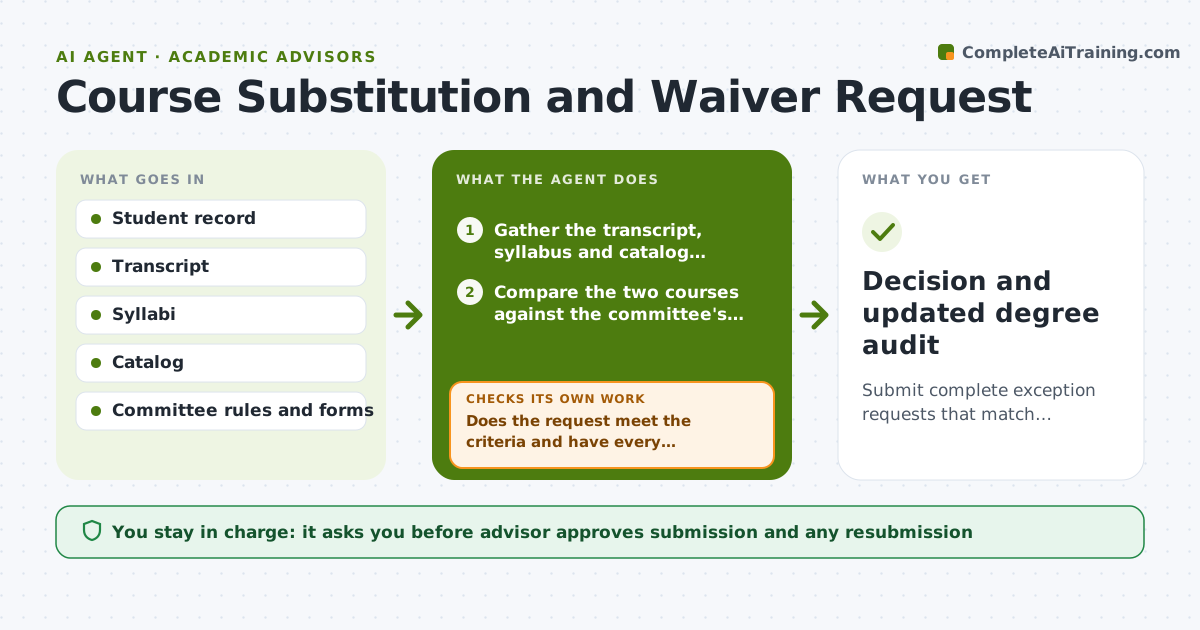
A request to substitute a course is returned twice because the syllabus was missing and the justification was unclear, and the student graduates a term late. This agent builds the request from the start. It gathers the transcript, the syllabus of the course taken, the catalog description of the required course and the reason. It checks the request against the committee's published rules, such as content overlap, level and grade, and finds gaps in evidence. It asks the advisor or student for anything missing and then routes the form to the right committee. It tracks the status and chases delays. If the request is rejected, it reads the reason and prepares a resubmission. The advisor approves the submission. Edge case: the committee requires a signature from the department chair, so the agent adds it to the checklist.
How it works
Follow the arrows from top to bottom. The orange dashed arrow is the loop: when a check fails, the agent goes back and tries again.
Read the steps as a list
- Student needs a substitution or waiver
- Gather the transcript, syllabus and catalog descriptions
- Compare the two courses against the committee's criteria
- Does the request meet the criteria and have every required document?If not: ask the advisor or student for the missing item and compare again. Back to step 3.
- Draft the justification and complete the form
- Advisor approves submissionThe agent waits here for your OK.
- Submit and track the request status
- Read the decision or request for information
- Was the request approved?If not: read the reason and prepare a revised request for approval. Back to step 5.
- Advisor approves the revised requestThe agent waits here for your OK.
- Decision and updated degree audit
How it decides
It compares the content of the two courses against the committee's criteria and drafts the argument from matching topics. The request is ready only when every required document is attached.
- Require a syllabus for every course used as evidence
- Compare learning outcomes and topics, not titles
- Send the request only when every checklist item is attached
- Chase after 10 working days without a decision
Make it yours
Every agent is a starting point. You choose these settings for your own situation.
- Committee criteria and forms
- Evidence checklist
- Chase delay (default 10 working days)
- Justification style
- Student notice template
What keeps you in control
It always asks you first
- Advisor approves submission and any resubmission
Hard limits
- Never submit without advisor approval
- Never claim an overlap that the syllabi do not show
It stops when
- Done: request approved and the audit is updated
- Stop: the committee rejects the request twice, so the advisor discusses options with the student
Set it up
We guide you through the set-up, step by step
Members get the full set-up guide for this agent. No technical skills needed: you copy, paste and upload.
- One set of instructions to paste into your AI, with the clicks for ChatGPT, Claude, Microsoft 365 Copilot, Gemini and Grok
- The agent then walks you through connecting your own data, one source at a time
- A downloadable copy with the flow chart, the rules and the full guide