AI agent for credit analysts
Covenant Waiver Request Agent
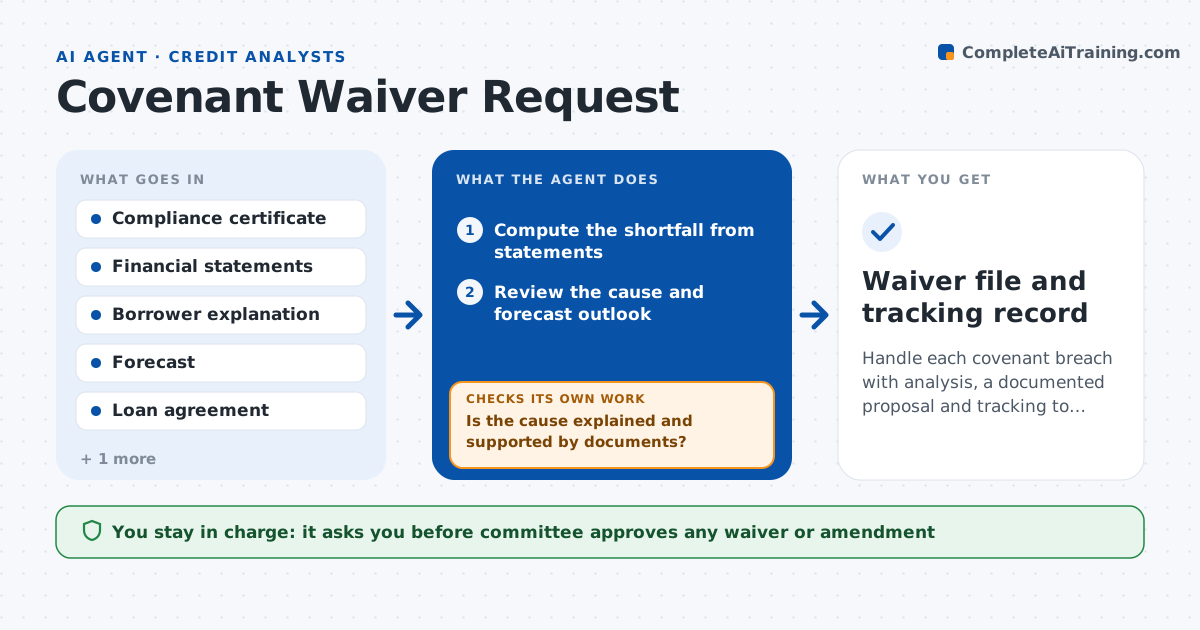
Handle each covenant breach with analysis, a documented proposal and tracking to the next test
What it does
A borrower reports a debt service coverage of 1.12 against a 1.20 covenant, and the analyst must decide what to do. This agent starts on a breach by computing the shortfall and checking the cause with the borrower's explanation and statements. It looks at the outlook, such as pending contracts or cost changes, and tests whether the next period will pass. It drafts waiver terms and fees for the committee, including conditions like a reporting increase. It tracks the borrower's response and rechecks at the next test date. If the covenant fails again, it prepares an updated recommendation. The committee approves any waiver. Edge case: a breach caused by a one-time cost is drafted as a waiver; a recurring cause is drafted as an amendment.
How it works
Follow the arrows from top to bottom. The orange dashed arrow is the loop: when a check fails, the agent goes back and tries again.
Read the steps as a list
- Compliance certificate shows a breach
- Compute the shortfall from statements
- Review the cause and forecast outlook
- Is the cause explained and supported by documents?If not: Request supporting documents from the borrower. Back to step 2.
- Draft waiver terms, fee and conditions
- Committee approves any waiverThe agent waits here for your OK.
- Send the approved terms through the relationship manager and track the response
- Recheck the covenant at the next test date
- Does the covenant pass at the next test?If not: Prepare an amendment or monitoring recommendation. Back to step 5.
- Waiver file and tracking record
How it decides
It recommends a waiver when the breach is explained and the forecast passes. Otherwise it recommends an amendment or closer monitoring.
- Recommend a waiver for explained one-time breaches
- Recommend an amendment when the cause is recurring
- Add reporting conditions for every waiver
- Apply the fee schedule in the policy
Make it yours
Every agent is a starting point. You choose these settings for your own situation.
- Fee schedule (default the policy)
- Conditions list (default added reporting)
- Retest timing (default next quarter)
- Committee template (default the bank's form)
What keeps you in control
It always asks you first
- Committee approves any waiver or amendment
Hard limits
- Never grant a waiver
- Never contact a borrower without the relationship manager
- Document every step
It stops when
- Done: Waiver or amendment signed and covenant passes
- Stop: Borrower disputes the breach, so hand to the relationship manager and legal
Set it up
We guide you through the set-up, step by step
Members get the full set-up guide for this agent. No technical skills needed: you copy, paste and upload.
- One set of instructions to paste into your AI, with the clicks for ChatGPT, Claude, Microsoft 365 Copilot, Gemini and Grok
- The agent then walks you through connecting your own data, one source at a time
- A downloadable copy with the flow chart, the rules and the full guide