
AI agent for paid media specialists
Creative Fatigue Refresh Agent
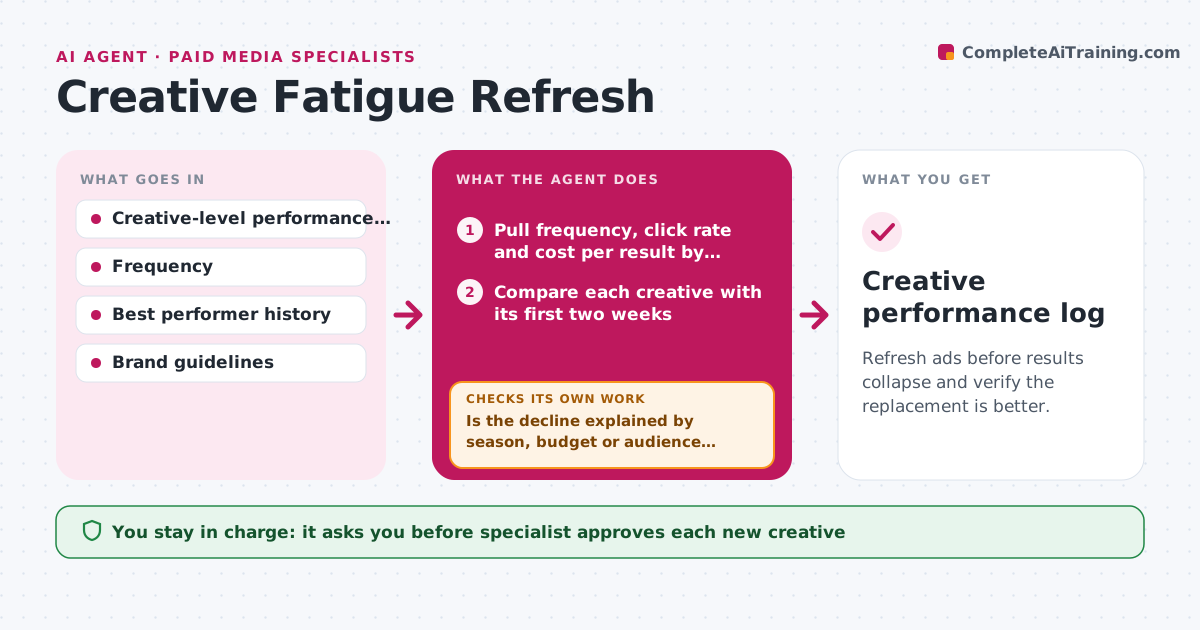
Refresh ads before results collapse and verify the replacement is better.
What it does
An ad that worked for a month slowly loses clicks, frequency climbs and cost per result doubles before anyone looks. The agent tracks frequency, click rate and cost per result for each creative over time and compares them with the creative's own early performance. When two signals worsen together, it flags the ad as fatigued. It then drafts a refresh brief based on what worked in the best performers, such as angle, format and offer, and suggests variations. After new creatives are approved and running, it compares them with the old ad in the same audience and period. If the replacement is not better, it iterates with another angle instead of just declaring success. Edge case: seasonality, where a drop is due to the holiday and not fatigue. The specialist approves new creatives.
How it works
Follow the arrows from top to bottom. The orange dashed arrow is the loop: when a check fails, the agent goes back and tries again.
Read the steps as a list
- Weekly review starts
- Pull frequency, click rate and cost per result by creative
- Compare each creative with its first two weeks
- Flag ads where at least two signals have worsened
- Is the decline explained by season, budget or audience changes instead?If not: mark as not fatigued and note the other cause. Back to step 3.
- Draft a refresh brief from what worked in the best ads
- Specialist approves the new creativesThe agent waits here for your OK.
- Launch replacements in the same audience
- After 10 days, compare replacements with the old ad
- Do the replacements beat the old ad on cost per result?If not: draft a new angle and test again. Back to step 5.
- Creative performance log
How it decides
An ad is fatigued when frequency is up, click rate is down 25 percent and cost per result is up 20 percent against its first two weeks. Replacements must beat the old ad on cost per result.
- Flag fatigue when click rate falls 25 percent and cost per result rises 20 percent
- Check season and budget changes before flagging
- Test replacements for at least 10 days
- Retire an ad after two failed refresh attempts
Make it yours
Every agent is a starting point. You choose these settings for your own situation.
- Fatigue thresholds
- Test length (default 10 days)
- Platforms
- Brief format
- Number of refresh attempts (default 2)
What keeps you in control
It always asks you first
- Specialist approves each new creative
- Specialist approves pausing the old ads
Hard limits
- Never launch or pause ads itself
- Follow brand and platform rules
It stops when
- Done: a replacement beats the old ad
- Stop: two refresh rounds fail, bring the problem to the specialist
Set it up
We guide you through the set-up, step by step
Members get the full set-up guide for this agent. No technical skills needed: you copy, paste and upload.
- One set of instructions to paste into your AI, with the clicks for ChatGPT, Claude, Microsoft 365 Copilot, Gemini and Grok
- The agent then walks you through connecting your own data, one source at a time
- A downloadable copy with the flow chart, the rules and the full guide



