
AI agent for photographers
Creative Portfolio Evidence Agent
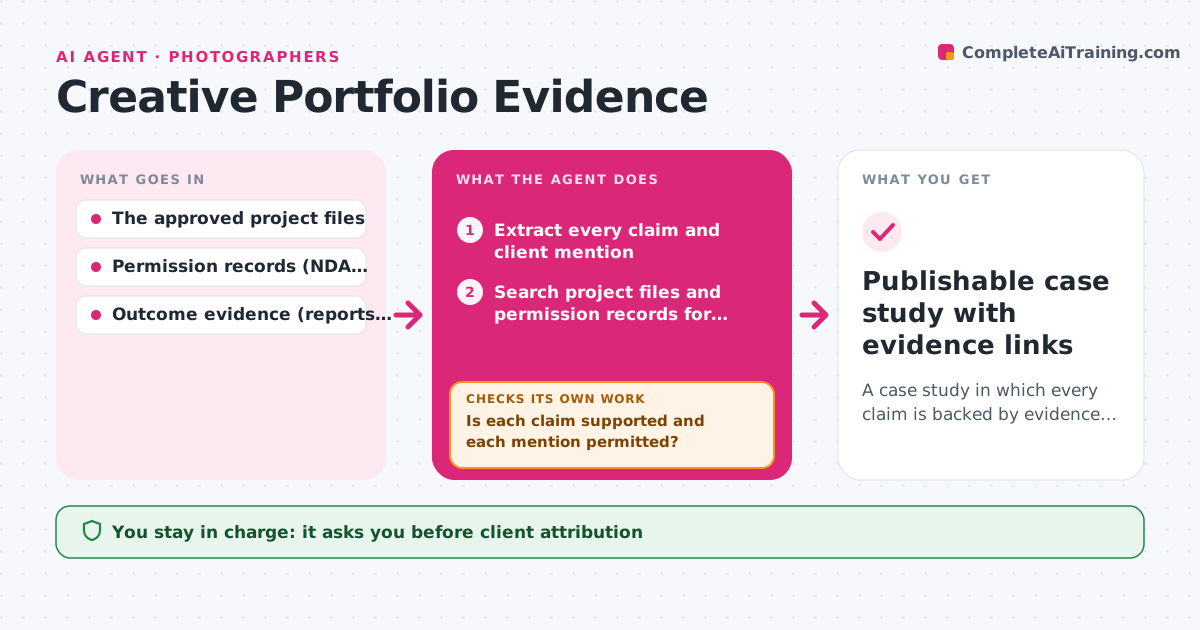
A case study in which every claim is backed by evidence and every client mention is permitted.
What it does
Creative professionals like to show results in their portfolio, such as 'increased sales by 40%', but often have no proof or no client permission to name the brand. Publishing such claims can damage trust or break an agreement. This agent extracts every claim and client mention from a case study draft, then searches project files and permission records for evidence. For each claim it decides to keep it, narrow the wording, or remove it, based on how strong the evidence is. Client names and visuals stay only when a permission record allows portfolio use. It builds a draft with notes and source links for each claim. The creative approves the wording before anything is published. Edge case: a result shared by the client in a casual email is reworded as the client's report, not stated as a measured fact.
How it works
Follow the arrows from top to bottom. The orange dashed arrow is the loop: when a check fails, the agent goes back and tries again.
Read the steps as a list
- Case study draft submitted
- Extract every claim and client mention
- Search project files and permission records for evidence
- Is each claim supported and each mention permitted?If not: narrow the wording or remove it. Back to step 3.
- Build the source-linked draft with notes per claim
- Creative approves the wording and attributionThe agent waits here for your OK.
- Publishable case study with evidence links
How it decides
It checks claims one by one against evidence; supported claims stay, partly supported ones are narrowed ('improved click-through on the landing page' instead of '40% more sales'), unsupported ones are removed. It re-checks the whole draft after revisions.
- Keep, narrow or remove each claim, based on the strength of evidence.
- Client naming: only with a permission record.
- Visuals: only those cleared for portfolio use.
Make it yours
Every agent is a starting point. You choose these settings for your own situation.
- Evidence that counts as proof (default analytics reports, signed client statements)
- Whether client names need written permission (default yes)
- Default anonymized wording for clients (default industry plus region, for example a regional bakery chain)
- Visual clearance rule (default only assets marked cleared for portfolio)
- Output format (default draft with one note and source link per claim)
What keeps you in control
It always asks you first
- Client attribution
- Publication
- Commercial outcome claims
Hard limits
- Never invents numbers.
- Never publishes.
It stops when
- Done: every claim linked to evidence.
- Needs a human: permission status unclear.
Set it up
We guide you through the set-up, step by step
Members get the full set-up guide for this agent. No technical skills needed: you copy, paste and upload.
- One set of instructions to paste into your AI, with the clicks for ChatGPT, Claude, Microsoft 365 Copilot, Gemini and Grok
- The agent then walks you through connecting your own data, one source at a time
- A downloadable copy with the flow chart, the rules and the full guide



