AI agent for credit analysts
Credit Memo Assembly Agent
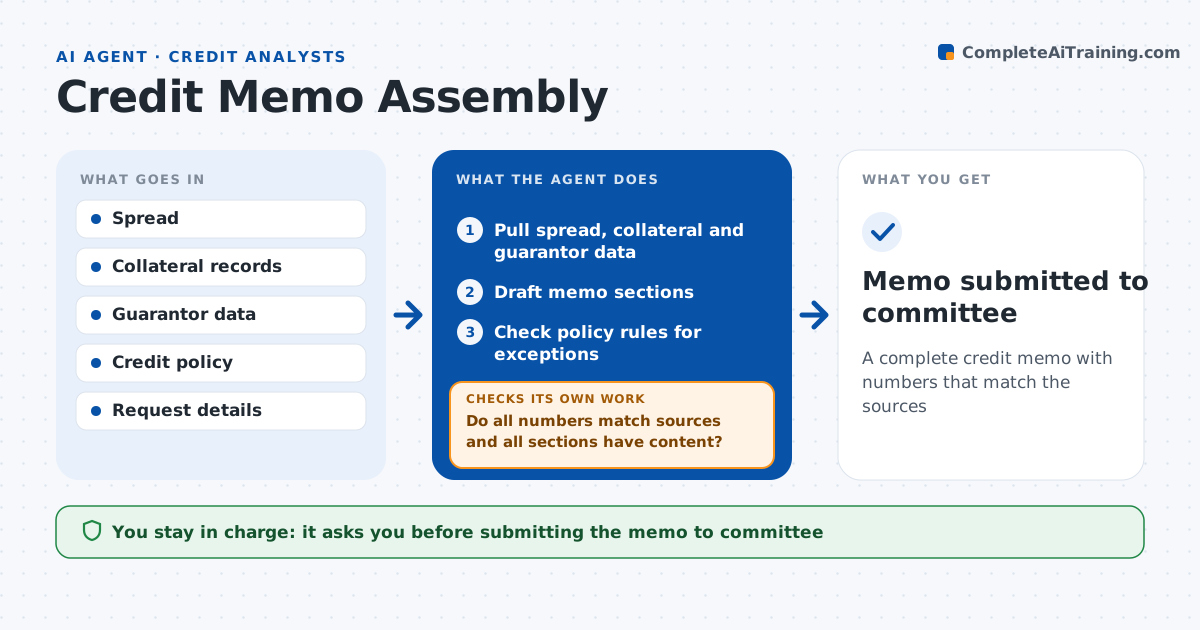
A complete credit memo with numbers that match the sources
What it does
Credit memos take days to assemble, and a number copied wrong can mislead the credit committee. For a new loan or renewal, this agent builds the memo. It pulls the spread, ratios, collateral values, guarantor information and industry notes, and fills each section. It drafts the strengths, weaknesses and mitigants from the data. It checks policy rules and lists every exception, such as an old appraisal or a loan to value above limit. Then it checks every number in the text against the source tables and confirms each section has content. When a number does not match or a section is empty, it fixes the text or asks the analyst for input. The analyst edits and signs the memo. Edge case: a collateral appraisal over 12 months old is a policy exception the agent lists.
How it works
Follow the arrows from top to bottom. The orange dashed arrow is the loop: when a check fails, the agent goes back and tries again.
Read the steps as a list
- Credit request ready
- Pull spread, collateral and guarantor data
- Draft memo sections
- Check policy rules for exceptions
- Do all numbers match sources and all sections have content?If not: correct the text or request missing input from the analyst. Back to step 3.
- Analyst edits and signs the memoThe agent waits here for your OK.
- Memo submitted to committee
How it decides
It fills each section from source data and tests the memo against the policy checklist.
- Appraisal older than policy limit: list exception
- Loan to value above policy: list exception
- Number in text differs from table: replace with source
Make it yours
Every agent is a starting point. You choose these settings for your own situation.
- Memo template
- Policy checklist
- Sections to auto-draft
- Writing tone
What keeps you in control
It always asks you first
- Submitting the memo to committee
Hard limits
- Never recommends approval on its own
- Never removes listed exceptions
It stops when
- Done: memo signed
- Stop: key data missing
Set it up
We guide you through the set-up, step by step
Members get the full set-up guide for this agent. No technical skills needed: you copy, paste and upload.
- One set of instructions to paste into your AI, with the clicks for ChatGPT, Claude, Microsoft 365 Copilot, Gemini and Grok
- The agent then walks you through connecting your own data, one source at a time
- A downloadable copy with the flow chart, the rules and the full guide