AI agent for law students
Cross-Reference Dependency Map Agent
Build a verified map of doctrine links across courses that the student can trust and use in the outline.
What it does
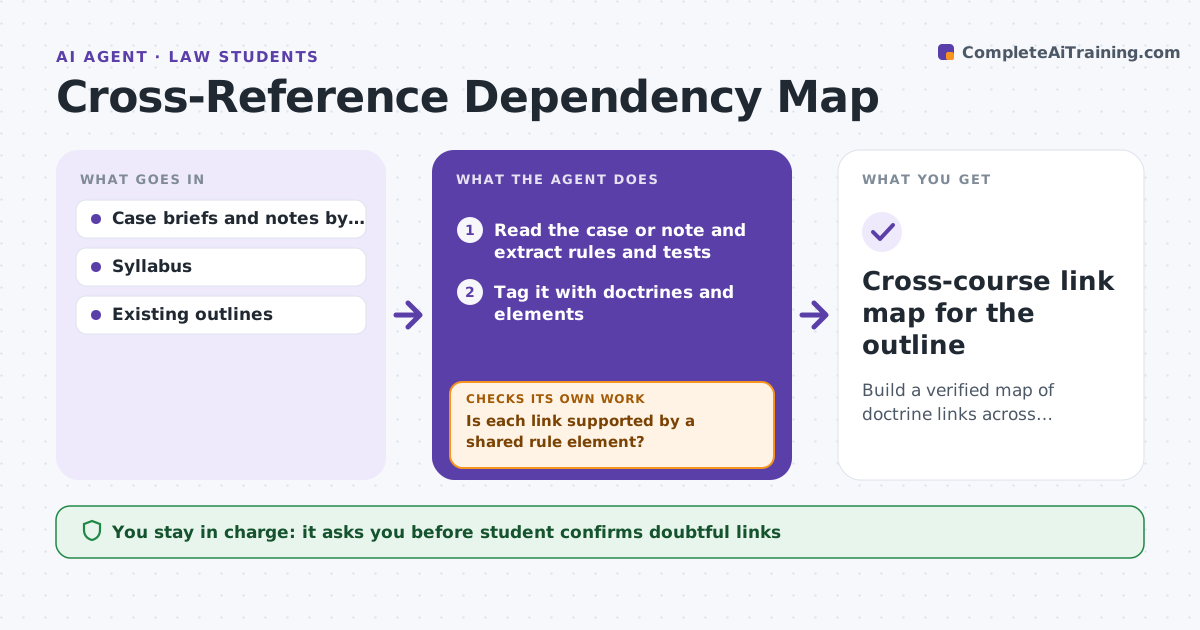
Law courses are taught in silos, but doctrines connect: a contracts consideration case may echo a torts reliance case or a property estoppel one. Students miss these links and also miss where tests conflict. As new cases and notes are added to the outline, the agent tags each with doctrines, rules and tests. It then searches the other courses' materials for links and for rules that conflict. It builds a link map and, for doubtful links, asks the student to confirm. It re-links as materials grow. The student approves what goes into the final outline. Edge case: a promissory estoppel case in contracts links to a reliance case in torts, with a note that the tests differ.
How it works
Follow the arrows from top to bottom. The orange dashed arrow is the loop: when a check fails, the agent goes back and tries again.
Read the steps as a list
- New material added to an outline
- Read the case or note and extract rules and tests
- Tag it with doctrines and elements
- Search other courses for matching tags
- Draft link proposals with the shared element
- Is each link supported by a shared rule element?If not: Mark it doubtful, find more support or drop it. Back to step 4.
- Flag where tests or holdings conflict
- Student confirms doubtful links and approves the mapThe agent waits here for your OK.
- Re-run linking when new materials are added
- Did new materials create or break links?If not: Update the map and ask about new doubtful links. Back to step 3.
- Cross-course link map for the outline
How it decides
It draws a link when two items share a doctrine tag and a rule element. It marks the link as doubtful when only the facts or the words match, and asks the student.
- A link needs a shared rule element, not only a shared word
- Conflicting tests are flagged, not resolved
- A link used in the outline must be confirmed by the student
- Re-run linking after every 5 new items
Make it yours
Every agent is a starting point. You choose these settings for your own situation.
- Courses included
- Tags and doctrines list
- How often to re-link (default every 5 items)
- Link types shown (similar, conflicting, related)
What keeps you in control
It always asks you first
- Student confirms doubtful links
- Student approves the final outline content
Hard limits
- Never invents case holdings or citations
- Never edits the final outline without the student's approval
It stops when
- Done: map approved and outline updated
- Stop: course ends or materials are final
Set it up
We guide you through the set-up, step by step
Members get the full set-up guide for this agent. No technical skills needed: you copy, paste and upload.
- One set of instructions to paste into your AI, with the clicks for ChatGPT, Claude, Microsoft 365 Copilot, Gemini and Grok
- The agent then walks you through connecting your own data, one source at a time
- A downloadable copy with the flow chart, the rules and the full guide