AI agent for chief marketing officers
Cross-Team Campaign Calendar Collision Agent
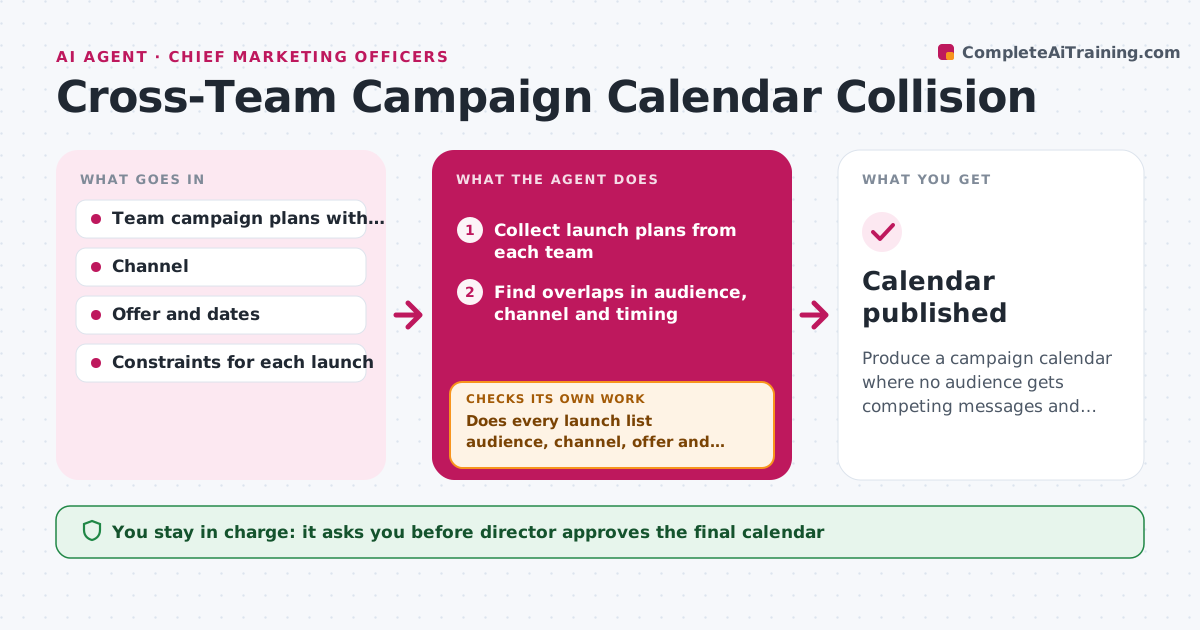
Produce a campaign calendar where no audience gets competing messages and every launch has a slot.
What it does
Product, brand, email and regional teams all plan campaigns, and the same customers get three messages in one week. The agent collects planned launches from each team's calendar or board, with audience, channel, offer and dates. It looks for overlaps: the same audience segment in the same week, competing offers, shared budget or the same creative resources. It rates each overlap by severity, such as 'same segment, two discounts' as high. It proposes a sequence that moves launches by the least amount, and checks the new plan against each team's constraints, like a fixed event date. After every change it rechecks all launches, since moving one can create another overlap. The director approves the final calendar. Edge case: a launch with no audience listed. The agent asks the team before judging.
How it works
Follow the arrows from top to bottom. The orange dashed arrow is the loop: when a check fails, the agent goes back and tries again.
Read the steps as a list
- Review runs or a launch changes
- Collect launch plans from each team
- Does every launch list audience, channel, offer and dates?If not: ask the team for the missing details and collect again. Back to step 2.
- Find overlaps in audience, channel and timing
- Rate each overlap by severity
- Propose a sequence that moves the fewest launches
- Test the plan against each team's fixed dates and constraints
- After the changes, are there any remaining overlaps?If not: propose a different sequence and test it again. Back to step 5.
- Director approves the final calendarThe agent waits here for your OK.
- Update the shared calendar and notify the teams
- Calendar published
How it decides
Overlap exists when audience, channel and week match. Severity is higher when offers compete. Moves are chosen to shift the fewest launches by the fewest days.
- Rate high when the same segment gets two competing offers in one week
- Never move a launch tied to a fixed event
- Prefer moving the lower-priority campaign
- Recheck all launches after each move
Make it yours
Every agent is a starting point. You choose these settings for your own situation.
- Overlap window (default same week)
- Audience segments to track
- Priority rules between teams
- Review schedule
- Teams included
What keeps you in control
It always asks you first
- Director approves the final calendar
- Director approves any change to a launch with a budget over the set limit
Hard limits
- Never move a launch on its own
- Do not share budgets across teams without approval
It stops when
- Done: no overlap remains and calendar approved
- Stop: two teams refuse the same slot, escalate to the director
Set it up
We guide you through the set-up, step by step
Members get the full set-up guide for this agent. No technical skills needed: you copy, paste and upload.
- One set of instructions to paste into your AI, with the clicks for ChatGPT, Claude, Microsoft 365 Copilot, Gemini and Grok
- The agent then walks you through connecting your own data, one source at a time
- A downloadable copy with the flow chart, the rules and the full guide