AI agent for scrum masters
Cross-Team Dependency Tracker Agent
Catch slipping cross-team dependencies early enough to re-plan the sprint
What it does
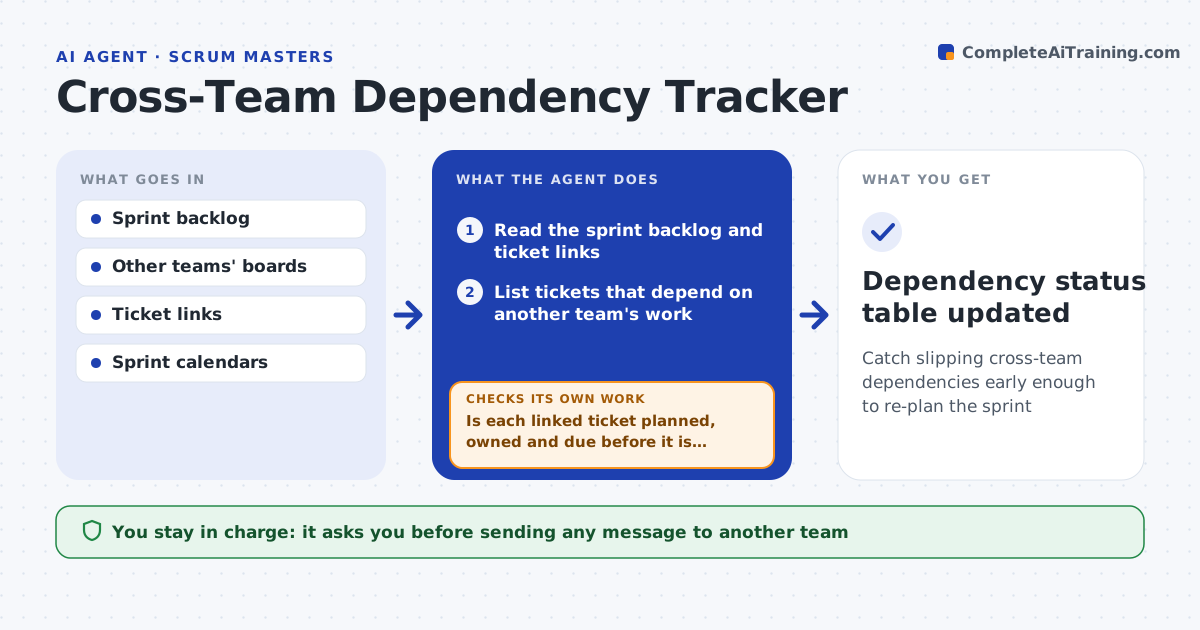
Many sprint misses start with a dependency nobody tracked: an API from another team, a design review, a data export. The scrum master finds out on day eight. This agent reads the sprint backlog at planning and finds every ticket linked to or blocked by work in another team's board. For each link it checks whether that work is planned in the other team's current sprint and who owns it. Twice a week it rechecks status and dates. If a dependency moves to a later sprint or loses its owner, it flags the risk to the sprint goal and drafts a message to the other team's scrum master. It does not send the message. The scrum master decides whether to escalate, re-plan or swap scope. Edge case: links to closed tickets that were reopened are treated as new dependencies.
How it works
Follow the arrows from top to bottom. The orange dashed arrow is the loop: when a check fails, the agent goes back and tries again.
Read the steps as a list
- Sprint planning or twice-weekly check
- Read the sprint backlog and ticket links
- List tickets that depend on another team's work
- Look up each linked ticket on the other team's board
- Is each linked ticket planned, owned and due before it is needed?If not: mark it at risk and look for an alternative owner or date. Back to step 4.
- Score the impact on the sprint goal
- Has the risk changed since the last check?If not: keep the existing flag without a new alert. Back to step 5.
- Draft a message to the other team's scrum master
- Scrum master decides to send, escalate or re-planThe agent waits here for your OK.
- Dependency status table updated
How it decides
A dependency is at risk when the linked ticket is not in the other team's current sprint, has no owner, or its due date is after the date the team needs it.
- At risk if the linked ticket is not in the other team's current sprint
- At risk if due later than two days before the need date
- Alert only on changes, not on unchanged risks
- Rank risks to sprint goal tickets first
Make it yours
Every agent is a starting point. You choose these settings for your own situation.
- Check days (default Tuesday and Thursday)
- Buffer before need date (default 2 workdays)
- Teams to track (default all linked teams)
- Where the status table lives (default sprint wiki page)
What keeps you in control
It always asks you first
- Sending any message to another team
- Removing scope from the sprint
Hard limits
- Never edits other teams' tickets
- Never sends messages without approval
It stops when
- Done: every dependency confirmed or re-planned
- Stop: other team's board not accessible
Set it up
We guide you through the set-up, step by step
Members get the full set-up guide for this agent. No technical skills needed: you copy, paste and upload.
- One set of instructions to paste into your AI, with the clicks for ChatGPT, Claude, Microsoft 365 Copilot, Gemini and Grok
- The agent then walks you through connecting your own data, one source at a time
- A downloadable copy with the flow chart, the rules and the full guide