AI agent for retail sales associates
Customer Appointment and Personal Shopping Prep Agent
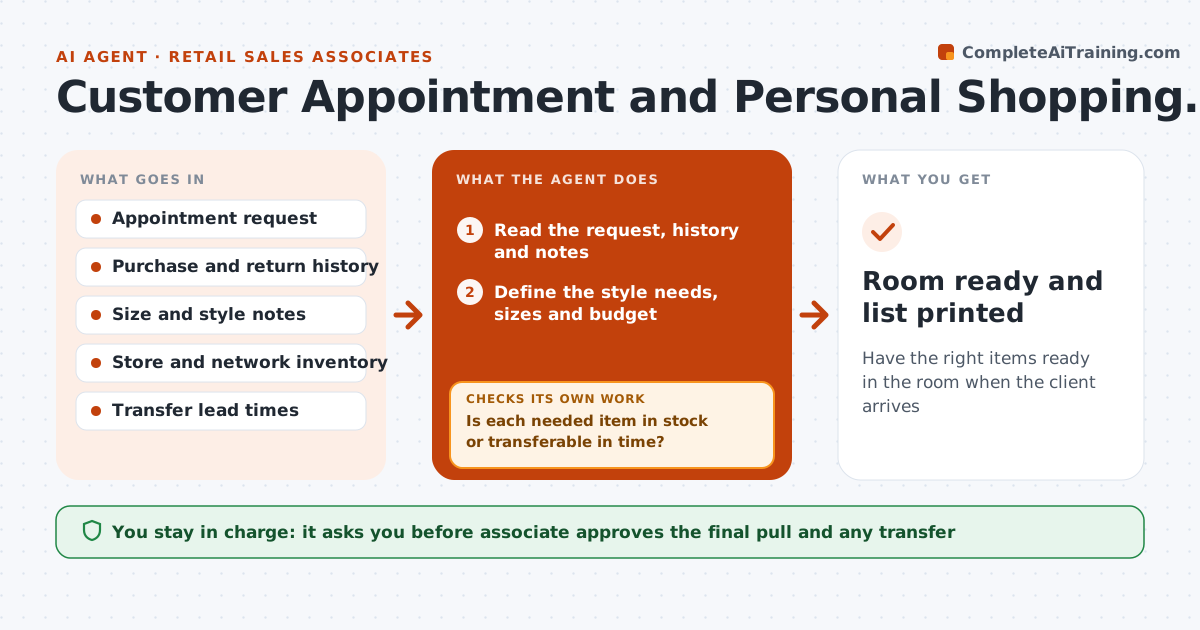
Have the right items ready in the room when the client arrives
What it does
A client books a styling session, arrives, and the associate spends the first 20 minutes finding sizes while the client waits. This agent prepares the room. Before each appointment it reads the request and the client's past purchases and returns, finds matching items in stock in the right sizes, requests transfers from other stores for gaps and builds a room-ready list with locations. An hour before the appointment it checks stock again, because items sell. If something is gone, it finds alternatives. The associate approves the final pull and any transfer. Edge case: the transfer will not arrive in time. The agent suggests a similar in-store item and notes the original for later.
How it works
Follow the arrows from top to bottom. The orange dashed arrow is the loop: when a check fails, the agent goes back and tries again.
Read the steps as a list
- Appointment booked
- Read the request, history and notes
- Define the style needs, sizes and budget
- Search store and network inventory for matches
- Is each needed item in stock or transferable in time?If not: Find a similar in-store alternative and note the original for later. Back to step 4.
- Build the room-ready list with locations and a backup for each key item
- Associate approves the list and any transfer requestThe agent waits here for your OK.
- Request transfers and reserve items
- Recheck stock one hour before the appointment
- Is every listed item still available?If not: Replace missing items and update the list. Back to step 4.
- Room ready and list printed
How it decides
It picks items that fit the request, size and past choices, avoids past returns and prefers in-stock items. Transfers are used only if they arrive in time.
- Skip styles the client returned before
- A transfer is used only if it arrives 24 hours before the appointment
- Always add one backup for each key item
- Respect the stated budget unless the associate says otherwise
Make it yours
Every agent is a starting point. You choose these settings for your own situation.
- Budget handling
- Transfer lead time (default 24 hours)
- Backups per key item (default 1)
- Recheck time before the appointment (default 1 hour)
- Fields from the client history to use
What keeps you in control
It always asks you first
- Associate approves the final pull and any transfer
Hard limits
- Does not share client history outside the store team
- Releases reserved stock when the appointment is cancelled
It stops when
- Done: items pulled and room ready
- Stop: appointment cancelled, release reservations
Set it up
We guide you through the set-up, step by step
Members get the full set-up guide for this agent. No technical skills needed: you copy, paste and upload.
- One set of instructions to paste into your AI, with the clicks for ChatGPT, Claude, Microsoft 365 Copilot, Gemini and Grok
- The agent then walks you through connecting your own data, one source at a time
- A downloadable copy with the flow chart, the rules and the full guide