AI agent for customer service managers
Customer Complaint Escalation Agent
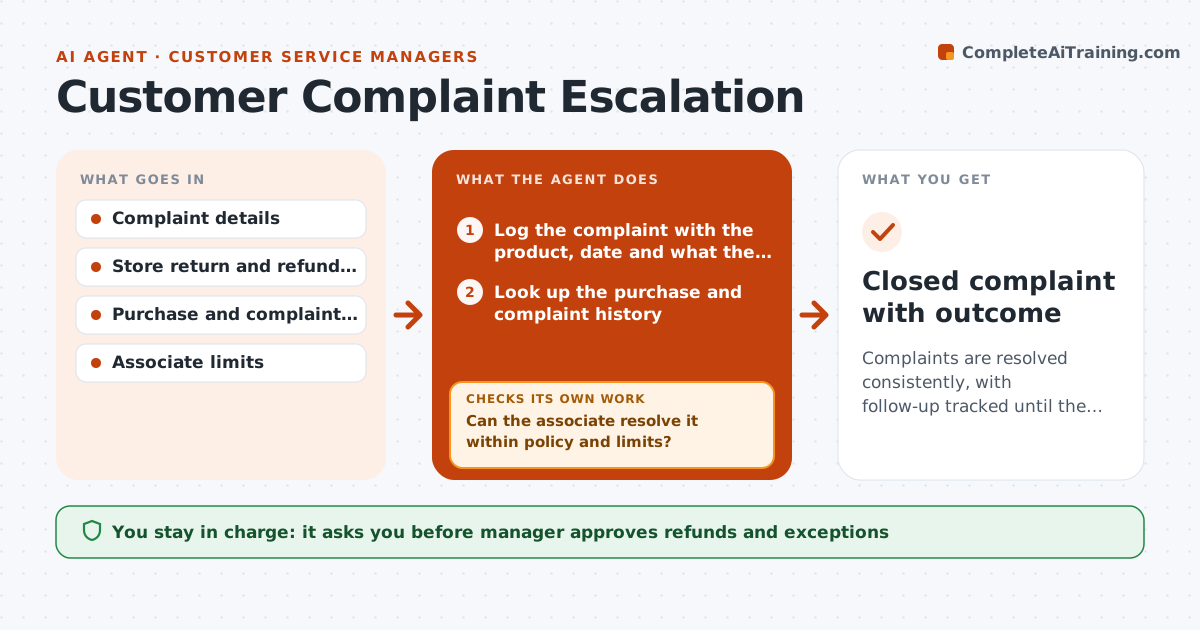
Complaints are resolved consistently, with follow-up tracked until the customer is satisfied
What it does
A complaint at the counter is stressful, and the answer depends on who is on shift. This agent logs the complaint with the details, checks the store policy and the customer's history, and suggests resolution options within the associate's limits. It tracks the follow-up: promised callbacks, replacement orders or refunds, and checks whether the customer's issue was actually resolved. If the case is above the associate's limit or the customer remains unhappy after a set time, it escalates to the manager with a summary. The manager approves refunds or exceptions. Edge case: a customer has three complaints in two months, so the agent flags a pattern and suggests a manager call.
How it works
Follow the arrows from top to bottom. The orange dashed arrow is the loop: when a check fails, the agent goes back and tries again.
Read the steps as a list
- Complaint received
- Log the complaint with the product, date and what the customer wants
- Look up the purchase and complaint history
- Check the store policy and the associate's authority
- Can the associate resolve it within policy and limits?If not: prepare an escalation summary for the manager. Back to step 3.
- Suggest resolution options with a script
- Manager approves refunds or exceptionsThe agent waits here for your OK.
- Record what was promised and set a follow-up date
- Did the customer confirm the issue was solved?If not: suggest a second option or escalate. Back to step 6.
- Closed complaint with outcome
How it decides
Options are chosen from the policy within the associate's limit. A case escalates when the value exceeds the limit or the customer is unhappy after the follow-up.
- Offer the policy option first
- Escalate when the value is above the associate's limit
- Flag three complaints in 60 days as a pattern
- Follow up within 3 days of a promise
Make it yours
Every agent is a starting point. You choose these settings for your own situation.
- Associate authority limits
- Follow-up timing (default 3 days)
- Escalation rules
- Policy sources
What keeps you in control
It always asks you first
- Manager approves refunds and exceptions
- Manager approves any compensation above policy
Hard limits
- Never promise outside policy
- Do not share customer data
- Keep a record of every promise
It stops when
- Done: customer confirms the issue is resolved
- Stop: legal threat or safety issue goes to the manager immediately
Set it up
We guide you through the set-up, step by step
Members get the full set-up guide for this agent. No technical skills needed: you copy, paste and upload.
- One set of instructions to paste into your AI, with the clicks for ChatGPT, Claude, Microsoft 365 Copilot, Gemini and Grok
- The agent then walks you through connecting your own data, one source at a time
- A downloadable copy with the flow chart, the rules and the full guide