AI agent for retail sales associates
Retail Floor Coverage Planner Agent
A schedule that covers each zone at the busiest hours without breaking rules
What it does
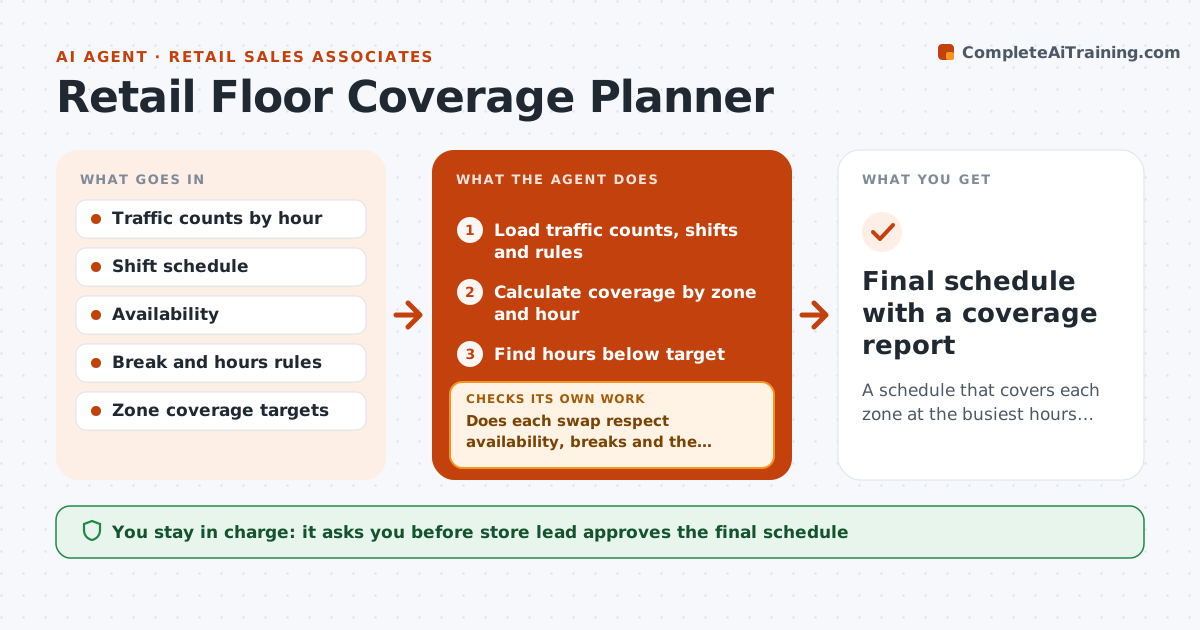
A store can have plenty of staff and still have nobody in the fitting rooms at 5 pm. This agent reads traffic counts by hour, the current shift schedule and break rules, and compares coverage by zone to need. It finds hours when a zone is thin, such as checkout or fitting rooms, and proposes shift swaps or early arrivals. For each swap it checks the break rules, availability and hours limits. It recalculates coverage after the swap and drops any change that creates a new gap or breaks a rule. It repeats until coverage meets the target. The store lead approves the final schedule. Edge case: a swap would put someone over 40 hours, so the agent tries another person.
How it works
Follow the arrows from top to bottom. The orange dashed arrow is the loop: when a check fails, the agent goes back and tries again.
Read the steps as a list
- Schedule planning for next week
- Load traffic counts, shifts and rules
- Calculate coverage by zone and hour
- Find hours below target
- Propose swaps or shifted starts
- Does each swap respect availability, breaks and the hours limit?If not: try another person or time. Back to step 5.
- Does coverage meet the target in every zone after the swaps?If not: find the remaining gap and propose another swap. Back to step 5.
- Prepare the changes list and the new schedule
- Store lead approves the scheduleThe agent waits here for your OK.
- Final schedule with a coverage report
How it decides
Coverage is staff on the floor divided by the need set by traffic for each zone and hour. A swap is kept only if coverage improves and no rule is broken.
- Target one associate per set number of visitors in each zone
- Drop any swap that creates a gap elsewhere
- Never exceed the weekly hours limit
- Preserve breaks per policy
Make it yours
Every agent is a starting point. You choose these settings for your own situation.
- Coverage targets by zone
- Hours limits
- Break rules
- Traffic data source
What keeps you in control
It always asks you first
- Store lead approves the final schedule
- Store lead approves overtime
Hard limits
- Do not change shifts without approval
- Respect labor rules
- Do not use personal information beyond availability
It stops when
- Done: schedule approved and posted
- Stop: the target cannot be met with available staff
Set it up
We guide you through the set-up, step by step
Members get the full set-up guide for this agent. No technical skills needed: you copy, paste and upload.
- One set of instructions to paste into your AI, with the clicks for ChatGPT, Claude, Microsoft 365 Copilot, Gemini and Grok
- The agent then walks you through connecting your own data, one source at a time
- A downloadable copy with the flow chart, the rules and the full guide