AI agent for customer onboarding specialists
Customer Onboarding Plan Builder Agent
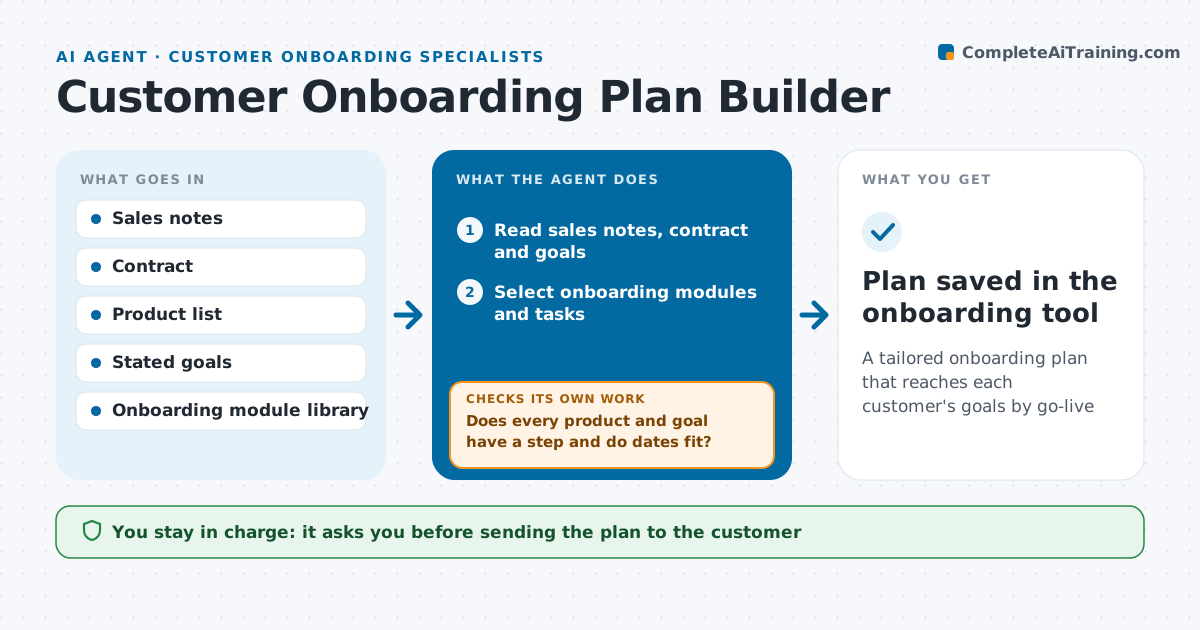
A tailored onboarding plan that reaches each customer's goals by go-live
What it does
A slow or generic onboarding can sour a new customer before they see any value. When a deal closes, this agent reads the sales notes, contract, stated goals and technical setup. It builds an onboarding plan with sessions, setup tasks, owners on both sides and milestone dates. It picks modules based on the products bought and the customer's goals, and skips what they do not need. Then it checks the plan: every purchased product has a setup step, every stated goal maps to a milestone, and dates fit the contract go-live date. Gaps are filled and the plan is checked again. The specialist reviews and sends the plan. Edge case: if the contract go-live date is too tight for the setup work, it flags the risk instead of squeezing dates.
How it works
Follow the arrows from top to bottom. The orange dashed arrow is the loop: when a check fails, the agent goes back and tries again.
Read the steps as a list
- Deal closed won
- Read sales notes, contract and goals
- Select onboarding modules and tasks
- Schedule backwards from go-live with owners
- Does every product and goal have a step and do dates fit?If not: add missing steps or flag the timeline risk. Back to step 3.
- Draft the plan and kickoff email
- Specialist reviews and sends to the customerThe agent waits here for your OK.
- Plan saved in the onboarding tool
How it decides
It selects modules by products bought and goals, then schedules backwards from the go-live date.
- Skip modules for products not purchased
- Flag timelines needing more than 20% compression
- Every stated goal maps to a milestone
Make it yours
Every agent is a starting point. You choose these settings for your own situation.
- Module library
- Session length and count
- Compression limit
- Kickoff email template
What keeps you in control
It always asks you first
- Sending the plan to the customer
Hard limits
- Never sends anything to customers itself
- Never changes contract dates
It stops when
- Done: plan sent
- Stop: no stated goals, ask the account executive
Set it up
We guide you through the set-up, step by step
Members get the full set-up guide for this agent. No technical skills needed: you copy, paste and upload.
- One set of instructions to paste into your AI, with the clicks for ChatGPT, Claude, Microsoft 365 Copilot, Gemini and Grok
- The agent then walks you through connecting your own data, one source at a time
- A downloadable copy with the flow chart, the rules and the full guide