AI agent for retail sales associates
Customer Order Pickup Readiness Agent
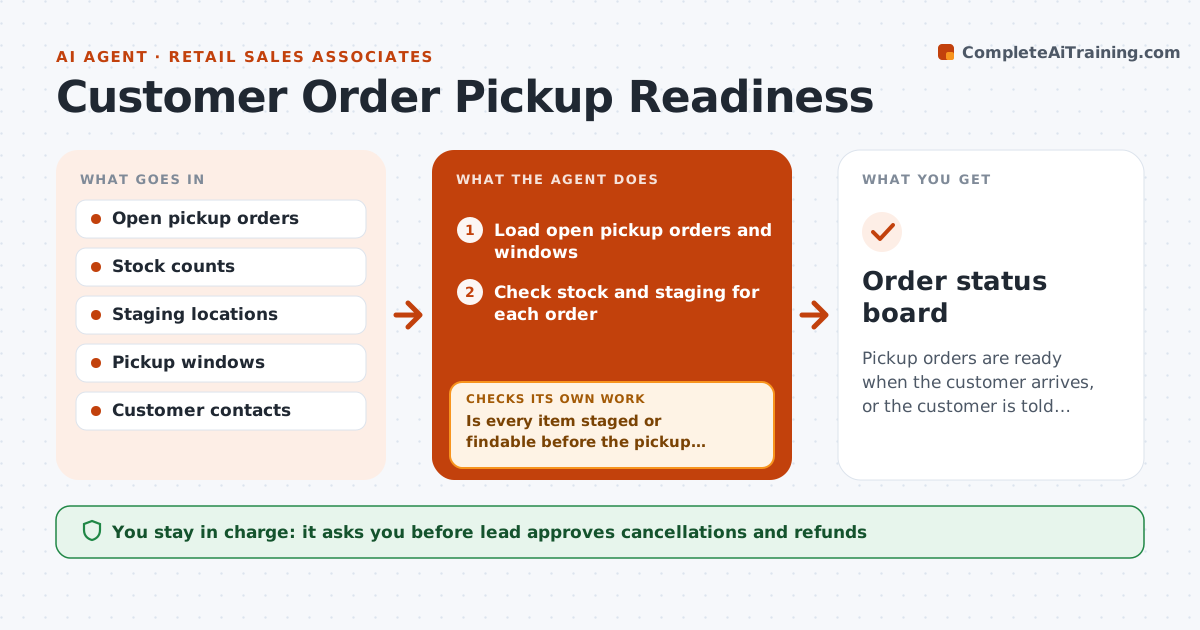
Pickup orders are ready when the customer arrives, or the customer is told early
What it does
A customer arrives for a pickup, and the order cannot be found in the back room or is missing an item. Associates handle pickup orders between other tasks, so problems show up at the counter. This agent reads open pickup orders, checks stock and staging for each, and flags orders at risk, such as an item not found, a late hold or no staging bin. It contacts the customer when an order will be delayed, with a short message. Each hour, it rechecks the open orders and updates the list. The lead approves cancellations. Edge case: one item in an order is out of stock, so the agent offers a substitution or partial pickup.
How it works
Follow the arrows from top to bottom. The orange dashed arrow is the loop: when a check fails, the agent goes back and tries again.
Read the steps as a list
- Hourly pickup check
- Load open pickup orders and windows
- Check stock and staging for each order
- Is every item staged or findable before the pickup window?If not: flag the order and search alternate locations and stock. Back to step 2.
- Draft a customer message for orders that cannot be ready
- Lead approves customer messages and cancellationsThe agent waits here for your OK.
- Send messages and record replies
- Update staging and the ready list
- Are flagged orders resolved or the customer informed?If not: try a substitution or partial pickup and recheck. Back to step 3.
- Order status board
How it decides
An order is ready when every item is staged. It is at risk when an item is missing 2 hours before the window.
- Flag an order 2 hours before the window with a missing item
- Offer substitution or partial pickup before cancelling
- Message customers as soon as a delay is known
- Keep a clean staging bin list
Make it yours
Every agent is a starting point. You choose these settings for your own situation.
- Check frequency (default hourly)
- Risk window (default 2 hours)
- Message wording
- Substitution rules
What keeps you in control
It always asks you first
- Lead approves cancellations and refunds
- Lead approves substitutions
Hard limits
- Never cancel without approval
- Do not share customer details
- Message customers politely
It stops when
- Done: all orders picked up or resolved
- Stop: store closes with orders unresolved and the lead decides
Set it up
We guide you through the set-up, step by step
Members get the full set-up guide for this agent. No technical skills needed: you copy, paste and upload.
- One set of instructions to paste into your AI, with the clicks for ChatGPT, Claude, Microsoft 365 Copilot, Gemini and Grok
- The agent then walks you through connecting your own data, one source at a time
- A downloadable copy with the flow chart, the rules and the full guide