AI agent for retail sales associates
Customer Wishlist and Back-in-Stock Match Agent
Notify the right customers when requested items arrive and convert them into sales
What it does
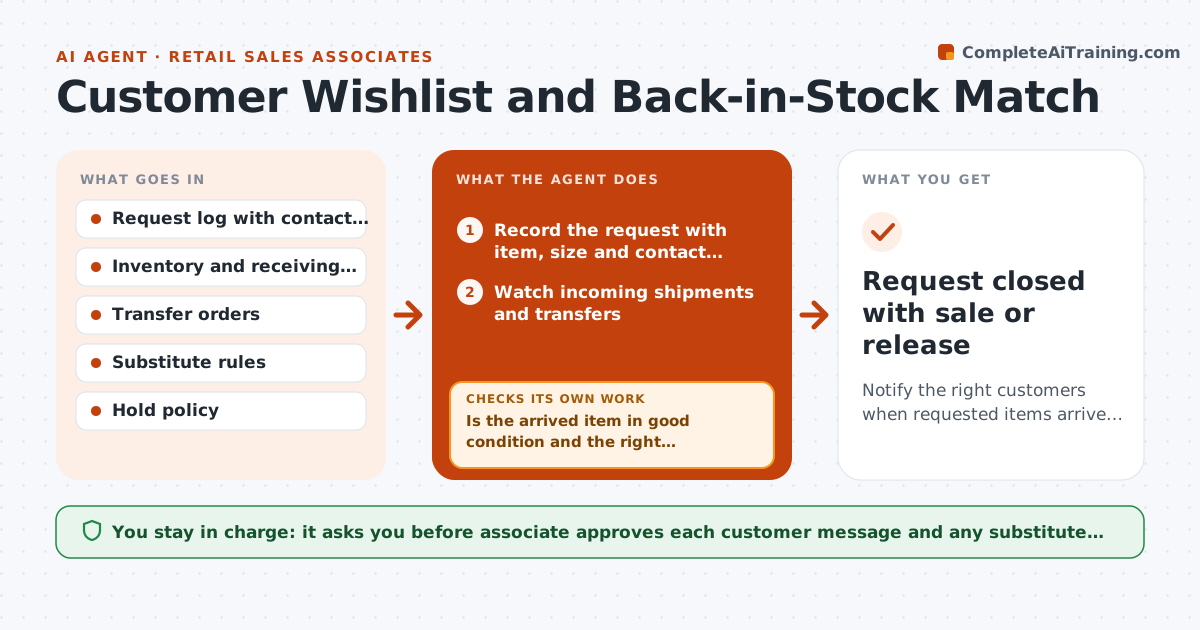
A customer asks for a size, the item is out, the associate says we will call you, and nobody does. The sale goes elsewhere. This agent keeps the promise. It logs each requested item with the customer's contact preference, watches incoming shipments and store transfers, and matches arrivals to requests. When a match arrives, it drafts a note to the customer with a hold time. If the item arrives damaged or short, it finds the next-best substitute in size, color or model. After the customer is told, it tracks the hold and releases it if there is no pickup. The associate approves each outreach. Edge case: two customers want the last item. The agent offers it by request date and finds an alternative for the other.
How it works
Follow the arrows from top to bottom. The orange dashed arrow is the loop: when a check fails, the agent goes back and tries again.
Read the steps as a list
- Customer request logged or shipment received
- Record the request with item, size and contact preference
- Watch incoming shipments and transfers
- Match each arrival to open requests by item and date
- Is the arrived item in good condition and the right quantity?If not: Find the next-best substitute or request a transfer. Back to step 3.
- Draft a note with the item, hold time and pickup instructions
- Associate approves each outreachThe agent waits here for your OK.
- Send the note and place the hold
- Did the customer reply or pick up within the hold time?If not: Remind once, then release the hold and offer the next customer. Back to step 7.
- Request closed with sale or release
How it decides
It matches by item, size and color, and prioritizes by request date. A substitute must share the key attributes the customer cared about.
- Match by request date when stock is short
- Hold items for 3 days by default
- A substitute must match size and the key attribute the customer named
- Contact only by the channel the customer chose
Make it yours
Every agent is a starting point. You choose these settings for your own situation.
- Hold time (default 3 days)
- Channels allowed
- Substitute rules
- Reminder timing
- Maximum open requests per customer
What keeps you in control
It always asks you first
- Associate approves each customer message and any substitute offered
Hard limits
- Never contacts customers who opted out
- Never holds more stock than the hold policy allows
It stops when
- Done: customer buys or request is closed
- Stop: item discontinued, tell the customer and offer alternatives
Set it up
We guide you through the set-up, step by step
Members get the full set-up guide for this agent. No technical skills needed: you copy, paste and upload.
- One set of instructions to paste into your AI, with the clicks for ChatGPT, Claude, Microsoft 365 Copilot, Gemini and Grok
- The agent then walks you through connecting your own data, one source at a time
- A downloadable copy with the flow chart, the rules and the full guide