AI agent for data architects
Data Model Change Review Agent
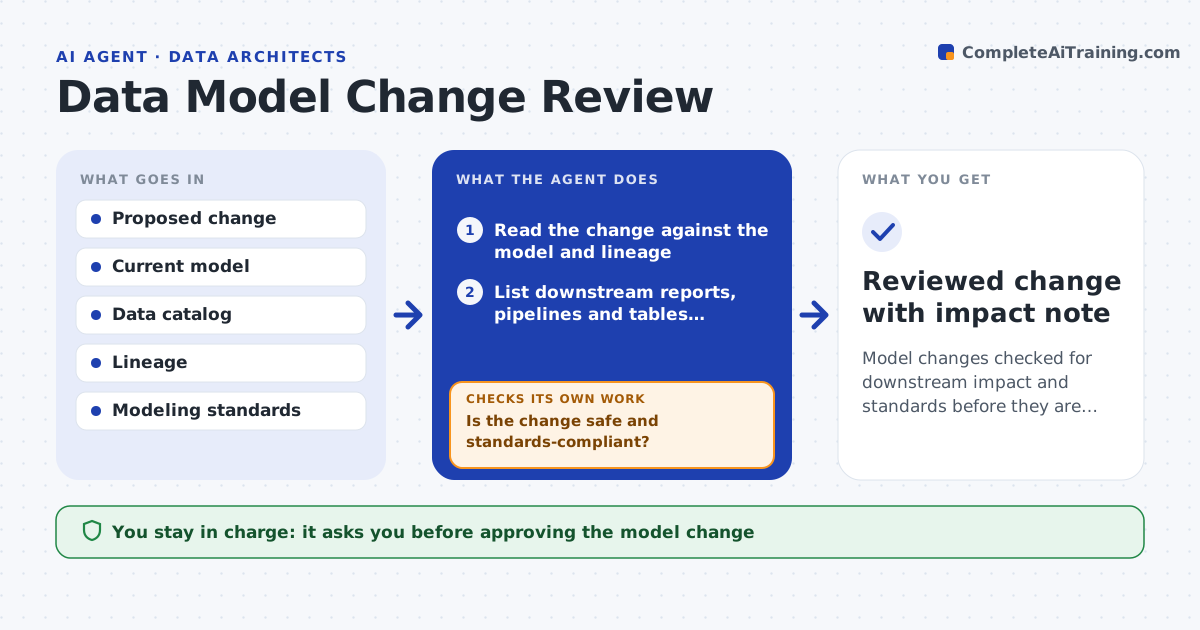
Model changes checked for downstream impact and standards before they are made
What it does
When someone changes a table or data model, the knock-on effects on reports and pipelines are easy to miss. This agent reads the proposed change against the current model, the data catalog and lineage, and lists everything downstream that uses the affected fields: reports, pipelines, dashboards and other tables. It checks the change against your modeling standards, such as naming and key rules. Where the change would break something, it describes the break and a migration step, like keeping the old column during a transition, then rechecks the revised change. If standards are not met, it lists the issues. It drafts a change note for owners of affected systems. You approve the change and the notifications. Edge case: a field used by a regulatory report raises the review level and requires that report owner's sign-off.
How it works
Follow the arrows from top to bottom. The orange dashed arrow is the loop: when a check fails, the agent goes back and tries again.
Read the steps as a list
- Model change proposed
- Read the change against the model and lineage
- List downstream reports, pipelines and tables affected
- Check the change against modeling standards
- Is the change safe and standards-compliant?If not: describe each break and a migration step, and list standard issues. Back to step 2.
- Draft a change note for affected owners
- Architect approves the change and notificationsThe agent waits here for your OK.
- Reviewed change with impact note
How it decides
It flags any change that breaks a downstream user or violates a standard, and raises the review level when regulated data is involved.
- Flag any downstream break
- Require a transition step for removed or renamed fields
- Raise the level for regulated data
Make it yours
Every agent is a starting point. You choose these settings for your own situation.
- Modeling standards
- Regulated datasets list
- Transition period default
- Notification template
What keeps you in control
It always asks you first
- Approving the model change
- Notifying affected owners
Hard limits
- Does not make the change itself
- Always checks regulated data impact
It stops when
- Done: change reviewed and impact noted
- Stop: lineage information is missing
Set it up
We guide you through the set-up, step by step
Members get the full set-up guide for this agent. No technical skills needed: you copy, paste and upload.
- One set of instructions to paste into your AI, with the clicks for ChatGPT, Claude, Microsoft 365 Copilot, Gemini and Grok
- The agent then walks you through connecting your own data, one source at a time
- A downloadable copy with the flow chart, the rules and the full guide