AI agent for embedded systems engineers
Datasheet and Register Lookup Agent
Correct, referenced datasheet answers and configuration sequences
What it does
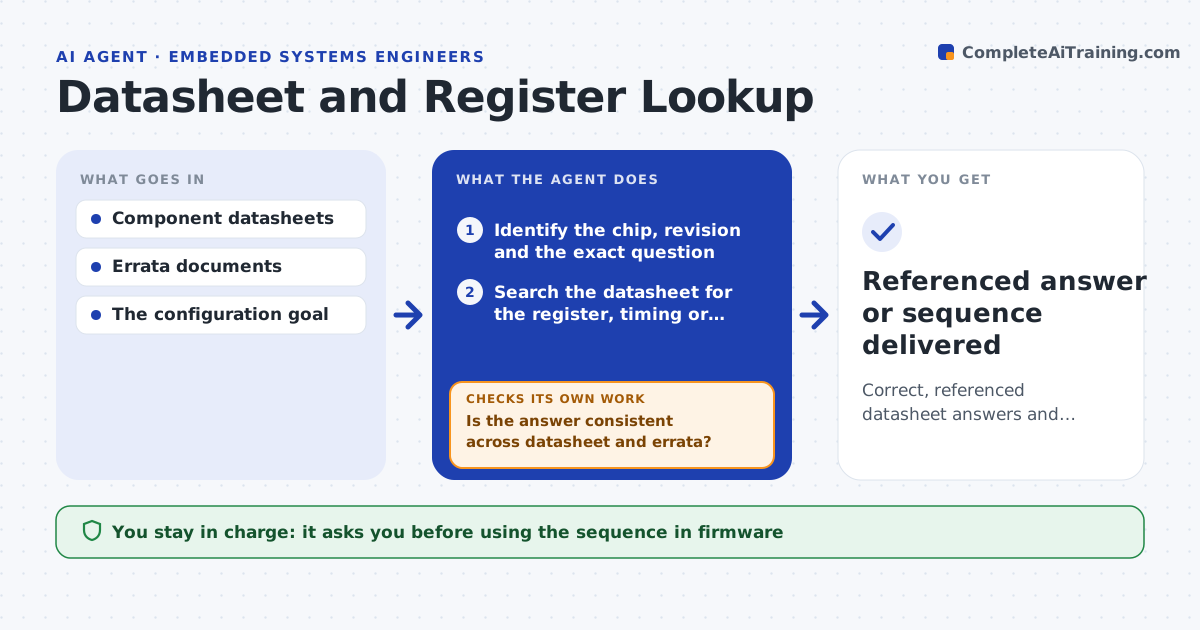
Datasheets run to hundreds of pages, and finding the exact register, bit field or timing rule is slow and easy to get wrong. This agent reads the datasheets for the chips in a design and answers specific questions: which register and bits to set for a mode, the required timing between steps, voltage and current limits. Every answer comes with the page and table reference so you can verify it. It always checks the errata document too. When the datasheet and errata disagree, it flags the conflict and shows both instead of giving one answer. For a configuration task it drafts the register sequence and checks it against the required order. You confirm before anything goes into firmware. Edge case: a setting that must not change while the chip is running is flagged with that warning.
How it works
Follow the arrows from top to bottom. The orange dashed arrow is the loop: when a check fails, the agent goes back and tries again.
Read the steps as a list
- Engineer asks a datasheet question
- Identify the chip, revision and the exact question
- Search the datasheet for the register, timing or limit
- Search the errata and application notes for the same item
- Is the answer consistent across datasheet and errata?If not: flag the conflict and present both with references. Back to step 3.
- Draft the answer or register sequence with page references
- Does the sequence follow the required order and timing?If not: reorder the steps and add the required delays. Back to step 6.
- Engineer confirms before using it in firmwareThe agent waits here for your OK.
- Referenced answer or sequence delivered
How it decides
It answers only from the datasheet and errata with a reference, and flags conflicts instead of choosing silently.
- Always cite the page and table
- Flag errata conflicts rather than guessing
- Warn on settings that cannot change at runtime
Make it yours
Every agent is a starting point. You choose these settings for your own situation.
- Chips and datasheets in scope
- Whether to include errata always
- Answer detail level
- Register naming style
What keeps you in control
It always asks you first
- Using the sequence in firmware
Hard limits
- Never answers without a datasheet reference
- Does not write to hardware itself
It stops when
- Done: answer given with references
- Stop: the datasheet is not available
Set it up
We guide you through the set-up, step by step
Members get the full set-up guide for this agent. No technical skills needed: you copy, paste and upload.
- One set of instructions to paste into your AI, with the clicks for ChatGPT, Claude, Microsoft 365 Copilot, Gemini and Grok
- The agent then walks you through connecting your own data, one source at a time
- A downloadable copy with the flow chart, the rules and the full guide