
Learning path
Learning AI as a Hardware Engineer
Learn how AI can help you read datasheets, plan tests, and work with software teams. This path starts with setup, then builds job-specific prompt and video skills.

Your path
Everything in the Hardware Engineer AI kit, in the order that makes sense. Members tick off each step and see their progress.
Set up your AI
We guide you through each click.
Let skills do your everyday tasks
Connect your apps and pick your AI apps
Hand whole tasks to AI agents
Build your own tools
Keep growing
Everything for hardware engineers
All the courses, certifications, AI tools, MCP servers and apps for hardware engineers, most relevant first. Open any list to see more.
Take the prompt courses
A short framework course to learn how to ask, then 9 lessons with ready-to-use prompts for hardware engineers.
Start with this framework: how to talk to AI
RISEN fits your hardware work by structuring a board bring-up test plan into steps from power rails to signal integrity checks.
Then your prompt course for hardware engineers- 1Explain Hardware Concepts3 prompts
- 2Draft Design Documentation3 prompts
- 3Component Selection & Comparison2 prompts
- 4Debug from a Description3 prompts
- 5Test Planning & Data Analysis2 prompts
- 6Simulation & Scripting Help3 prompts
- 7Schematic & Design Review2 prompts
- 8Hardware-Software Collaboration2 prompts
- 9Compliance & Vendor Admin2 prompts
Watch the video courses or add them to your Favorites for later
85 video courses our AI picked for hardware engineers, most useful first. Save the ones you want to watch later with the heart.
Favorites are saved to your account: sign in or get your AI kit first.
Show all 85 video courses
Get certified, or add certifications to your Favorites
Every course ends in an exam and a certificate you can add to LinkedIn. Save the certifications you are aiming for with the heart.
Favorites are saved to your account: sign in or get your AI kit first.
More certifications for hardware engineersShow all 24 certifications
Try the AI tools for hardware engineers
4 AI tools our AI matched to the work of hardware engineers, best fit first. Each review shows what it does, its alternatives and the jobs it suits.
Favorites are saved to your account: sign in or get your AI kit first.
Connect your AI to the apps hardware engineers use
MCP servers let ChatGPT, Claude or Copilot look things up and get work done in other apps, like your email, calendar or bookkeeping software. These 11 fit the work of hardware engineers best, well-known apps first.

SheetsData MCP server
by octoco-ltdLets your AI look up electronic component specs, pinouts and package info from datasheets without opening a PDF.
ResearchNo install
smolmux MCP server
by magnusmalmLet your AI watch and talk to a serial port or debugger on a tiny embedded board.

ByteAsk Embedded MCP server
by ByteAskLets your AI look up exact facts from embedded and firmware reference docs, with page citations.
ResearchNo install
PlatformIO MCP server
by powerdragonfireLet your AI build, flash, and debug microcontroller firmware and read the serial output for you.

Embedded Debugger MCP server
by adancurusulLets your AI talk to a hardware debug probe so it can inspect, halt, and flash a microcontroller for you.

URDB MCP server
by GetMystAdminLet your AI run electronics calculators and look up product integrity scores and downgrade history from URDB.
Show all 11 MCP servers

naja-scope MCP server
by najaedaLet your AI explore a SystemVerilog or Verilog chip design and trace signals without pasting code.
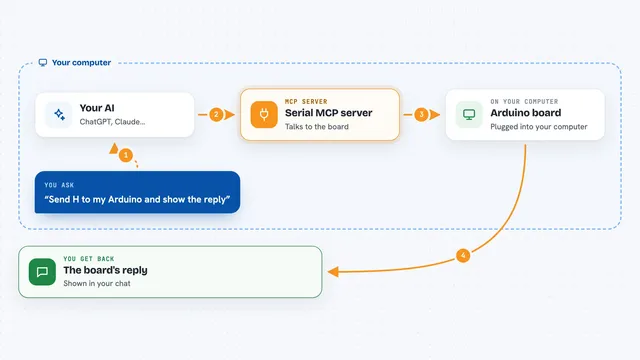
Serial MCP server
by adancurusulLets your AI talk to devices plugged into a serial port, like Arduino or STM32 boards.

ESP32 MCP server (ESP-IDF)
by horwLet your AI set up, build, and flash ESP32 projects with ESP-IDF, so you can fix build issues by chatting.

Telink SDK Builder MCP server
by JannLeoLet your AI compile embedded firmware from a Telink or other SDK repo and even flash it to a chip.
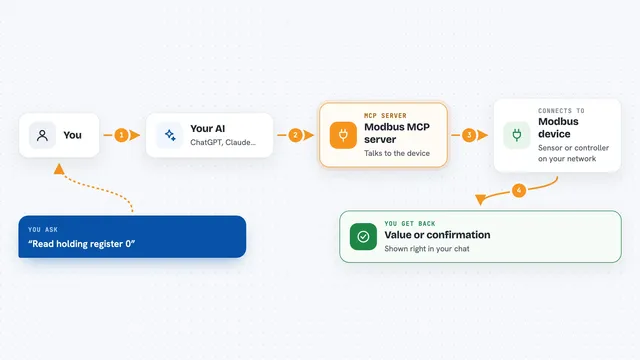
Modbus MCP server
by kukapayLets your AI read and write values on industrial Modbus devices, like sensors and controllers.
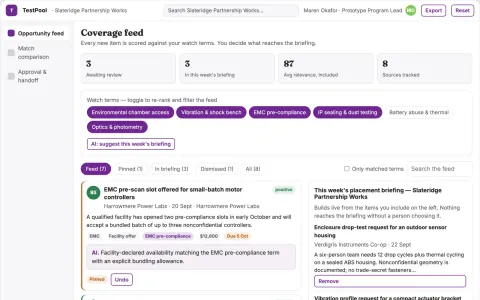
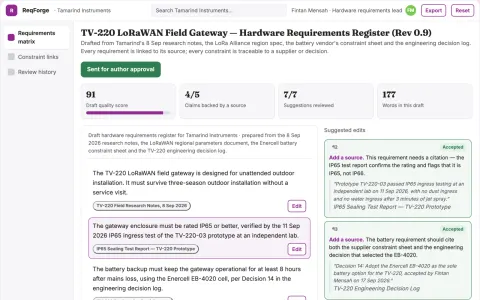
Build your own AI apps for hardware engineers
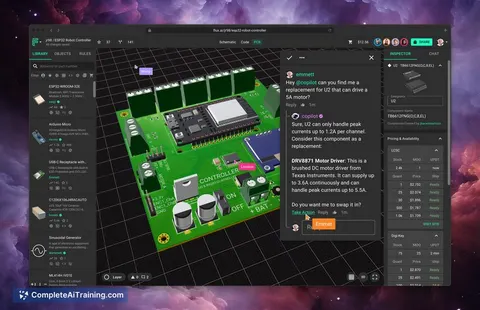
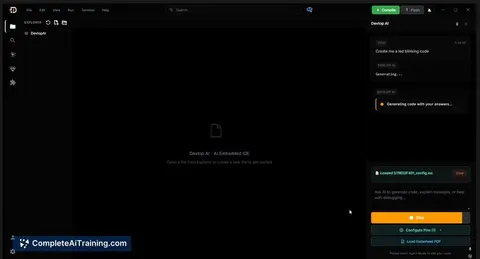
Apps you build yourself with your own AI, no coding needed and no monthly fee. Our AI picked the 2 that fit the work of hardware engineers.























































































About this learning path
6 topicsA clear path to AI for hardware engineers
Hardware engineering rewards careful thinking. AI can help with the reading, drafting, and checking that fill your week, so you spend more time on design decisions.
This path is built for working hardware engineers. You do not need coding or AI experience. You start with setup questions, connect your AI tool, learn job skills inside your AI, then take the prompt course and short video courses chosen for hardware work, each with a certificate.
Why this matters now
Hardware teams face more parts, tighter schedules, and more software coordination. AI helps you read datasheets faster, draft test plans, and explain hardware behavior without losing accuracy.
What the path includes
You begin with setup questions to choose an approved AI tool. Then you connect it, learn job-specific skills like component comparison and debug support, complete the prompt course, and finish with video courses and their certificates.
How it saves you time
Small prompts can turn a long datasheet into notes, a symptom into a checklist, or a rough idea into a test plan draft. You still review everything, but you start from a stronger first version.
How it protects your career
AI does not replace engineering judgment. It helps you document decisions, catch common issues, and keep your skills current. That makes you more useful on reviews, vendor calls, and cross-team work.
How to get started
Set aside one short block this week. Ask your first setup question, connect your AI tool, and try one prompt from the course on a real task. Then add the next lesson when you have a few minutes.
Frequently asked questions
Do I need coding skills to begin?
No. The path starts with plain questions and everyday hardware tasks. You can add scripting help later if your work calls for it.Which AI tool should I use?
Use the tool your company approves, such as ChatGPT, Claude, or Gemini. The prompts in this path work across all three.Will AI make hardware engineers less necessary?
No. AI can draft and summarize, but it cannot sign off on a design or replace testing judgment. Your role becomes more focused on decisions and verification.How do I keep company data safe?
Follow your employer's rules and never paste private schematics or customer data into a tool that is not approved. Ask before sharing anything sensitive.