AI agent for embedded systems engineers
RTOS Timing and Priority Review Agent
Remove missed deadlines and priority inversions with measured proof
What it does
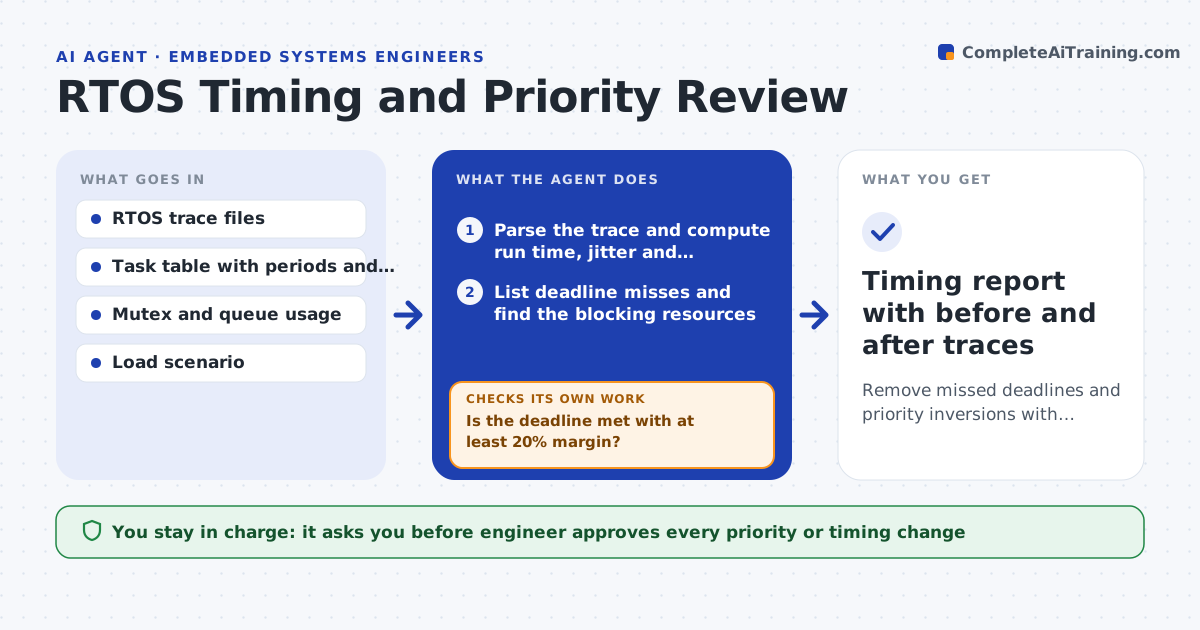
Real-time problems often show up only under heavy load: a task misses its deadline, or a low-priority task holds a lock the high-priority task needs. This agent reads trace data from a stress run and computes each task's run time, period, jitter and time spent blocked. It lists deadline misses and finds the shared resources behind the blocking. It then tests changes, such as a different priority, priority inheritance on a mutex or a shorter critical section, in a simulation or on the bench, under the same load. It measures again and keeps the changes that fix the miss without causing a new one. The engineer approves any change to the real system. Edge case: raising one priority starves a logging task, so the agent rejects it.
How it works
Follow the arrows from top to bottom. The orange dashed arrow is the loop: when a check fails, the agent goes back and tries again.
Read the steps as a list
- Stress trace or deadline miss reported
- Parse the trace and compute run time, jitter and blocking per task
- List deadline misses and find the blocking resources
- Propose changes ranked by size of change
- Run the load scenario with the change in simulation or on the bench
- Capture a new trace and recompute
- Is the deadline met with at least 20% margin?If not: try the next proposal or combine two small changes. Back to step 4.
- Do all other tasks keep their margin?If not: reject the change, note which task lost margin, and try another. Back to step 4.
- Engineer approves changes to the real systemThe agent waits here for your OK.
- Timing report with before and after traces
How it decides
It ranks problems by margin lost and tries the smallest change that restores the deadline, then checks that no other task loses margin.
- Count a miss when response time exceeds the deadline in any cycle
- Require 20% margin on worst-case run time
- Prefer priority inheritance before changing priorities
- Reject any change that reduces another task's margin below 10%
Make it yours
Every agent is a starting point. You choose these settings for your own situation.
- Margin required (default 20%)
- Stress scenario and duration
- Which tasks are safety-related
- Trace format and tool
- Order of changes to try
What keeps you in control
It always asks you first
- Engineer approves every priority or timing change
- Safety lead approves changes to safety-related tasks
Hard limits
- Never change a live system's priorities without approval
- Never test on equipment connected to people or machines without the safety lead
It stops when
- Done: all deadlines met with margin over a full stress run
- Stop: no change meets the margin and the design needs rework
Set it up
We guide you through the set-up, step by step
Members get the full set-up guide for this agent. No technical skills needed: you copy, paste and upload.
- One set of instructions to paste into your AI, with the clicks for ChatGPT, Claude, Microsoft 365 Copilot, Gemini and Grok
- The agent then walks you through connecting your own data, one source at a time
- A downloadable copy with the flow chart, the rules and the full guide