AI agent for embedded systems engineers
Memory and Stack Budget Agent
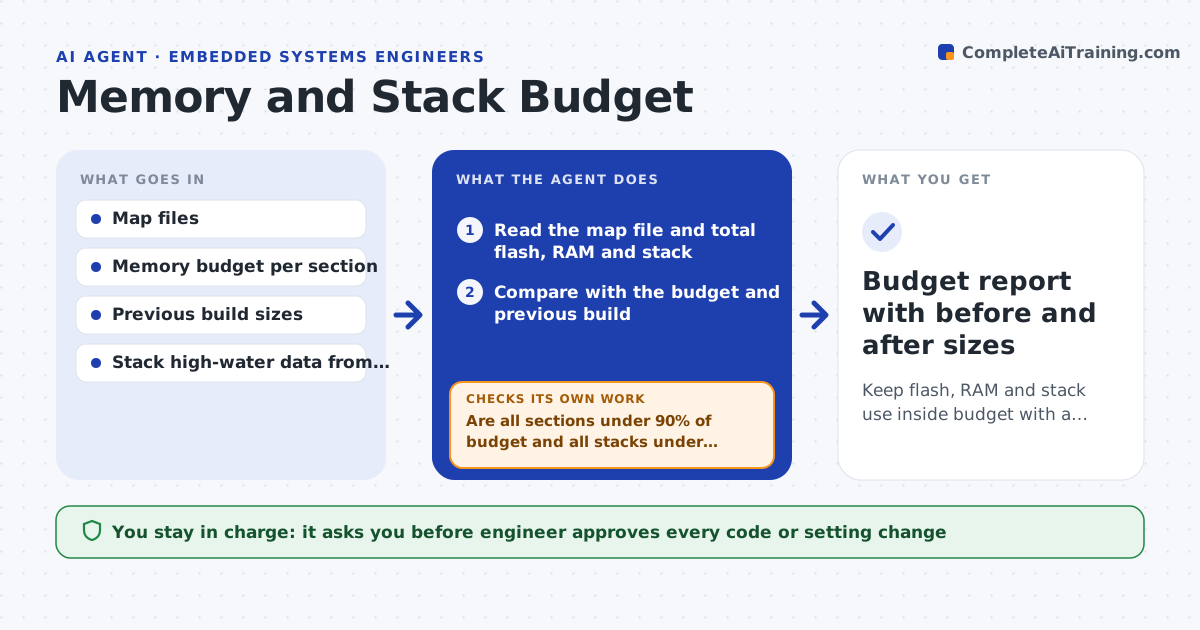
Keep flash, RAM and stack use inside budget with a clear cause for each increase
What it does
Small increases in flash, RAM and stack use add up until a build no longer fits or a task overflows in the field. After each build this agent reads the linker map file and totals the sections. It compares them with the budget and with the previous build, and traces the largest growth to specific files and functions. It reads stack high-water marks from test runs and flags tasks using more than a set share of their stack. It proposes savings such as compiler flags, a smaller buffer or removing dead code, then rebuilds to confirm the numbers. The engineer approves any code change. Edge case: the map shows growth from a debug option left on, so the agent proposes switching it off instead of rewriting code.
How it works
Follow the arrows from top to bottom. The orange dashed arrow is the loop: when a check fails, the agent goes back and tries again.
Read the steps as a list
- Build finished on main branch
- Read the map file and total flash, RAM and stack
- Compare with the budget and previous build
- Trace the biggest growth to files and functions
- Read stack high-water marks from the latest test run
- Are all sections under 90% of budget and all stacks under 80%?If not: propose savings ranked by bytes saved and risk. Back to step 3.
- Engineer approves the code or setting changeThe agent waits here for your OK.
- Apply the change in a branch and rebuild
- Did the rebuild show the expected saving with tests passing?If not: revert the change and try the next proposal. Back to step 3.
- Budget report with before and after sizes
How it decides
It flags a section over 90% of its budget or growing faster than the set rate, and ranks savings by bytes saved per risk of the change.
- Warn when a section passes 90% of its budget
- Warn when a task stack high-water mark passes 80%
- Flag any build that grows flash by over 2 KB over the previous build
- Prefer settings changes over code rewrites
Make it yours
Every agent is a starting point. You choose these settings for your own situation.
- Budget per section
- Warning levels (default 90% and 80%)
- Growth alert size per build (default 2 KB)
- Which branch to watch
- Stack measurement method
What keeps you in control
It always asks you first
- Engineer approves every code or setting change
- Lead approves a budget increase
Hard limits
- Never merge code changes without approval
- Never remove safety checks to save space
It stops when
- Done: all sections and stacks are under their limits
- Stop: no safe saving is left, so the agent asks for a budget change
Set it up
We guide you through the set-up, step by step
Members get the full set-up guide for this agent. No technical skills needed: you copy, paste and upload.
- One set of instructions to paste into your AI, with the clicks for ChatGPT, Claude, Microsoft 365 Copilot, Gemini and Grok
- The agent then walks you through connecting your own data, one source at a time
- A downloadable copy with the flow chart, the rules and the full guide