AI agent for finance managers
Debt Covenant Compliance Agent
Covenant headroom known monthly and certificates ready on time
What it does
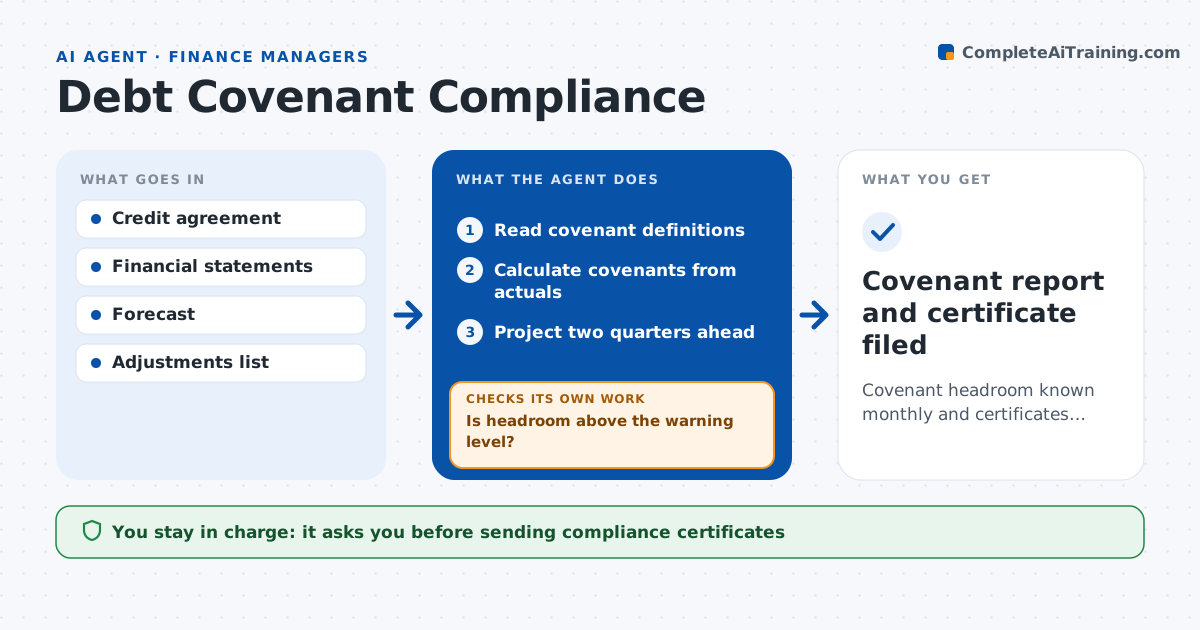
A covenant breach that nobody saw coming can trigger default terms and a tense call with lenders. This agent tracks loan covenants every month. It reads the credit agreement definitions and calculates each covenant, such as leverage, interest cover and minimum liquidity, from the latest numbers. It then projects them for the next two quarters using the forecast. It checks that every adjustment used matches what the agreement allows. If headroom falls below the warning level, it shows what drives the drop and tests options such as paying down debt or timing spend. It drafts the quarterly compliance certificate and, for a projected breach, talking points for lenders. The CFO approves anything sent to lenders. Edge case: the agreement caps add-backs in its EBITDA definition, so the agent applies the cap instead of using the management figure.
How it works
Follow the arrows from top to bottom. The orange dashed arrow is the loop: when a check fails, the agent goes back and tries again.
Read the steps as a list
- Month close done
- Read covenant definitions
- Calculate covenants from actuals
- Project two quarters ahead
- Is headroom above the warning level?If not: identify drivers and model options, then reproject. Back to step 4.
- Draft compliance certificate
- CFO approves before sending to lendersThe agent waits here for your OK.
- Covenant report and certificate filed
How it decides
It uses the agreement's own definitions and flags any covenant with headroom under the warning level.
- Headroom under 15%: warn leadership
- Add-backs above the agreement cap: exclude excess
- Projected breach: prepare lender talk points
Make it yours
Every agent is a starting point. You choose these settings for your own situation.
- Warning headroom level
- Projection length
- Covenants to track
- Certificate template
What keeps you in control
It always asks you first
- Sending compliance certificates
- Contacting lenders
Hard limits
- Never sends documents to lenders
- Never interprets ambiguous terms without legal
It stops when
- Done: report and certificate ready
- Stop: agreement terms unclear, ask legal
Set it up
We guide you through the set-up, step by step
Members get the full set-up guide for this agent. No technical skills needed: you copy, paste and upload.
- One set of instructions to paste into your AI, with the clicks for ChatGPT, Claude, Microsoft 365 Copilot, Gemini and Grok
- The agent then walks you through connecting your own data, one source at a time
- A downloadable copy with the flow chart, the rules and the full guide