AI agent for presentation designers
Deck Storyline Consistency Agent
A deck whose headlines tell a clear, supported story
What it does
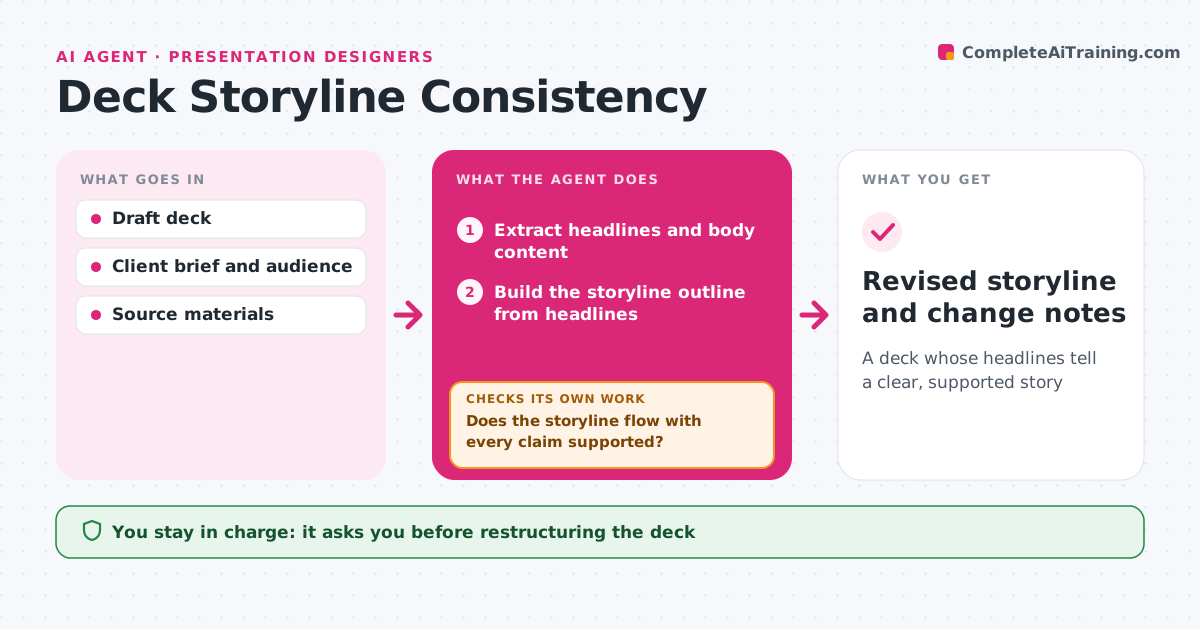
A good deck reads as one story from its slide headlines alone, but drafts often jump around. This agent pulls every headline and body text and builds the storyline outline. It checks that each slide makes one point, that the headlines flow from problem to answer, and that each claim has a supporting chart, fact or source on the slide or in the appendix. Where the flow breaks or support is missing, it proposes a reorder, a merged slide or a new headline, and rebuilds the outline to check again. It also checks that any slide order the client fixed is kept. The designer picks which changes to apply. Edge case: when the client insists on an order, it keeps it and suggests transition headlines instead of moving slides.
How it works
Follow the arrows from top to bottom. The orange dashed arrow is the loop: when a check fails, the agent goes back and tries again.
Read the steps as a list
- First full draft is ready
- Extract headlines and body content
- Build the storyline outline from headlines
- Check each slide for one point and supporting evidence
- Does the storyline flow with every claim supported?If not: propose reorders, merges or new headlines and rebuild the outline. Back to step 3.
- Is any client-fixed slide order kept?If not: restore the order and suggest transition headlines. Back to step 5.
- Write change notes for the designer
- Designer picks which changes to applyThe agent waits here for your OK.
- Revised storyline and change notes
How it decides
It tests whether headlines read as a logical sequence and whether every claim has evidence. Slides with two main points are flagged for splitting.
- Flag slides with two main points
- Flag claims with no data or source
- Respect any fixed order from the client
Make it yours
Every agent is a starting point. You choose these settings for your own situation.
- Target slide count
- Audience type (executive, sales, investor)
- Where evidence may live (slide or appendix)
- Headline length limit
What keeps you in control
It always asks you first
- Restructuring the deck
Hard limits
- Does not rewrite client content without approval
- Does not add facts that are not in the sources
It stops when
- Done: storyline approved
- Stop: brief does not say who the audience is; ask
Set it up
We guide you through the set-up, step by step
Members get the full set-up guide for this agent. No technical skills needed: you copy, paste and upload.
- One set of instructions to paste into your AI, with the clicks for ChatGPT, Claude, Microsoft 365 Copilot, Gemini and Grok
- The agent then walks you through connecting your own data, one source at a time
- A downloadable copy with the flow chart, the rules and the full guide