AI agent for graphic designers
Brand Asset Request Triage Agent
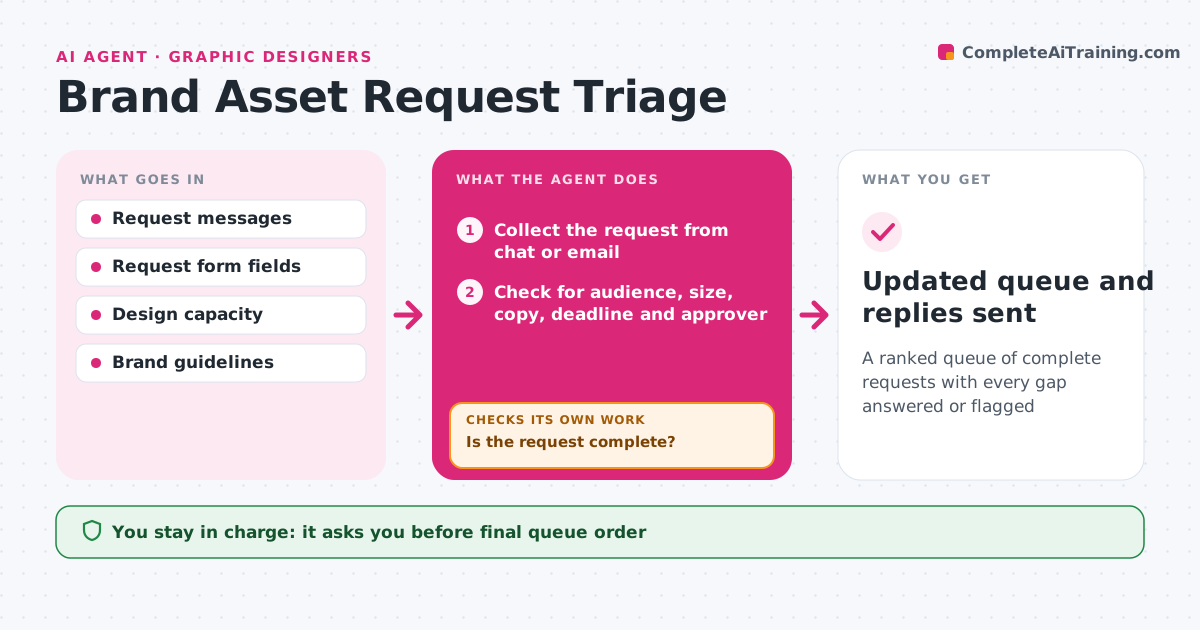
A ranked queue of complete requests with every gap answered or flagged
What it does
Requests arrive in chat and email with missing details, and priorities are unclear. This agent collects new requests from the channels and checks each for audience, size, copy, deadline and approver. When something is missing, it asks the requester directly with a short list of questions. It ranks the queue by deadline and effort, and when answers arrive it checks whether the request is now complete and re-ranks. It flags requests that are too big for the deadline, duplicates of existing work, or that need a brand check. The designer approves the order and which requests to decline. Edge case: an urgent request from an executive is flagged but still shown with its cost to other work, so the designer chooses.
How it works
Follow the arrows from top to bottom. The orange dashed arrow is the loop: when a check fails, the agent goes back and tries again.
Read the steps as a list
- New request arrives
- Collect the request from chat or email
- Check for audience, size, copy, deadline and approver
- Is the request complete?If not: ask the requester for the missing items and wait for the answer. Back to step 3.
- Estimate effort and check for duplicates
- Rank the queue by deadline and effort
- Does the new order still meet every deadline with the available capacity?If not: flag the requests that cannot fit and suggest declining or moving them. Back to step 5.
- Designer approves the order and what is declinedThe agent waits here for your OK.
- Updated queue and replies sent
How it decides
A request is ready when it has audience, size, copy, deadline and approver. Ranking uses days to deadline and estimated effort.
- Ask for the missing fields before ranking
- Rank by days to deadline, then effort
- Flag any request over 8 hours with less than 2 days
- Merge duplicates and tell both requesters
Make it yours
Every agent is a starting point. You choose these settings for your own situation.
- Required fields
- Effort limit that triggers a flag (default 8 hours)
- Channels to watch
- Capacity per week
What keeps you in control
It always asks you first
- Final queue order
- Declining a request or sending messages to requesters
Hard limits
- Never starts design work
- Never declines a request itself
It stops when
- Done: queue approved and requesters informed
- Stop: capacity is zero this week
Set it up
We guide you through the set-up, step by step
Members get the full set-up guide for this agent. No technical skills needed: you copy, paste and upload.
- One set of instructions to paste into your AI, with the clicks for ChatGPT, Claude, Microsoft 365 Copilot, Gemini and Grok
- The agent then walks you through connecting your own data, one source at a time
- A downloadable copy with the flow chart, the rules and the full guide