AI agent for academic advisors
Degree Plan Exception Request Agent
A complete exception packet is ready for the advisor to approve with every required form and sign-off in place.
What it does
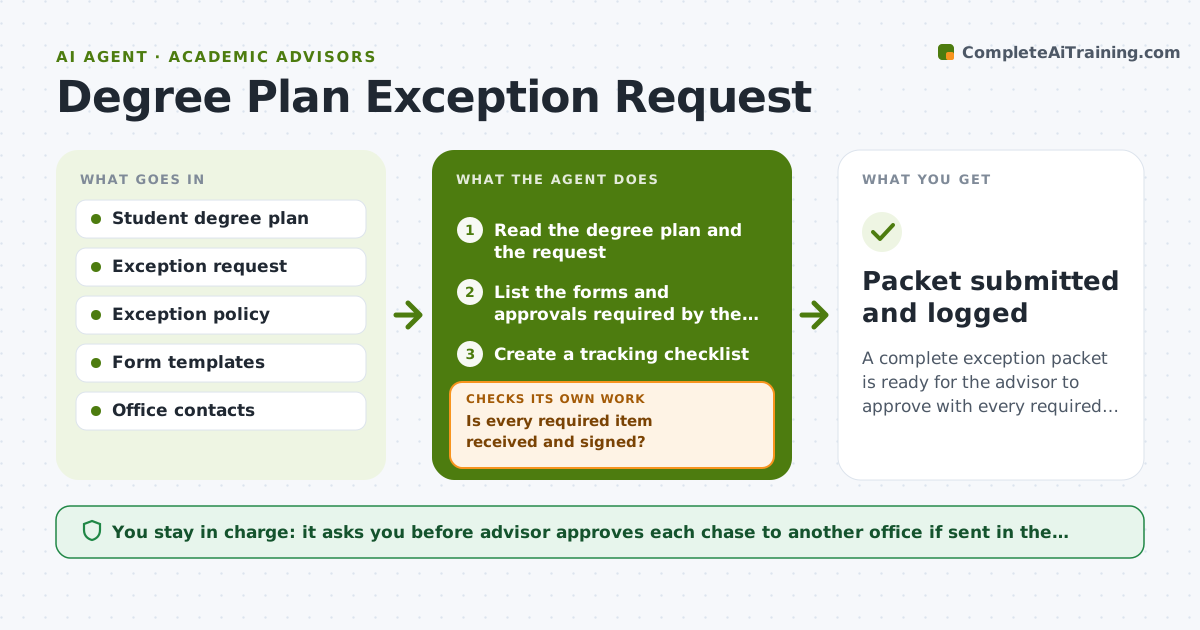
A student asks for an exception to a degree requirement, and the advisor must gather forms and sign-offs from the registrar, the department and sometimes financial aid. The agent reads the student's degree plan and the request, lists every form and approval needed for that exception type, and tracks each one in a checklist. It rechecks the file daily for missing items. Anything missing sends it back to chase the right office with a drafted request. When the file is complete, it assembles the packet. The advisor approves submission. Edge case: an exception that needs a department chair who is away, so the agent finds the delegate on the policy page.
How it works
Follow the arrows from top to bottom. The orange dashed arrow is the loop: when a check fails, the agent goes back and tries again.
Read the steps as a list
- Exception request received
- Read the degree plan and the request
- List the forms and approvals required by the policy
- Create a tracking checklist
- Check each office for completed items
- Is every required item received and signed?If not: Draft a request to the missing office and wait for it. Back to step 5.
- Check dates, signatures and course codes in the packet
- Does the packet agree with the degree plan?If not: List the mismatch and ask the student or office to correct it. Back to step 6.
- Assemble the packet
- Advisor approves submissionThe agent waits here for your OK.
- Packet submitted and logged
How it decides
It builds the required list from the exception policy and treats a form as done only when it is signed and dated.
- Required items come only from the policy for that exception type
- Chase an office after 3 working days
- A form without a date or signature is not counted
- Use the named delegate if a signer is away
Make it yours
Every agent is a starting point. You choose these settings for your own situation.
- Exception types it handles
- Days before chasing (default 3)
- Offices and contacts for each type
- Format of the checklist
What keeps you in control
It always asks you first
- Advisor approves each chase to another office if sent in the advisor's name
- Advisor approves the final submission
Hard limits
- Never submit anything itself
- Do not tell the student an exception is approved
It stops when
- Done: packet complete and submitted
- Stop: the policy does not allow the exception and the advisor must advise the student
Set it up
We guide you through the set-up, step by step
Members get the full set-up guide for this agent. No technical skills needed: you copy, paste and upload.
- One set of instructions to paste into your AI, with the clicks for ChatGPT, Claude, Microsoft 365 Copilot, Gemini and Grok
- The agent then walks you through connecting your own data, one source at a time
- A downloadable copy with the flow chart, the rules and the full guide