AI agent for energy engineers
Project Financial Model Refresh Agent
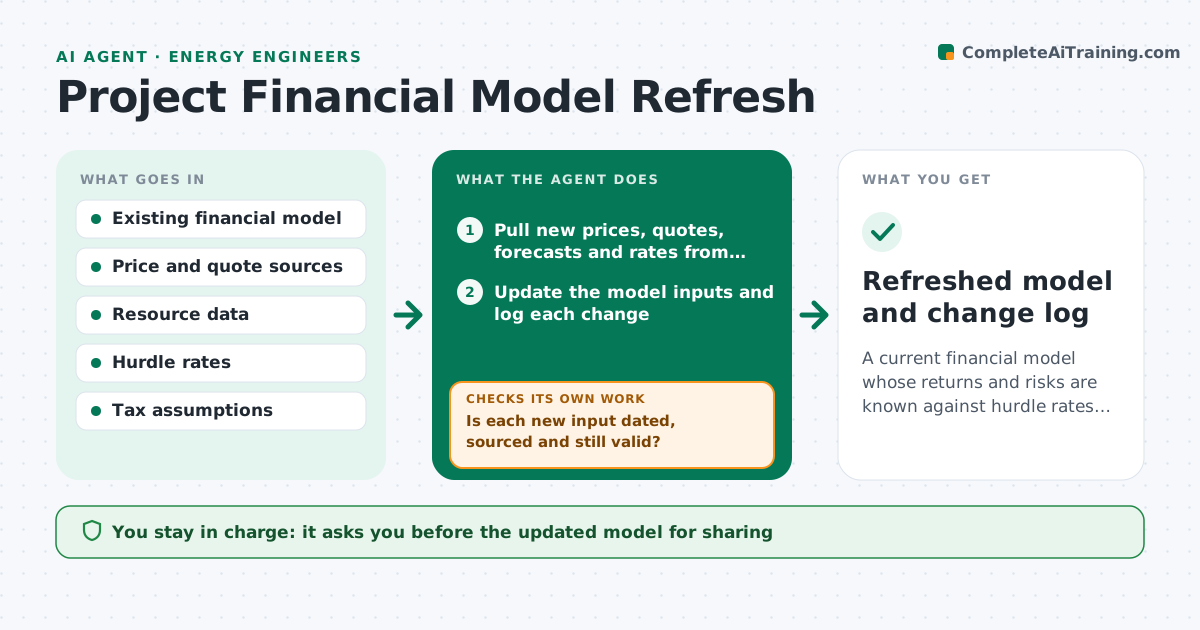
A current financial model whose returns and risks are known against hurdle rates at any time.
What it does
A solar or wind project model built six months ago still uses the old module price, the old power price curve and the old interest rate. This agent updates those inputs from your chosen sources: equipment quotes, power price forecasts, resource data, interest rates and tax rules. It reruns the returns, compares them to the hurdle rates and shows what moved the result. Where margins are thin, it runs sensitivities on the key assumptions such as price, output and cost, and tests the downside case. It lists every input changed with its source. You approve the update. Edge case: a quote past its validity date is not used and is flagged.
How it works
Follow the arrows from top to bottom. The orange dashed arrow is the loop: when a check fails, the agent goes back and tries again.
Read the steps as a list
- Monthly run or input change
- Pull new prices, quotes, forecasts and rates from the sources
- Is each new input dated, sourced and still valid?If not: drop the input and keep the old value with a flag. Back to step 2.
- Update the model inputs and log each change
- Rerun returns: IRR, NPV and payback
- Compare returns to the hurdle rates and explain what moved
- Is the margin over the hurdle rate above the safety margin?If not: run sensitivities on price, output and cost, and a downside case. Back to step 4.
- Write the summary with changes, results and risks
- Engineer approves the updateThe agent waits here for your OK.
- Refreshed model and change log
How it decides
It replaces inputs with newer sourced values, then recomputes returns. Thin margins trigger sensitivity cases and a downside test.
- Return within 1.5 points of the hurdle: run sensitivities
- Quote older than its validity date: do not use
- Downside case under the hurdle by over 3 points: flag as a risk
- Input change moves IRR by over 1 point: highlight in the summary
Make it yours
Every agent is a starting point. You choose these settings for your own situation.
- Input sources
- Hurdle rates
- Safety margin in points (default 1.5)
- Sensitivity ranges
- Refresh schedule
What keeps you in control
It always asks you first
- The updated model for sharing
- Any change to base assumptions
Hard limits
- Never overwrite the base case without approval
- Never use an unsourced input
It stops when
- Done: model refreshed and approved
- Stop: key inputs unavailable
Set it up
We guide you through the set-up, step by step
Members get the full set-up guide for this agent. No technical skills needed: you copy, paste and upload.
- One set of instructions to paste into your AI, with the clicks for ChatGPT, Claude, Microsoft 365 Copilot, Gemini and Grok
- The agent then walks you through connecting your own data, one source at a time
- A downloadable copy with the flow chart, the rules and the full guide