AI agent for energy engineers
Demand Response Event Participation Agent
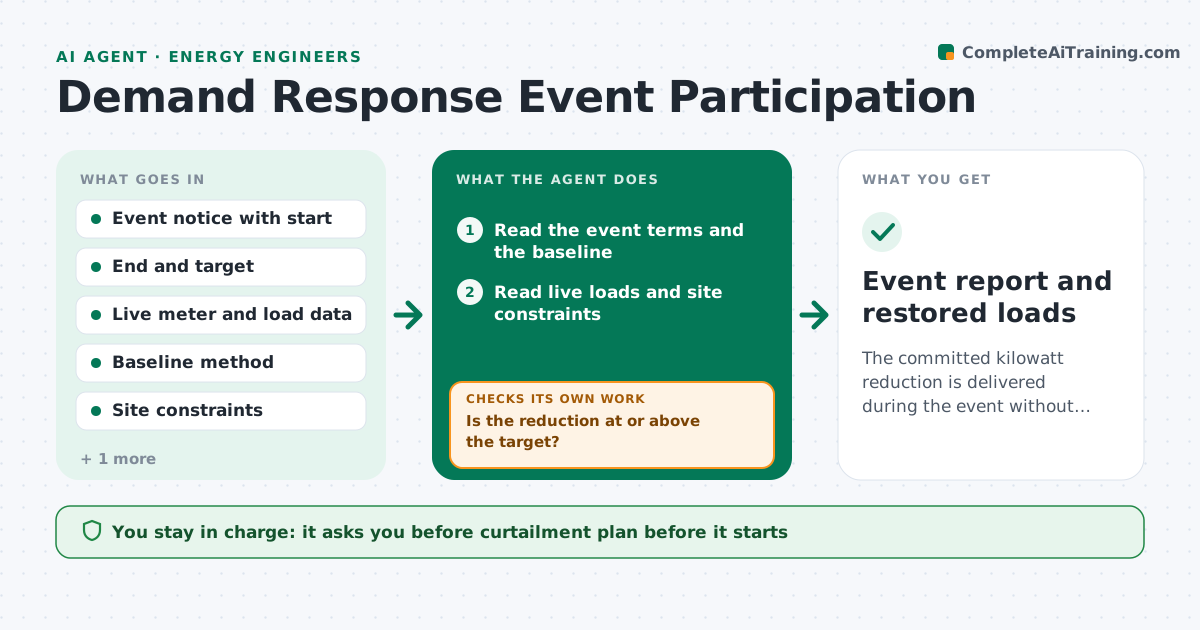
The committed kilowatt reduction is delivered during the event without breaking comfort or process limits
What it does
When a demand response event is called, sites either miss the commitment or cut more than they need to and upset occupants or production. This agent reads the event notice, then the site loads and constraints, such as comfort limits, process interlocks and critical equipment. It selects which loads to shed and in what order, and drafts the curtailment plan. During the event it tracks actual reduction against the baseline in real time and adjusts the shed list if the target is missed. It also checks comfort and process limits after each change. The site manager approves the plan before any load is switched. Edge case: a zone hits its temperature limit early, so the agent restores it and picks another load.
How it works
Follow the arrows from top to bottom. The orange dashed arrow is the loop: when a check fails, the agent goes back and tries again.
Read the steps as a list
- Event notice received
- Read the event terms and the baseline
- Read live loads and site constraints
- Rank loads by impact per kilowatt shed
- Draft the curtailment plan with expected reduction
- Site manager approves the planThe agent waits here for your OK.
- Track actual reduction against the baseline each interval
- Is the reduction at or above the target?If not: add the next load on the list and recheck. Back to step 4.
- Are comfort and process limits still within range?If not: restore the limiting load and choose another. Back to step 4.
- Draft the event report with delivered kilowatts
- Event report and restored loads
How it decides
Loads are shed in order of lowest impact per kilowatt. A load is restored when its limit is reached.
- Shed lowest-impact loads first
- Restore a zone when it passes its limit by 1 degree
- Re-evaluate the plan every 15 minutes
- Never shed loads on the critical list
Make it yours
Every agent is a starting point. You choose these settings for your own situation.
- Load priority order
- Comfort limits by zone
- Update interval (default 15 minutes)
- Margin above target (default 10%)
What keeps you in control
It always asks you first
- Curtailment plan before it starts
- Any change to critical loads
Hard limits
- Never switches a load without manager approval
- Never sheds critical equipment
It stops when
- Done: event ends with target met and loads restored
- Stop: a safety or process limit would be broken
Set it up
We guide you through the set-up, step by step
Members get the full set-up guide for this agent. No technical skills needed: you copy, paste and upload.
- One set of instructions to paste into your AI, with the clicks for ChatGPT, Claude, Microsoft 365 Copilot, Gemini and Grok
- The agent then walks you through connecting your own data, one source at a time
- A downloadable copy with the flow chart, the rules and the full guide