AI agent for immigration consultants
Dependent Eligibility Check Agent
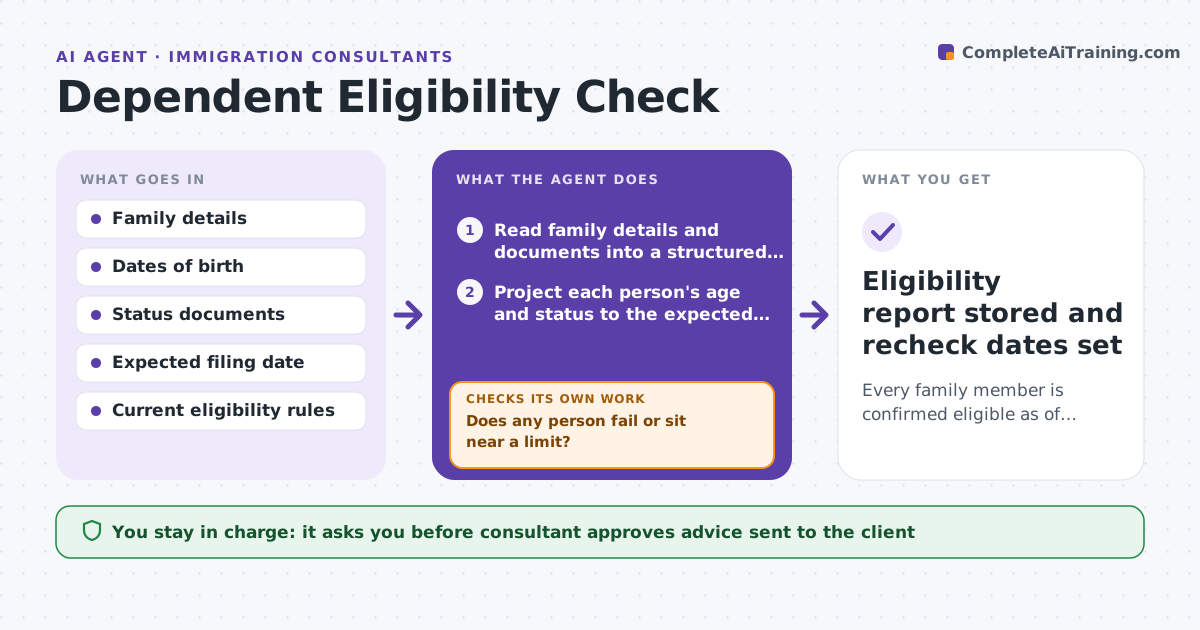
Every family member is confirmed eligible as of the filing date, or the risk is raised with options in time to act.
What it does
A family application is only as strong as its weakest member. A child may turn 21 before filing, a marriage may not be documented, or a student status may lapse. This agent reads the family details and checks each person's age and status against the rules as of the filing date, not today's date. It flags risks such as aging out, lists the documents needed to prove relationship and status, and requests what is missing. When facts change, such as a birthday, a new document or a rule update, it reruns the check for the whole family. It never advises the client directly. The consultant approves all advice. Edge case: a child who is 20 now but turns 21 before the expected filing date is flagged as high risk with the options laid out.
How it works
Follow the arrows from top to bottom. The orange dashed arrow is the loop: when a check fails, the agent goes back and tries again.
Read the steps as a list
- Family case opened or a fact changes
- Read family details and documents into a structured list
- Project each person's age and status to the expected filing date
- Check each person against the current eligibility rules
- Does any person fail or sit near a limit?If not: if a limit is close, model an earlier or later filing date and rerun the projection. Back to step 3.
- List the documents needed to prove each relationship and status
- Request missing documents from the client
- Do the received documents match the details on file?If not: correct the record, flag the mismatch and rerun the checks. Back to step 2.
- Draft the risk summary and advice options
- Consultant approves the advice sent to the clientThe agent waits here for your OK.
- Eligibility report stored and recheck dates set
How it decides
It tests each person against the rule on the filing date and marks risk by how close the person is to a limit. Anything within 90 days of a limit is high risk.
- Evaluate every rule as of the filing date.
- Mark a person high risk when within 90 days of an age limit.
- Treat a mismatch between a document and the file as a blocker until resolved.
- Rerun the full family check after any change in facts.
Make it yours
Every agent is a starting point. You choose these settings for your own situation.
- Rule set and jurisdiction used
- High risk window before a limit (default 90 days)
- Document checklist per relationship type
- Recheck schedule (default monthly until filing)
What keeps you in control
It always asks you first
- Consultant approves advice sent to the client
- Consultant approves any change to the filing date
Hard limits
- Never send advice to a client without approval
- Cite the rule and date used for every finding
It stops when
- Done: all members confirmed or risks documented with approved advice.
- Stop: consultant closes the case or the family withdraws.
Set it up
We guide you through the set-up, step by step
Members get the full set-up guide for this agent. No technical skills needed: you copy, paste and upload.
- One set of instructions to paste into your AI, with the clicks for ChatGPT, Claude, Microsoft 365 Copilot, Gemini and Grok
- The agent then walks you through connecting your own data, one source at a time
- A downloadable copy with the flow chart, the rules and the full guide