AI agent for physicists
Detector Calibration Run Agent
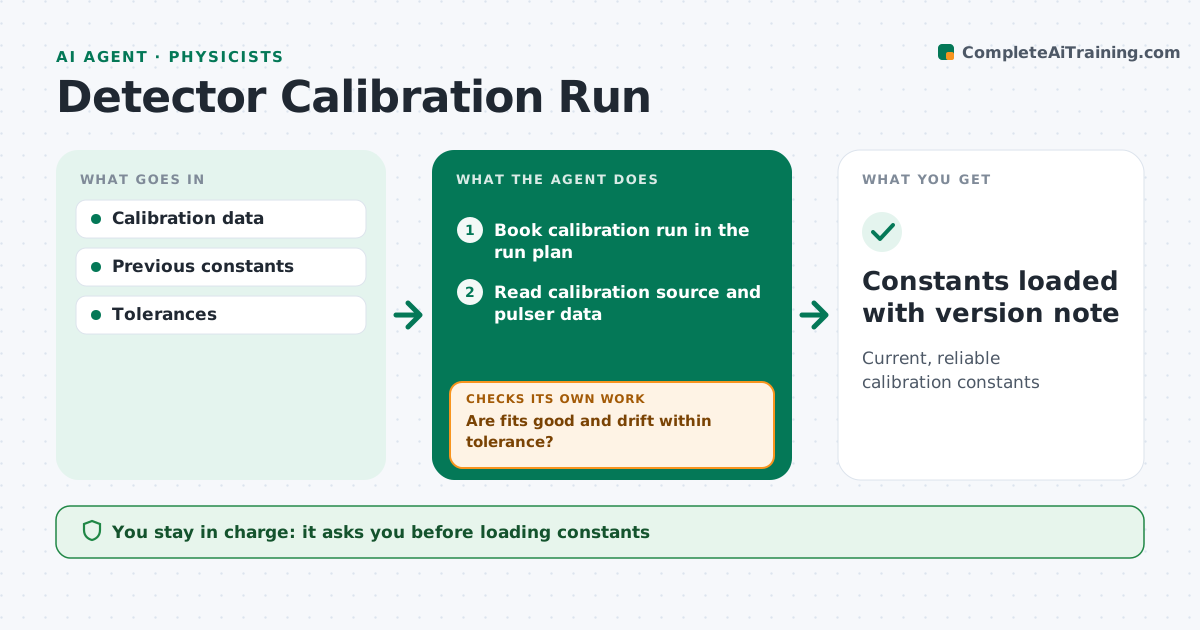
Current, reliable calibration constants
What it does
Detectors need regular calibration with radioactive sources, pulsers or reference signals, and stale constants quietly bias physics results. This agent books calibration runs in the run plan, on schedule and after any hardware change. It reads the calibration data, fits gain, offset and timing constants per channel, and checks fit quality. It compares the new constants with previous ones and flags drift beyond tolerance, along with patterns such as one readout board drifting together. Poor fits are refit, and if they stay poor, it requests a repeat run with more statistics. It records which physics runs used which constants. You approve new constants before they are loaded into data processing. Edge case: a channel that keeps failing calibration is masked and logged.
How it works
Follow the arrows from top to bottom. The orange dashed arrow is the loop: when a check fails, the agent goes back and tries again.
Read the steps as a list
- Calibration due or hardware changed
- Book calibration run in the run plan
- Read calibration source and pulser data
- Fit gain, offset and timing constants per channel
- Are fits good and drift within tolerance?If not: refit bad channels and request a repeat run if fits stay poor. Back to step 3.
- Compare new constants with the current set and list changed channels
- Physicist approves constantsThe agent waits here for your OK.
- Constants loaded with version note
How it decides
It accepts constants with good fits and flags changes beyond tolerance.
- Mask failing channels
- Flag drift
- Rerun bad fits
Make it yours
Every agent is a starting point. You choose these settings for your own situation.
- Tolerance
- Schedule
- Channels
- Report format
What keeps you in control
It always asks you first
- Loading constants
Hard limits
- Never loads constants without approval
It stops when
- Done: loaded
- Stop: hardware fault
Set it up
We guide you through the set-up, step by step
Members get the full set-up guide for this agent. No technical skills needed: you copy, paste and upload.
- One set of instructions to paste into your AI, with the clicks for ChatGPT, Claude, Microsoft 365 Copilot, Gemini and Grok
- The agent then walks you through connecting your own data, one source at a time
- A downloadable copy with the flow chart, the rules and the full guide