AI agent for optometrists
Diabetic Eye Exam Report Loop Agent
Make sure every diabetic eye exam report reaches the right doctor and is confirmed.
What it does
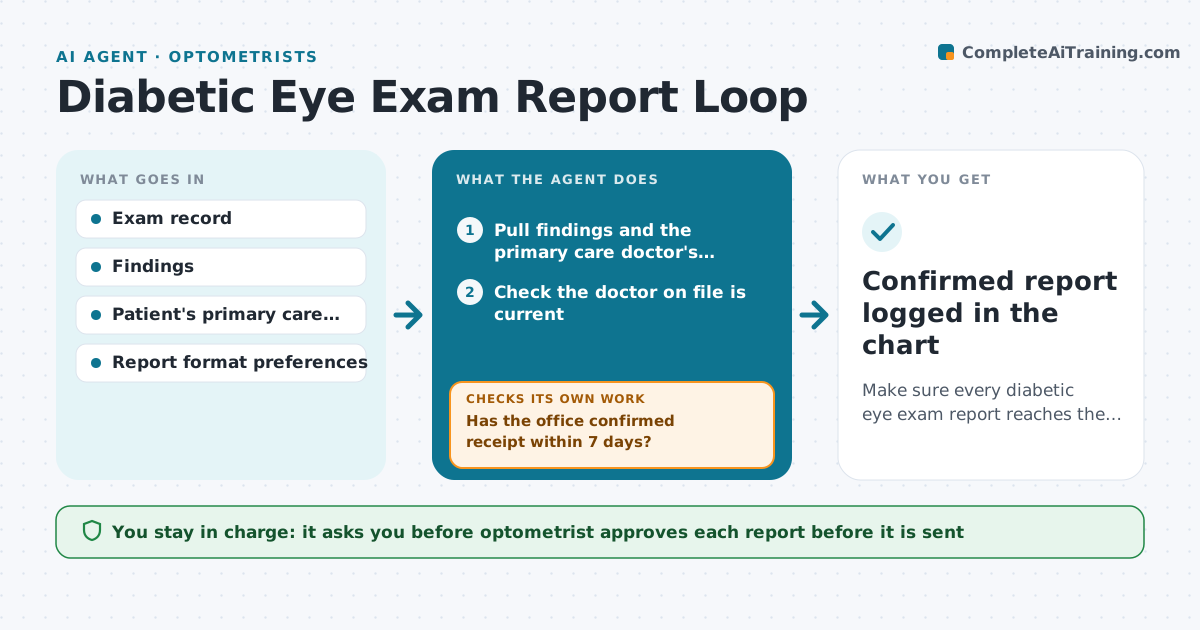
After a diabetic eye exam, the report to the patient's primary care doctor often goes out late or never, and nobody checks it arrived. This agent scans the schedule for diabetic exams, pulls the findings such as retinopathy grade, pressure and vision, and drafts the report in the format the doctor's office prefers. The optometrist reviews and approves it. The agent then sends it and records the date. It checks for a confirmation of receipt. If none arrives within seven days, it resends by another channel, such as fax, secure message or a phone task for staff. It keeps going through the channels until receipt is confirmed or the optometrist is told. Edge case: the primary care doctor listed on file has changed, so the agent asks the patient's record for the current doctor before resending.
How it works
Follow the arrows from top to bottom. The orange dashed arrow is the loop: when a check fails, the agent goes back and tries again.
Read the steps as a list
- A diabetic eye exam is closed
- Pull findings and the primary care doctor's contact details
- Check the doctor on file is current
- Draft the report in the office's preferred format
- Optometrist reviews and approves the reportThe agent waits here for your OK.
- Send the report and record channel and date
- Has the office confirmed receipt within 7 days?If not: resend by the next channel not tried and log the attempt. Back to step 6.
- Is the primary care doctor and contact still correct?If not: ask front desk to confirm with the patient, update the record, then redraft the cover note. Back to step 3.
- Confirmed report logged in the chart
How it decides
It resends when no confirmation exists after 7 days and picks the next channel not yet tried. It stops when receipt is confirmed.
- Treat an exam as diabetic if the chart has a diabetes diagnosis or the visit reason says so
- Move to a new channel after each unconfirmed attempt
- Flag urgent findings (severe retinopathy) to the optometrist the same day
- After 3 failed channels, create a phone task for staff
Make it yours
Every agent is a starting point. You choose these settings for your own situation.
- Days to wait before resending (default 7)
- Channel order (default secure message, fax, phone task)
- Report format per doctor's office
- Urgent finding rule (default severe retinopathy)
What keeps you in control
It always asks you first
- Optometrist approves each report before it is sent
- Optometrist approves sending to a new doctor or address
Hard limits
- Never send a report the optometrist has not approved
- Share only what the report format requires
It stops when
- Done: receipt confirmed and logged
- Stop: patient has no primary care doctor, tell the optometrist
Set it up
We guide you through the set-up, step by step
Members get the full set-up guide for this agent. No technical skills needed: you copy, paste and upload.
- One set of instructions to paste into your AI, with the clicks for ChatGPT, Claude, Microsoft 365 Copilot, Gemini and Grok
- The agent then walks you through connecting your own data, one source at a time
- A downloadable copy with the flow chart, the rules and the full guide