AI agent for optometrists
Referral Source Relationship Agent
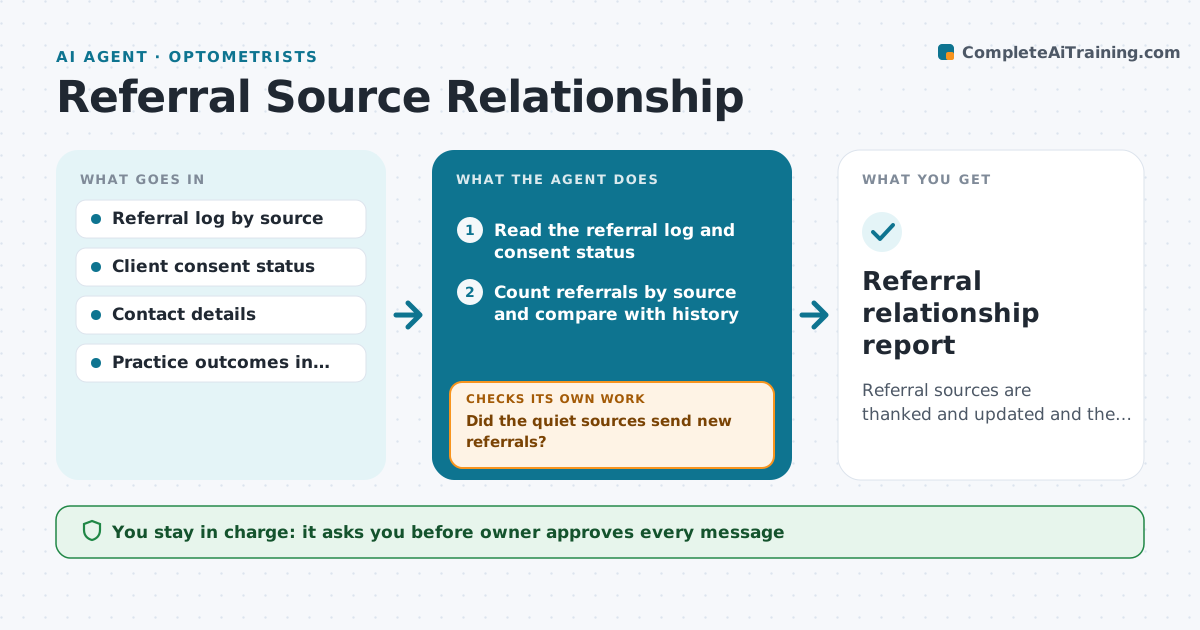
Referral sources are thanked and updated and the quiet ones come back.
What it does
A practice depends on a handful of referrers, and they rarely hear back. The agent tracks every referral by source and counts them by month. It finds sources that went quiet, such as a physician who used to send two a month and has sent none for 3 months, and drafts a short thank-you or update that respects privacy rules, so no client details are shared without consent. It suggests a next step, for example a call, a coffee or a short summary of outcomes in general terms. After the owner sends the note, it tracks whether referrals resume. If they do not, it proposes a different approach. The owner approves every message. Edge case: a referrer who always sends difficult cases gets a thank-you at once, regardless of the numbers.
How it works
Follow the arrows from top to bottom. The orange dashed arrow is the loop: when a check fails, the agent goes back and tries again.
Read the steps as a list
- Monthly run
- Read the referral log and consent status
- Count referrals by source and compare with history
- Find sources that went quiet or sent new referrals
- Draft a thank-you or update that respects privacy
- Owner approves each messageThe agent waits here for your OK.
- Send the messages and log them
- Read new referrals after 6 weeks
- Did the quiet sources send new referrals?If not: Propose a different contact such as a call or a short outcome summary. Back to step 3.
- Update the relationship list
- Referral relationship report
How it decides
It compares each source's recent volume with its history and picks the right type of contact.
- A source down 50% from its 6 month average is flagged
- A first referral gets a thank-you within 7 days
- No client details without consent
- Two failed contacts go to the owner for a personal call
Make it yours
Every agent is a starting point. You choose these settings for your own situation.
- Quiet threshold
- Message tone
- Contact frequency
- Consent rules
- Report schedule
What keeps you in control
It always asks you first
- Owner approves every message
- Owner approves any gift or offer
Hard limits
- Never share client details without consent
- Never send without approval
- Never offer payment for referrals
It stops when
- Done: all sources have been thanked and quiet ones followed up
- Stop: the referrer asks not to be contacted
Set it up
We guide you through the set-up, step by step
Members get the full set-up guide for this agent. No technical skills needed: you copy, paste and upload.
- One set of instructions to paste into your AI, with the clicks for ChatGPT, Claude, Microsoft 365 Copilot, Gemini and Grok
- The agent then walks you through connecting your own data, one source at a time
- A downloadable copy with the flow chart, the rules and the full guide