AI agent for court reporters
Dictionary Conflict Update Agent
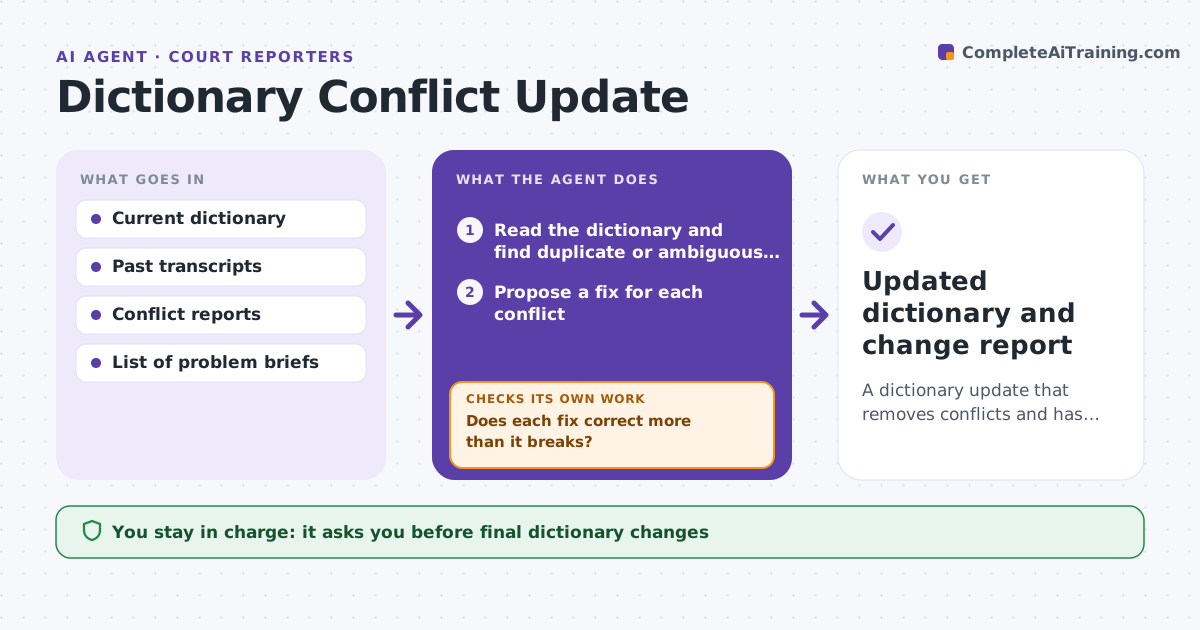
A dictionary update that removes conflicts and has been tested against real transcripts
What it does
A steno dictionary grows for years, and conflicts creep in: two words share one brief, or an entry produces the wrong word in a common phrase. This agent reads the reporter's dictionary and finds conflicting or ambiguous briefs. For each conflict it proposes a fix, such as a new brief or a context rule. It then tests the fix against past transcripts, the reporter's own text, and counts what it changes: what it fixes and what it would break. Fixes that cause new errors are dropped. Others are retested with the changes in place together, because two fixes can interfere. It repeats until the results are stable. The reporter approves the final dictionary changes. Edge case: a brief that reads correctly in medical testimony but wrong in contracts.
How it works
Follow the arrows from top to bottom. The orange dashed arrow is the loop: when a check fails, the agent goes back and tries again.
Read the steps as a list
- Reporter requests a dictionary review
- Read the dictionary and find duplicate or ambiguous briefs
- Propose a fix for each conflict
- Test each fix on past transcripts and count what changes
- Does each fix correct more than it breaks?If not: drop the fix or change the brief and retest. Back to step 3.
- Retest all remaining fixes together
- Do the fixes work together with no new errors?If not: remove the interfering fix and retest. Back to step 3.
- Prepare a dictionary update with the list of changes
- Reporter approves the final dictionaryThe agent waits here for your OK.
- Updated dictionary and change report
How it decides
A fix is kept only if it corrects more words than it breaks on past transcripts, and it does not interfere with other approved fixes.
- Drop any fix that creates more than it corrects
- Test fixes on at least 10 transcripts
- Retest the approved fixes together
- Keep the old dictionary as a backup
Make it yours
Every agent is a starting point. You choose these settings for your own situation.
- Transcripts used for testing
- Break limit (default 0 new errors)
- Review schedule
- Backup location
What keeps you in control
It always asks you first
- Final dictionary changes
Hard limits
- Never overwrites the original dictionary
- Never uses real case text outside the reporter's files
It stops when
- Done: conflicts resolved and tests stable
- Stop: no past transcripts are available for testing
Set it up
We guide you through the set-up, step by step
Members get the full set-up guide for this agent. No technical skills needed: you copy, paste and upload.
- One set of instructions to paste into your AI, with the clicks for ChatGPT, Claude, Microsoft 365 Copilot, Gemini and Grok
- The agent then walks you through connecting your own data, one source at a time
- A downloadable copy with the flow chart, the rules and the full guide