AI agent for chief digital officers
Digital Roadmap Dependency Check Agent
Early warning of roadmap slips caused by dependencies, with options for leadership
What it does
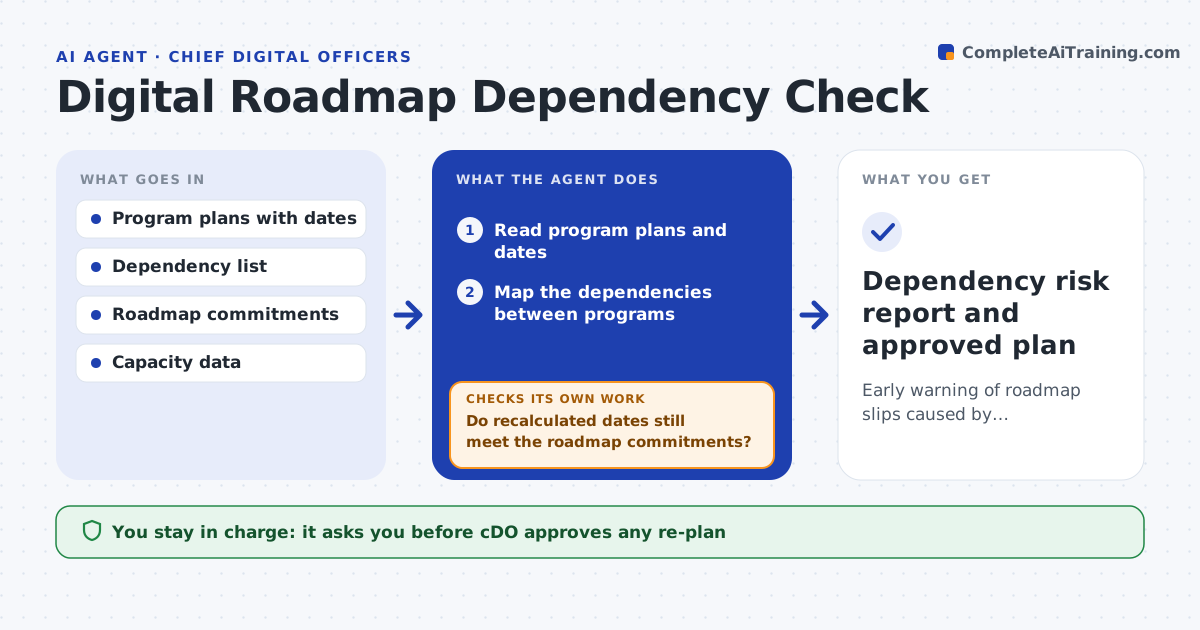
Digital programs depend on each other and slip without anyone noticing the chain. This agent reads program plans, maps the dependencies between them and flags any dependency whose supplying program is running late. It recalculates the affected dates down the chain and checks the result against the roadmap commitments to leadership. It also lists which commitments are now at risk and the options, such as moving scope or adding capacity. The chief digital officer approves any re-plan. Edge case: a late platform release blocks three apps due in the same quarter, so the agent shows all three together.
How it works
Follow the arrows from top to bottom. The orange dashed arrow is the loop: when a check fails, the agent goes back and tries again.
Read the steps as a list
- Weekly roadmap review
- Read program plans and dates
- Map the dependencies between programs
- Flag dependencies whose supplier date is later than needed
- Recalculate the dates of the affected programs
- Do recalculated dates still meet the roadmap commitments?If not: list the commitments at risk and options such as scope or capacity. Back to step 4.
- Do the options themselves avoid creating a new late dependency?If not: drop or rework the option and recalculate. Back to step 4.
- CDO approves any re-planThe agent waits here for your OK.
- Dependency risk report and approved plan
How it decides
A dependency is at risk when the supplier's forecast date is later than the date the consumer needs. Commitments are at risk when the recalculated date passes them.
- Flag a dependency when the supplier date is later than the needed date
- Recalculate along the whole chain
- Rank risks by the commitments they threaten
- Show options with their effects
Make it yours
Every agent is a starting point. You choose these settings for your own situation.
- Review day
- Programs in scope
- Date slack allowed (default: 5 days)
- Commitment list
What keeps you in control
It always asks you first
- CDO approves any re-plan
Hard limits
- Never changes program plans or commitments
- Never contacts program teams without approval
It stops when
- Done: no commitment is at risk or the re-plan is approved
- Stop: plans have no dependency data
Set it up
We guide you through the set-up, step by step
Members get the full set-up guide for this agent. No technical skills needed: you copy, paste and upload.
- One set of instructions to paste into your AI, with the clicks for ChatGPT, Claude, Microsoft 365 Copilot, Gemini and Grok
- The agent then walks you through connecting your own data, one source at a time
- A downloadable copy with the flow chart, the rules and the full guide