AI agent for billing specialists
Disbursement Billing Reconciliation Agent
Bill every paid disbursement to the right client at the right amount.
What it does
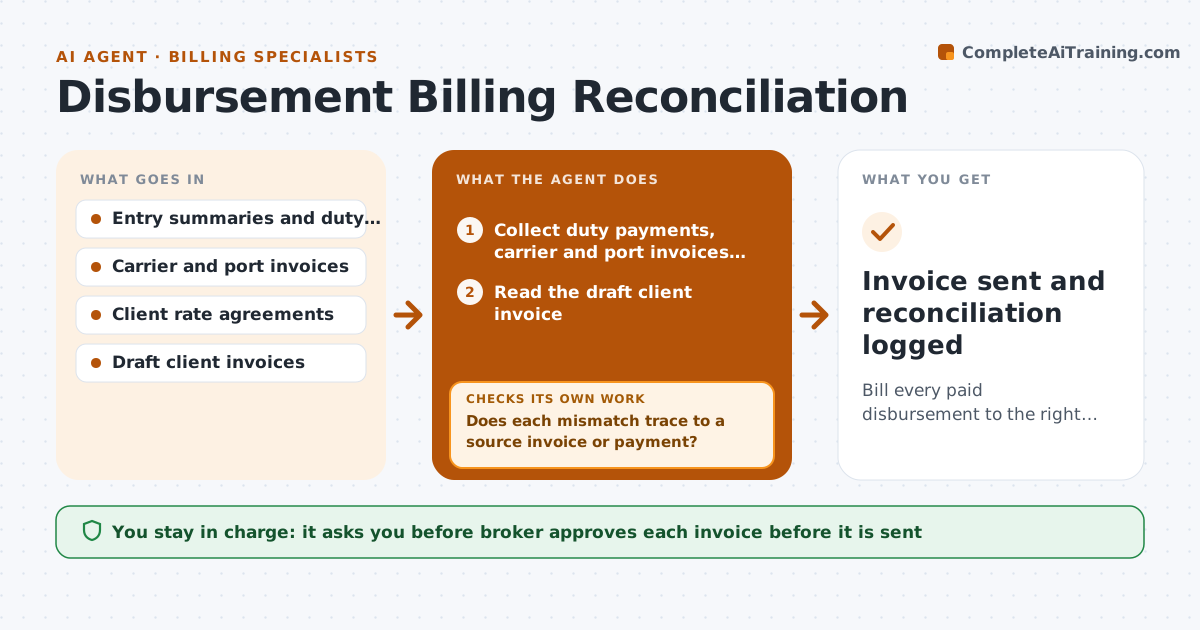
A broker pays duties, port fees and carrier charges for a client, and when the client invoice is built, two charges are missing and one is wrong, so the firm absorbs the cost. The agent matches each entry, carrier invoice and port invoice to the client billing, line by line. It finds missing charges, duplicated lines and amounts that differ from the paid invoice. It drafts a corrected invoice. Any charge that does not match is traced back to its source invoice and rechecked after the correction, so the client invoice always reconciles to what the firm paid out. It also checks the client's agreed rates for service fees. The broker approves invoices before they are sent. Edge case: a charge for a shipment that belongs to another client. The agent flags the mismatch.
How it works
Follow the arrows from top to bottom. The orange dashed arrow is the loop: when a check fails, the agent goes back and tries again.
Read the steps as a list
- Entries are released
- Collect duty payments, carrier and port invoices for each shipment
- Read the draft client invoice
- Match each source charge to a billed line
- List missing, duplicated and mismatched charges
- Does each mismatch trace to a source invoice or payment?If not: search other shipments and clients for the charge, then ask the team. Back to step 3.
- Draft the corrected client invoice with agreed service fees
- Recheck the corrected invoice against the source charges
- Does the corrected invoice reconcile to the amounts paid out?If not: correct the remaining lines and recheck. Back to step 6.
- Broker approves the invoiceThe agent waits here for your OK.
- Invoice sent and reconciliation logged
How it decides
A charge is matched when the client, shipment reference and amount agree with the source invoice. Any difference is traced to its source before the invoice is changed.
- Match on client, shipment reference and amount
- Treat any difference over 1 dollar as a mismatch
- Apply service fees from the client's rate sheet
- Hold an invoice with an untraced charge
Make it yours
Every agent is a starting point. You choose these settings for your own situation.
- Tolerance (default 1 dollar)
- Client rate sheets
- Run schedule
- Invoice format
- Approval limit
What keeps you in control
It always asks you first
- Broker approves each invoice before it is sent
- Broker approves credits or write-offs
Hard limits
- Never send an invoice itself
- Do not bill a charge without a source invoice
It stops when
- Done: invoice reconciled and sent
- Stop: a payment cannot be traced to any shipment, escalate to the broker
Set it up
We guide you through the set-up, step by step
Members get the full set-up guide for this agent. No technical skills needed: you copy, paste and upload.
- One set of instructions to paste into your AI, with the clicks for ChatGPT, Claude, Microsoft 365 Copilot, Gemini and Grok
- The agent then walks you through connecting your own data, one source at a time
- A downloadable copy with the flow chart, the rules and the full guide