
AI agent for social workers
Discharge Placement Agent
Placement ready by the planned discharge date
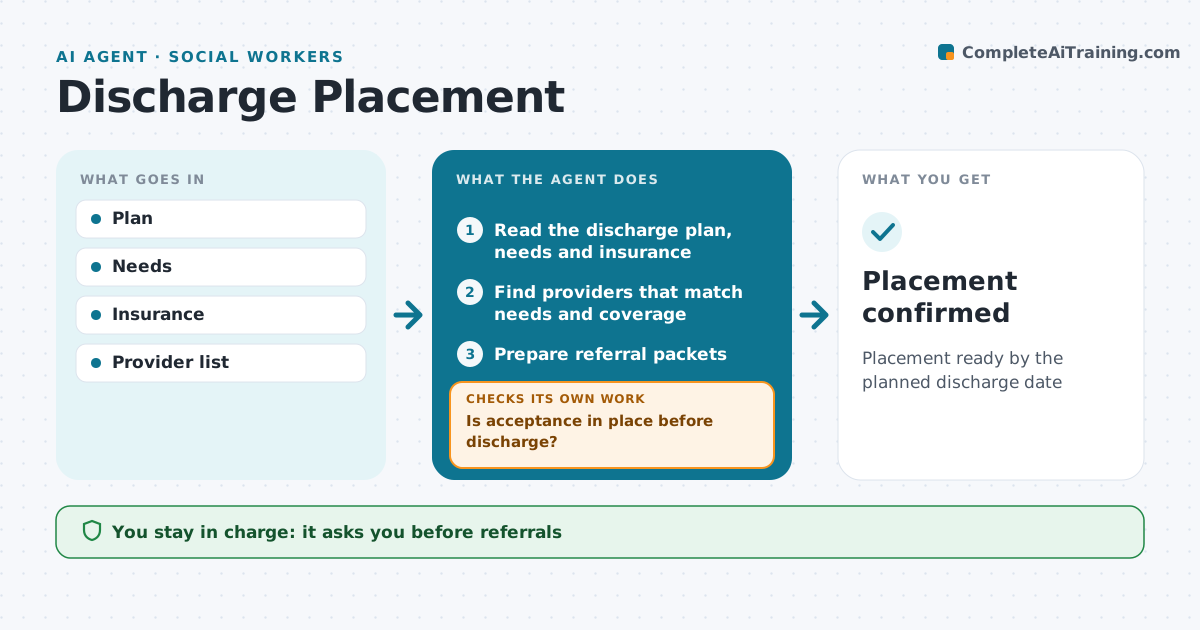
What it does
Hospital social workers arrange rehab beds, nursing home places, home care and equipment so patients can leave on time. This agent reads the discharge plan and the patient's needs and searches providers that match insurance, location, care level and the patient's stated choices. It prepares referral packets with the required documents and tracks each provider's reply. It compares acceptance and start dates with the planned discharge date. When replies are slow or negative, it flags the risk two days ahead and suggests next options. If no acceptance is in place, it widens the search area or provider type and alerts the team. The social worker sends every referral and confirms choices with the patient and family. Edge case: when nobody accepts, it names the constraint that is blocking placement.
How it works
Follow the arrows from top to bottom. The orange dashed arrow is the loop: when a check fails, the agent goes back and tries again.
Read the steps as a list
- Discharge planning starts
- Read the discharge plan, needs and insurance
- Find providers that match needs and coverage
- Prepare referral packets
- Worker sends referralsThe agent waits here for your OK.
- Track responses from providers
- Is acceptance in place before discharge?If not: widen the search area or provider type and alert the team. Back to step 3.
- Placement confirmed
How it decides
Providers ranked by fit and availability.
- Insurance match required
- Patient choice respected
- Delays flagged 2 days ahead
Make it yours
Every agent is a starting point. You choose these settings for your own situation.
- Search radius
- Providers
- Timing
- Packet template
What keeps you in control
It always asks you first
- Referrals
- Patient choice
Hard limits
- Patient consent
It stops when
- Done: placed
- Stop: plan changes
Set it up
We guide you through the set-up, step by step
Members get the full set-up guide for this agent. No technical skills needed: you copy, paste and upload.
- One set of instructions to paste into your AI, with the clicks for ChatGPT, Claude, Microsoft 365 Copilot, Gemini and Grok
- The agent then walks you through connecting your own data, one source at a time
- A downloadable copy with the flow chart, the rules and the full guide



