AI agent for investor relations managers
Disclosure Consistency Check Agent
Investor materials based only on public, consistent information
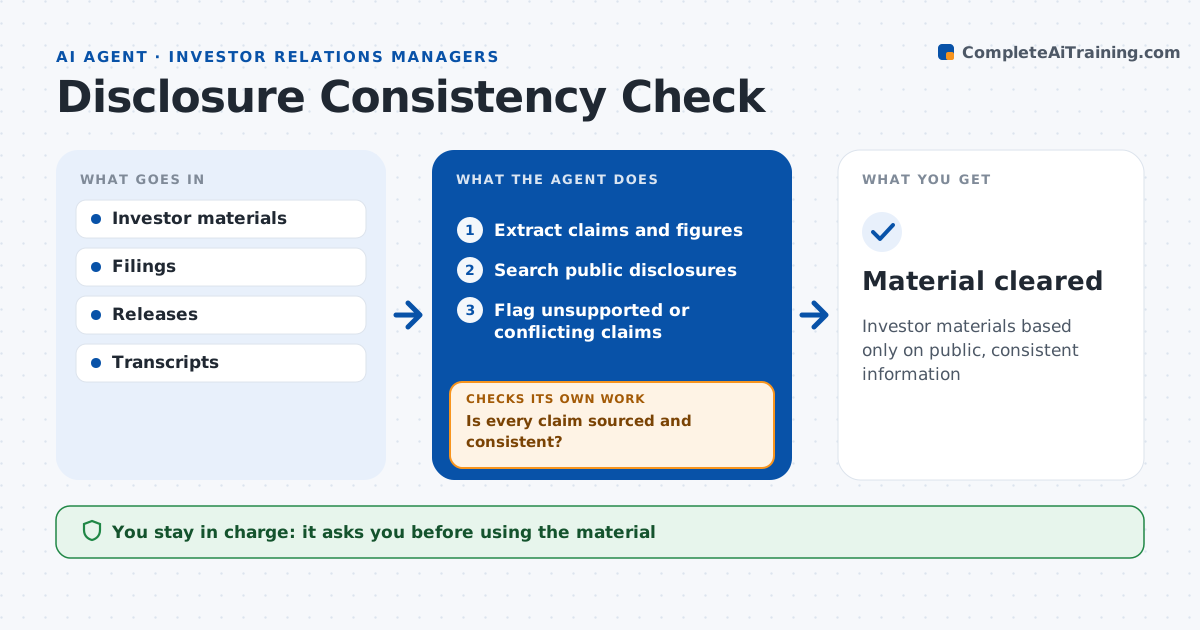
What it does
Investor decks and meeting scripts can slip in facts that were never disclosed publicly, which creates selective disclosure risk. Before materials are used, this agent lists every factual claim and figure and finds its public source, such as a filing, release or past earnings call. Claims without a public source are flagged as potential selective disclosure. It also checks for contradictions with filings and for forward-looking statements missing the required notice. It sends the flags to the author. After edits, it rechecks every claim, repeating until each one is sourced and consistent. Legal and the IR manager approve before the material is used; the agent never sends anything to investors. Edge case: a slide shows a customer logo that has never been disclosed publicly, so the agent flags it even though no figure is involved.
How it works
Follow the arrows from top to bottom. The orange dashed arrow is the loop: when a check fails, the agent goes back and tries again.
Read the steps as a list
- Material ready
- Extract claims and figures
- Search public disclosures
- Flag unsupported or conflicting claims
- Is every claim sourced and consistent?If not: send flags to the author and recheck after edits. Back to step 3.
- Legal and IR approveThe agent waits here for your OK.
- Material cleared
How it decides
It requires a public source for every claim and flags contradictions.
- No public source: flag
- Contradiction with filing: flag
- Forward-looking statement without notice: flag
Make it yours
Every agent is a starting point. You choose these settings for your own situation.
- Sources
- Notice wording
- Materials in scope
- Flag format
What keeps you in control
It always asks you first
- Using the material
Hard limits
- Never decides disclosure itself
- Never shares drafts externally
It stops when
- Done: cleared
- Stop: quiet period
Set it up
We guide you through the set-up, step by step
Members get the full set-up guide for this agent. No technical skills needed: you copy, paste and upload.
- One set of instructions to paste into your AI, with the clicks for ChatGPT, Claude, Microsoft 365 Copilot, Gemini and Grok
- The agent then walks you through connecting your own data, one source at a time
- A downloadable copy with the flow chart, the rules and the full guide