AI agent for warehouse managers
Dock Safety Near-Miss Trend Agent
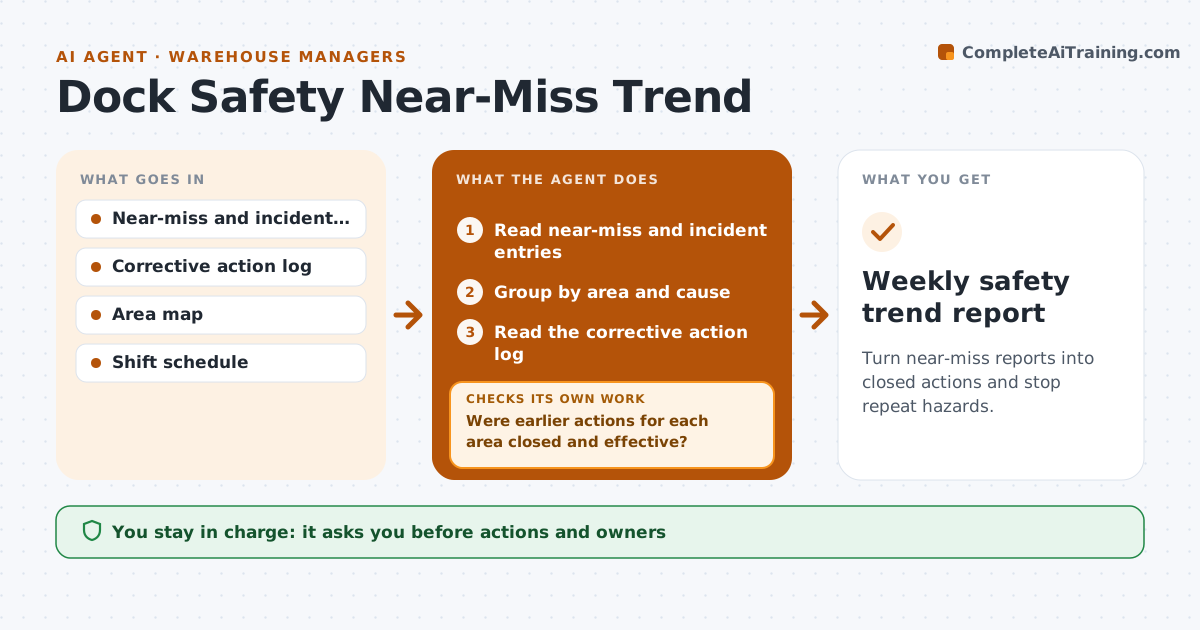
Turn near-miss reports into closed actions and stop repeat hazards.
What it does
Workers file near-miss reports and nothing happens until someone is hurt. The reports sit in a form no one reads. Each week this agent reads the near-miss and incident entries, groups them by area and cause, and checks whether earlier corrective actions were closed. It flags areas where the same issue returned after a fix, which means the fix did not work. It drafts action items and a short toolbox talk topic for the next shift meeting. The manager approves actions and owners. Edge case: any report with an injury or a serious potential, such as a falling load, is sent to the manager at once, outside the weekly cycle.
How it works
Follow the arrows from top to bottom. The orange dashed arrow is the loop: when a check fails, the agent goes back and tries again.
Read the steps as a list
- Weekly safety review begins
- Read near-miss and incident entries
- Group by area and cause
- Read the corrective action log
- Were earlier actions for each area closed and effective?If not: Reopen the action and flag that the issue returned. Back to step 4.
- Rank areas by repeat count and potential severity
- Draft action items and a toolbox talk topic
- Manager approves actions and ownersThe agent waits here for your OK.
- Track actions to completion
- Did new reports for the area fall after the action?If not: Draft a stronger control for the area. Back to step 5.
- Weekly safety trend report
How it decides
Groups reports by area and cause, flags three similar reports in 30 days, and treats a repeat after a closed action as a failed fix.
- Three similar reports in 30 days is a trend
- A repeat after a closed action reopens it
- Serious potential reports go to the manager at once
- Actions need an owner and a date
Make it yours
Every agent is a starting point. You choose these settings for your own situation.
- Trend threshold (default 3 in 30 days)
- Severity rules
- Areas to track
- Toolbox talk day
- Alert contacts
What keeps you in control
It always asks you first
- Actions and owners
- Any change to a layout or rule
- Any report to authorities
Hard limits
- Never judge individual workers
- Never close an action without evidence
It stops when
- Done: trends closed and reports fall
- Stop: injury occurs, incident process applies
- Stop: area closed
Set it up
We guide you through the set-up, step by step
Members get the full set-up guide for this agent. No technical skills needed: you copy, paste and upload.
- One set of instructions to paste into your AI, with the clicks for ChatGPT, Claude, Microsoft 365 Copilot, Gemini and Grok
- The agent then walks you through connecting your own data, one source at a time
- A downloadable copy with the flow chart, the rules and the full guide