AI agent for fundraisers
Donor Recognition List Verification Agent
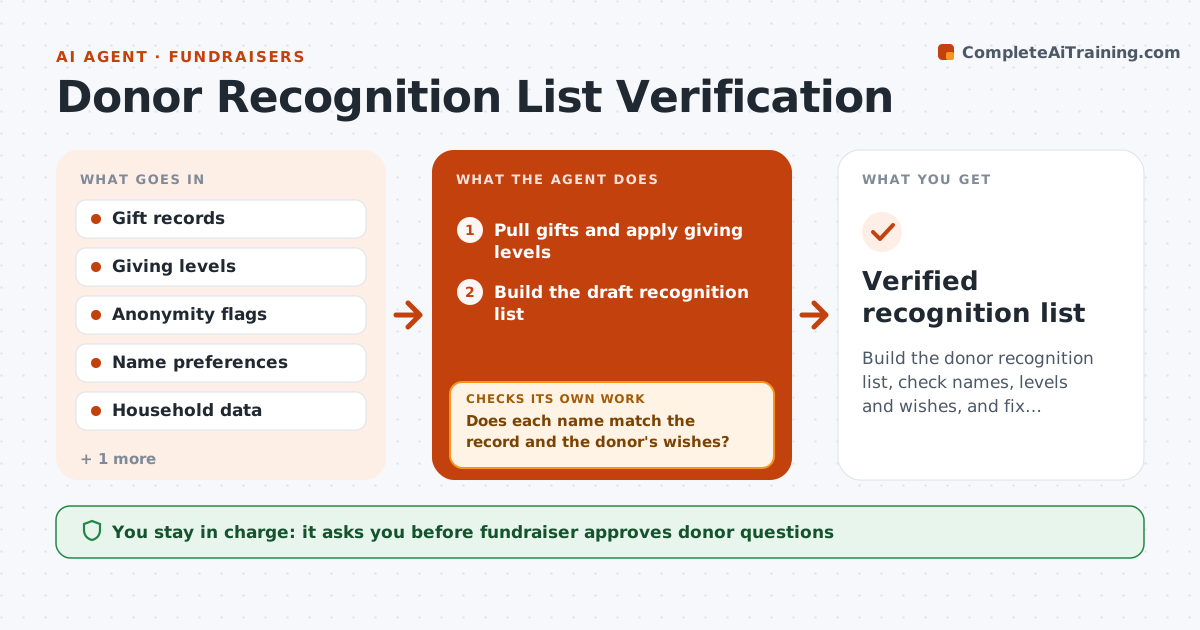
Build the donor recognition list, check names, levels and wishes, and fix conflicts before print
What it does
Donor names are misspelled, listed at the wrong level or shown against the donor's wishes. The agent builds the recognition list from gift records and applies the giving levels. It checks names for spelling and format, household combinations, anonymity requests and requests for a different name form. It flags conflicts, such as a donor flagged anonymous but listed last year, and asks donors if needed. After changes, it rechecks the list. It compares the final list with the previous year to catch missing names. The fundraiser approves the final list. Edge case: a couple gave separately, and the agent checks whether they want to be listed as a household.
How it works
Follow the arrows from top to bottom. The orange dashed arrow is the loop: when a check fails, the agent goes back and tries again.
Read the steps as a list
- Deadline approaches
- Pull gifts and apply giving levels
- Build the draft recognition list
- Does each name match the record and the donor's wishes?If not: Flag conflicts and prepare questions for the donor. Back to step 3.
- Fundraiser approves questions to donorsThe agent waits here for your OK.
- Record donor replies and update names and levels
- Compare the list with last year to find missing donors
- Are all level changes and anonymity requests applied?If not: Fix the list and rerun the checks. Back to step 2.
- Prepare the final list in print format
- Fundraiser approves the final listThe agent waits here for your OK.
- Verified recognition list
How it decides
Names and levels come from the gift records and stated wishes; conflicts are resolved before a name is listed.
- Honor anonymity flags first
- Combine household gifts only with permission
- Check the level using gifts in the stated period
- Compare with the prior list for missing names
Make it yours
Every agent is a starting point. You choose these settings for your own situation.
- Giving period and levels
- Household rule
- Name format
- Comparison list
What keeps you in control
It always asks you first
- Fundraiser approves donor questions
- Fundraiser approves the final list
Hard limits
- Never list an anonymous donor
- Never send a question without approval
It stops when
- Done: the list is verified and approved
- Stop: the data period is unclear
Set it up
We guide you through the set-up, step by step
Members get the full set-up guide for this agent. No technical skills needed: you copy, paste and upload.
- One set of instructions to paste into your AI, with the clicks for ChatGPT, Claude, Microsoft 365 Copilot, Gemini and Grok
- The agent then walks you through connecting your own data, one source at a time
- A downloadable copy with the flow chart, the rules and the full guide